The full review
What is Azure Kubernetes Service?
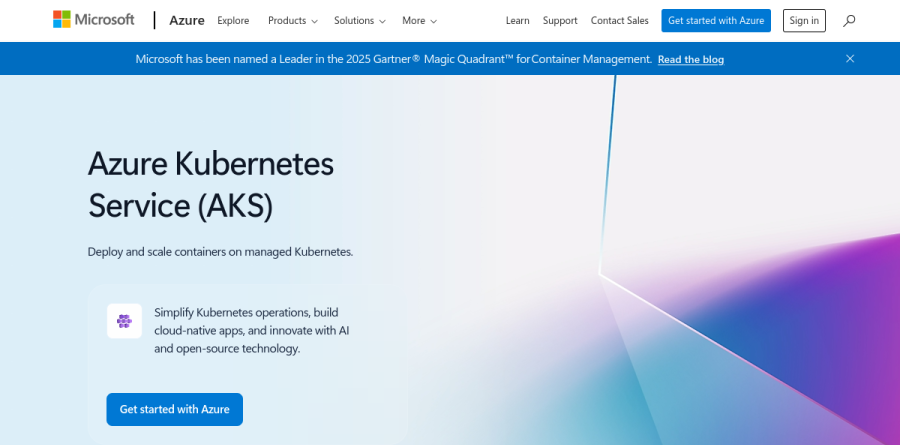
Azure Kubernetes Service is Microsoft's managed Kubernetes platform, framed on the product page as a way to deploy and scale containers on managed Kubernetes. AKS manages the Kubernetes control plane for you — the uptime SLA is written against availability of the Kubernetes API server — while preserving access to the comprehensive capabilities of the Kubernetes API and its rich ecosystem.
Cluster management on the Free tier costs nothing; you pay only for the underlying resources, with compute charged by the duration and type of the virtual machines AKS launches and manages, plus IP address and networking resources. It runs Linux and Windows Server containers alike, and through Azure Arc it stretches to on-premises datacenters, Azure Stack HCI, and edge locations.
How the three AKS tiers differ

AKS sells cluster management in three tiers, and the differences turn on reliability guarantees, not features. Microsoft states the Free tier includes all current AKS capabilities and supports up to 1,000 nodes, though the docs recommend staying under 10 nodes and attach no financially backed uptime commitment. The Standard tier switches on the cluster uptime SLA and lifts the ceiling to 5,000 nodes.
Premium adds 24-month Long Term Support for a Kubernetes version, documented as Microsoft maintenance beyond community support, for regulated environments requiring extended maintenance windows. The vendor puts the uptime SLA at 99.95% availability of the API server with availability zones, and 99.9% without. Moving between tiers is one az aks update command, so the choice is reversible.
AKS Automatic removes day-two toil
For teams that would rather not staff a platform engineering practice, AKS Automatic is the draw. It provisions a Standard tier cluster with node autoprovisioning managing node pools, system node pools maintained by AKS, and Horizontal Pod Autoscaler, KEDA, and Vertical Pod Autoscaler enabled from the start. Cluster upgrades follow the stable channel, node OS images track the NodeImage channel, and unhealthy nodes get repaired automatically.
Microsoft reports a pod readiness SLA exclusive to AKS Automatic, guaranteeing that 99.9% of qualifying pod readiness operations complete within five minutes. That matters most for workloads scaling into traffic spikes, event-driven consumers, and CI/CD jobs needing predictable startup.
Security and networking defaults worth having
AKS leans hard on Azure for governance. Deployment safeguards enforce Kubernetes best practices through Azure Policy controls, baseline Pod Security Standards apply in enforce mode on Automatic clusters, and the image cleaner strips unused images with known vulnerabilities. Identity flows through Azure RBAC for Kubernetes authorization, with Microsoft Entra Workload ID and an OIDC issuer giving pods a credential-free route to Azure services.
Networking is equally opinionated. Azure CNI Overlay powered by Cilium supplies the data plane, the application routing add-on handles ingress through managed NGINX or the Kubernetes Gateway API, and a managed NAT gateway covers egress. Advanced Container Networking Services adds flow logs, L4 metrics, and Cilium L7 policies.
Observability and the path from code to cluster
Monitoring arrives as managed services rather than something you assemble. Managed Prometheus collects metrics, Container insights gathers logs, and Azure Monitor Dashboards with Grafana render them in the portal. On Automatic clusters Managed Prometheus and Container insights are enabled by default, while on Standard both are optional; Azure Monitor Dashboards with Grafana is built into the Azure portal experience on either tier.
Automated deployments containerize an application from source control, generate Kubernetes manifests, and wire up CI/CD workflows, while GitHub Actions for Kubernetes suits teams with pipelines already running. Azure Container Registry and Azure Container Storage fill the image and volume layers, while the Kubernetes AI toolchain operator, KAITO, targets teams deploying open-source models.
Who should choose Azure Kubernetes Service
AKS makes the most sense for organizations already on Azure, where Microsoft Entra ID, Azure Policy, and Azure Monitor are the existing control surfaces. The Free tier is a genuine gift for learning and test clusters. Regulated enterprises unable to chase the Kubernetes release cadence should look at Premium, and small teams without a platform group will get more from AKS Automatic than from hand-tuning a Standard cluster.
It fits poorly for teams pursuing cloud neutrality, since much of the value comes from Azure-native integrations you would abandon in a migration, and it is overkill for a single containerized app better served by Azure Container Apps. Kubernetes also remains Kubernetes: AKS removes control plane maintenance, not the need to understand pods, services, and manifests.
Strengths
- Free control-plane tier — you pay only for worker-node compute, with no cluster-management fee
- Standard tier adds a 99.95% financially backed API-server SLA for just $0.10/cluster/hour (~$73/mo)
- Deep Azure integration: Entra ID RBAC, Azure Monitor, ACR, Azure CNI, Microsoft Defender for Containers
- Scales to 5,000 nodes; Premium adds 24 months of Long-Term Support beyond the community lifecycle
Watch out for
- Node VMs, disks, load balancers, and Azure Monitor drive most of the bill and can surprise you
- Free tier has no financially backed SLA — Microsoft does not recommend it for production
- Premium is 6x Standard ($0.60 vs $0.10/cluster/hr) purely to add extended support (LTS)
- Kubernetes complexity plus Azure lock-in — best value only if you're already inside the Azure ecosystem
Key features
| Feature | What it does |
|---|
| Free managed control plane | Kubernetes control plane runs at $0 on the Free tier across all regions; you pay only for consumed resources. |
| Uptime SLA (paid tiers) | 99.95% API-server availability with availability zones, 99.9% without, on Standard and Premium tiers. |
| Long-Term Support (Premium) | 24 months of Microsoft maintenance beyond the community Kubernetes support window for slow-moving workloads. |
| Massive scale | Up to 1,000 nodes per cluster on Free, and 5,000 nodes on Standard/Premium. |
| AKS Automatic | Production-ready default that preconfigures Standard tier, autoscaling, and a pod-readiness SLA. |
| Azure ecosystem integration | Native Entra ID auth, Azure Monitor, ACR image registry, Azure CNI networking, and Defender for Containers. |
How Azure Kubernetes Service compares
| Alternative | How it differs |
|---|
| Amazon EKS | $0.10/hr per cluster control plane with no free tier; deepest AWS integration. |
| Google GKE | $0.10/hr per cluster after one free zonal cluster; strong Autopilot automation. |
| Self-managed (kubeadm/Rancher) | No control-plane fee, but you run and patch the masters yourself — much higher ops burden. |
Frequently asked questions
Is Azure Kubernetes Service free?
AKS itself is free to use — the managed Kubernetes control plane costs $0 on the Free tier across all Azure regions. You only pay for the worker-node VMs, storage, load balancers, and networking your cluster consumes. The paid Standard ($0.10/cluster/hour) and Premium ($0.60/cluster/hour) tiers add a financially backed uptime SLA on top.
How much does Azure Kubernetes Service cost?
Cluster management is free on the Free tier, $0.10 per cluster per hour (~$73/month) on Standard, and $0.60 per cluster per hour (~$438/month) on Premium. The bulk of your bill is node compute — a Standard_D2s_v3 VM runs about $0.096/hour (~$70/month) — plus managed disks, load balancers, and Azure Monitor.
What is the difference between AKS Free, Standard, and Premium tiers?
Free costs $0 with no financial SLA and up to 1,000 nodes, best for dev/test. Standard adds a 99.95% API-server SLA (99.9% without availability zones) and scales to 5,000 nodes for $0.10/hour. Premium keeps that SLA and adds 24-month Long-Term Support for older Kubernetes versions at $0.60/hour.
Azure Kubernetes Service vs EKS vs GKE — which is cheapest?
All three charge roughly $0.10 per cluster per hour for a managed control plane with an SLA. AKS uniquely offers a genuinely free control-plane tier (no SLA), similar to GKE's one free zonal cluster; Amazon EKS charges $0.10/hour per cluster with no free tier. Worker-node compute pricing is broadly comparable across all three providers.
Do I need the Standard tier for production AKS?
Microsoft recommends Standard or Premium for production because only the paid tiers include a financially backed uptime SLA — 99.95% with availability zones, 99.9% without. At $0.10/cluster/hour (~$73/month) it's cheap insurance versus the Free tier's best-effort control plane. Premium ($0.60/hour) adds Long-Term Support for regulated, long-lived workloads.
Azure Kubernetes Service ratings on other platforms
Independent user ratings from third-party review sites, linked here for transparency.
These are not our editorial score, are captured on the date shown, and may have changed since.