The full review
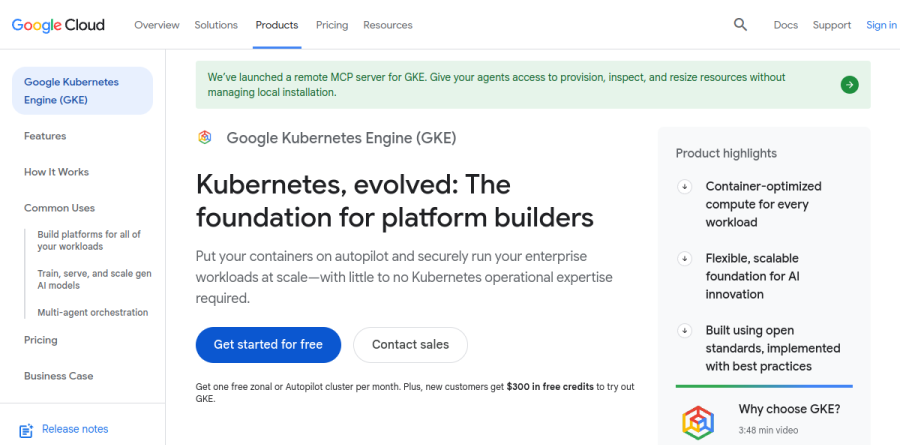
What is Google Kubernetes Engine?
Google Kubernetes Engine is the managed Kubernetes service inside Google Cloud, positioned by the vendor as a foundation for platform builders rather than a bare container host. Within every GKE cluster, Google runs the Kubernetes control plane life cycle from creation through deletion.
From there you choose how much of the node layer to own. With Autopilot enabled, GKE also provisions, scales, and schedules nodes for you; choose Standard and you manage node pools yourself. The product page frames the goal as running enterprise workloads at scale with little to no Kubernetes operational expertise required.
Autopilot and Standard operating modes
Autopilot is a mode of operation in which Google handles node infrastructure, scaling, security, and pre-configured defaults, with automatic capacity right-sizing and per-pod billing so idle headroom stops costing money. General-purpose pods run on the Autopilot container-optimized compute platform -- selected with the autopilot or autopilot-spot built-in compute classes -- or on the Balanced and Scale-Out built-in compute classes, all of which use the Pod-based billing model. Billing tracks pod resource requests in one-second increments, and unmodified system DaemonSet pods, operating system overhead, and unscheduled pods are not charged. Standard node pools bill their underlying Compute Engine instances instead. Pods requesting specific hardware such as GPUs shift to node-based billing plus an Autopilot management premium.
Running AI and agentic workloads on GKE
The product page headlines GKE as a production-ready platform for gen AI. The product page cites clusters of up to 65,000 nodes, integration with AI Hypercomputer, and GPU plus TPU support for training and inference. The vendor reports that gen AI-aware scaling and load balancing cut serving costs by over 30% and tail latency by 60% while raising throughput up to 40% versus other managed and open source Kubernetes offerings. GKE Agent Sandbox wraps untrusted code and tool calls in gVisor kernel isolation -- the same technology the vendor says secures Gemini -- and, per Google, spins up to 300 isolated sandboxes per second. A remote MCP server for GKE lets agents provision, inspect, and resize resources directly.
Security posture and workload isolation
Security arrives as a platform default rather than an add-on. Essential security is enabled by default, and the GKE security dashboard surfaces cluster misconfigurations, risks, and agentless vulnerability scanning in one place. Confidential GKE Nodes apply hardware-based encryption to data in use, GKE Sandbox isolates untrusted workloads, and built-in IaC scanning checks Terraform plans for misconfigurations before they reach production. Binary Authorization is one of the features billed as a standalone SKU rather than being covered by the cluster management fee, alongside Managed Service Mesh, Multi Cluster Gateway and Ingress, and Backup for GKE.
Fleets, Teams, and multi-cluster operations
The vendor's stated rationale for multiple clusters is separating services across environments, tiers, locales, teams, or infrastructure providers, with Fleets meant to make managing them as easy as possible. Fleets group clusters and workloads, while Team scopes carve out subsets of fleet resources per team, each tied to one or more member clusters, so a platform group can delegate ownership without surrendering the whole estate. Config Management, Policy Controller, and the Fleet dashboard ride along with the cluster management fee. GKE Multicloud extends the same operating model to AWS, Azure, and attached CNCF-compliant clusters.
Cost controls and the fine print

The free tier is credit-based rather than a true free plan: credits apply only to zonal and Autopilot clusters, never to regional cluster fees or compute, and leftovers do not roll over. Committed use discounts come in Compute Flexible and Kubernetes Engine variants at one and three year terms, and Spot capacity carries 60% to 91% discounts. The SLA promises 99.95% for Autopilot and regional Standard control planes, 99.5% for zonal Standard, and 99.9% for Autopilot pods across zones. The Extended release channel buys up to 24 months on a minor version at no extra charge during standard support, after which an additional $0.50 per cluster per hour extended-period fee applies on top of the $0.10 base, for $0.60 per cluster per hour.
Who should choose Google Kubernetes Engine
GKE fits platform engineering teams standardizing an internal developer platform on Kubernetes, organizations training or serving gen AI models where TPU and GPU access matters, and anyone already anchored in Google Cloud who needs fleet-level governance across many clusters. Autopilot suits teams that want Kubernetes semantics without node babysitting. It is not ideal for a small team running one or two stateless services, where the per-cluster fee and the cognitive load of Kubernetes outweigh the payoff. Teams needing deep node-level tuning should plan on Standard, since Autopilot closes off much of that control by design.
Strengths
- Only $0.10/hr per cluster management fee, same for Standard and Autopilot
- Free tier: $74.40/mo credit covers one full cluster
- Autopilot removes node management and bills per-pod for actual requests
- Deep GCP integration plus autoscaling, fleets and cost visibility at no extra cost
Watch out for
- Compute (nodes or pods) is billed on top of the flat fee and adds up fast
- Standard mode charges for provisioned node VMs even when idle
- Enterprise/advanced features carry a separate per-vCPU surcharge
- Real bill depends on Compute Engine rates, egress and storage, so estimating is complex
Key features
| Feature | What it does |
|---|
| Autopilot mode | Fully managed, per-pod-billed clusters where Google provisions and secures the nodes for you |
| Standard mode | Full control over node pools, billed at standard Compute Engine VM pricing |
| Flat control-plane fee | $0.10 per cluster per hour, billed per second, regardless of size or topology |
| Free zonal cluster | $74.40/mo credit per billing account offsets one Autopilot or zonal Standard cluster |
| Built-in autoscaling | Pod and cluster autoscaling, fleets, config management and cost visibility included at no charge |
| Kubernetes at the core | Runs upstream open-source Kubernetes, so workloads stay portable across clouds |
How Google Kubernetes Engine compares
| Alternative | How it differs |
|---|
| Amazon EKS | AWS managed Kubernetes; comparable ~$0.10/hr control-plane fee plus EC2 node costs |
| Azure AKS | Free control plane on the base tier; pay only for node VMs, plus a paid uptime-SLA tier |
| DigitalOcean Kubernetes | Free control plane, simpler flat droplet-based node pricing for smaller teams |
Frequently asked questions
Is Google Kubernetes Engine free?
Not entirely. Kubernetes itself is open source, but GKE charges a $0.10 per cluster per hour management fee plus compute. A free tier gives $74.40 in monthly credits per billing account, enough to cover one zonal Standard or Autopilot cluster's management fee; you still pay for nodes, pods, storage and egress.
How much does Google Kubernetes Engine cost?
Every GKE cluster costs a flat $0.10 per hour (about $73/month) for the control plane, billed per second. On top of that, Autopilot bills per pod for the CPU, memory and storage your workloads request, while Standard bills for the Compute Engine node VMs you run. Total cost is dominated by compute.
What is the difference between GKE Autopilot and Standard?
Both charge the same $0.10/hr cluster fee. Autopilot is fully managed and bills per pod for the resources your workloads request, so you never size nodes. Standard gives you full control of node pools and bills per node at Compute Engine VM rates, so idle capacity still costs money. Autopilot suits hands-off teams.
Does GKE have a free tier?
Yes. GKE provides $74.40 in credits per month per billing account, equivalent to the management fee for one zonal Standard or one Autopilot cluster. The credit only covers the control-plane fee, so you still pay for compute nodes or pods, persistent storage, load balancers and network egress on that cluster.
Google Kubernetes Engine vs Amazon EKS: which is cheaper?
Both charge roughly $0.10 per hour per cluster for the control plane plus compute, so headline fees are similar. GKE adds a $74.40/month free-tier credit and Autopilot's per-pod billing, which can cut waste. EKS lacks that credit but integrates tightly with AWS. Real cost depends on node pricing and utilization.
Google Kubernetes Engine ratings on other platforms
Independent user ratings from third-party review sites, linked here for transparency.
These are not our editorial score, are captured on the date shown, and may have changed since.