The full review
What is Docker?
Docker is the container platform that turned a kernel isolation feature into an everyday developer tool. It packages an application with its libraries, runtime, and configuration into an image, then runs that image as an isolated container behaving identically on a laptop, a build runner, or a production cluster. The site stresses open standards, describing Docker as OCI-compliant and platform-independent with no lock-in, and the free Docker Personal plan includes Docker Engine and the Docker CLI at no cost.
In practice, Docker replaces a long setup document with a Dockerfile and a Compose file. A new engineer clones the repository, runs one command, and has the database, cache, and application services running locally in minutes. That reproducibility is why the container image became the default shipping unit for server software.
Docker Desktop and the local loop

Docker Desktop bundles the pieces a developer touches daily: Docker Engine as the runtime, the Docker CLI, Docker Compose for multi-container projects, Docker Build, and a built-in Kubernetes cluster for testing orchestration without separate infrastructure. Volume management and Synchronized File Shares handle the data side, while Docker Debug is a CLI command for diagnosing issues inside containers and images, letting you work with slim containers that would otherwise be difficult to debug.
Installers cover Mac on Apple Silicon and Intel, Windows on AMD64 and ARM64, and Linux, so a mixed-hardware team shares one workflow. VDI support and a private extensions marketplace let larger organizations standardize what appears inside the app.
Docker Hub and trusted content

Docker Hub is the registry half of the platform and the largest public collection of container images. Teams use private repositories for internal services alongside public distribution, and the Docker Verified Publisher Program lets vendors publish images carrying a trust signal rather than arriving as anonymous uploads.
The newer emphasis is Docker Hardened Images, minimal signed artifacts that the vendor reports are continuously patched and audit-ready at SLSA Level 3. Docker also offers centralized governance across images, models, and MCP servers, so a security team can decide which sources developers may pull from.
Offloading builds and tests
Beyond the local machine, Docker sells capacity. Docker Build Cloud moves image builds onto cloud builders, with each paid plan including a build cache, a monthly allowance of build minutes, and a limit on parallel builds. Testcontainers Cloud is metered in cloud runtime minutes with concurrent test workers for Docker Desktop and CI accounts, and Docker Offload is presented on the homepage as a way to break free of local constraints. Docker Scout sits across it, surfacing vulnerabilities and policy violations in images before they reach production.
The agent and AI layer
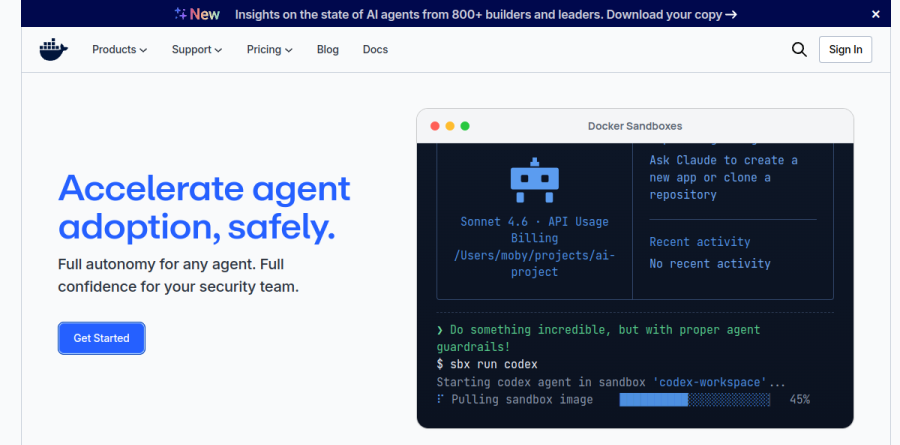
Docker has pointed its recent product line at AI agents. The homepage leads with accelerating agent adoption safely, backed by Docker Sandboxes for MicroVM isolation of individual agent sessions, Docker AI Governance as one console for sandbox and MCP policy with identity-bound audit logs, Docker Model Runner for local-first LLM inference, and the Docker MCP Catalog and Toolkit for connecting MCP tools. The pitch: isolation primitives teams already trust apply cleanly to agent-written code.
How the plans differ
Docker Personal covers one user with Docker Desktop, Docker Hub, Docker Scout, and Docker Debug, plus a capped Hub pull rate and a single private repository. Docker Pro adds Docker Build Cloud minutes, Testcontainers Cloud runtime, Synchronized File Shares, and an unlimited Hub pull rate. Docker Team introduces bulk user management, audit logs, Docker Hub role-based access control, and support for up to 100 users. Docker Business is the compliance tier, carrying Hardened Docker Desktop, single sign-on, SCIM, Image Access Management and Registry Access Management, the Docker Desktop Usage Insight Dashboard, and Enhanced Container Isolation Management.
Who should choose Docker
Docker is close to unavoidable if you build server-side software. Individual developers and open-source maintainers get a complete local toolchain under Docker Personal at no cost. Docker Pro is capped at a single user and adds build and test capacity for that developer, while groups move to Docker Team for up to 100 seats and organizations with a formal security review need Docker Business, where single sign-on, SCIM, and Hardened Docker Desktop live.
It is a weaker fit for teams shipping only client-side or mobile apps with no containerized backend, where the daily overhead buys little. Groups working exclusively on Linux servers may also get less from Docker Desktop, though Docker Personal includes Docker Engine and the Docker CLI at no cost.
Strengths
- Core Docker Engine is fully open-source and free forever
- Industry-standard tooling with the largest image registry (Docker Hub)
- Docker Desktop bundles Engine, Compose, Kubernetes and Build in one install
- Free commercial use for genuinely small businesses (<250 staff, <$10M)
Watch out for
- Docker Desktop requires a paid license once you exceed the small-business threshold
- Per-user seat pricing adds up fast for large engineering orgs
- Docker Hub free tier is rate-limited to 100 pulls/hour
- Business-only features (SSO, SCIM, hardened Desktop) gate key enterprise security
Key features
| Feature | What it does |
|---|
| Docker Engine | Open-source container runtime, free for all users on Linux, Windows and macOS. |
| Docker Desktop | GUI app bundling Engine, CLI, Compose, Kubernetes and Build; licensed for larger companies. |
| Docker Hub | Cloud registry for storing and sharing images; free tier is pull-rate limited. |
| Docker Scout | Image vulnerability analysis and supply-chain insights, repo count scales by plan. |
| Docker Build Cloud | Remote build farm with shared cache; monthly build minutes scale from 200 to 1,500 by tier. |
| Enterprise security | Hardened Desktop, SSO, SCIM, ECI and Registry Access Management on the Business plan. |
How Docker compares
| Alternative | How it differs |
|---|
| Podman Desktop | Red Hat's free, daemonless, fully open-source alternative with no commercial license fee. |
| Rancher Desktop | SUSE's free open-source desktop with built-in Kubernetes; no per-seat licensing. |
| OrbStack | Fast, lightweight Docker/Linux runtime for macOS; paid but cheaper for solo Mac devs. |
Frequently asked questions
Is Docker free?
Yes, in large part. The Docker Engine (the core container runtime) is open-source and free for everyone. Docker Desktop is also free for individuals, education, open-source projects, and small businesses with fewer than 250 employees AND under $10M in annual revenue. Larger companies need a paid Pro, Team, or Business plan.
How much does Docker cost?
Docker has four tiers. Personal is $0. Pro is $9/user/month billed annually ($11 monthly). Team is $15/user/month annually ($16 monthly). Business is $24/user/month, with no annual discount. Pricing is per user; the Team plan dropped its 5-user minimum in December 2024, so small teams can start at any size.
Is Docker Desktop free for commercial use?
Only for small companies. Docker Desktop is free for commercial use if your organization has fewer than 250 employees AND less than $10M in annual revenue. Exceed either threshold and every user needs a paid Pro, Team, or Business subscription. Government entities do not qualify for the free exemption and must purchase a plan.
What is the difference between Docker Pro and Team?
Pro ($9/user/mo annual) is for a single developer and adds unlimited Hub pulls and 200 Build Cloud minutes. Team ($15/user/mo annual) adds collaboration and governance: role-based access control, audit logs, unlimited private repos, 500 Build Cloud minutes, a Hub organization, and faster 2-business-day support for multiple seats.
Docker vs Podman: which is better?
Docker is the industry standard with the richest tooling, Docker Hub, and Docker Desktop, but Desktop needs a paid license at scale. Podman is free, open-source, daemonless, and rootless with no commercial fee, making it popular for security-conscious and Red Hat shops. Many teams pick Podman purely to avoid Docker Desktop licensing costs.
Docker ratings on other platforms
Independent user ratings from third-party review sites, linked here for transparency.
These are not our editorial score, are captured on the date shown, and may have changed since.
