Coddy review: free courses and certificates, an unstated daily limit, and no published consumer prices
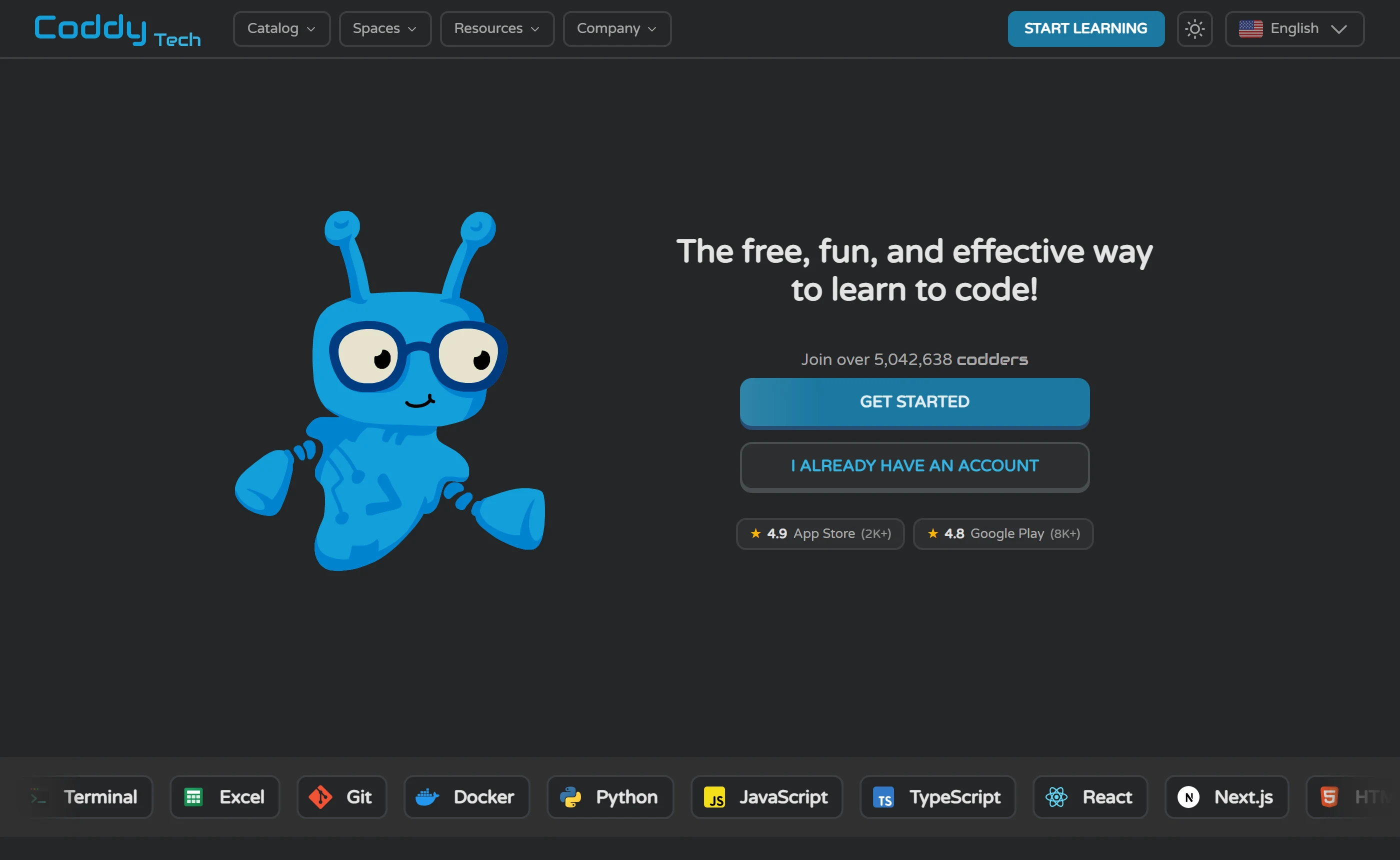
Coddy is a browser-based platform for learning to code, sold on its home page as the free, fun, and effective way to learn to code, with lessons that compile and run without any local install. It teaches by making you write the code: on the Python journey Coddy says every concept comes with a coding challenge, and each lesson also offers audio, a quiz, an AI tutor called Bugsy, and a reference for anything already covered. Around that sits a game layer - daily streaks with freeze days, XP, global leaderboards, and a daily energy allowance that caps how much a free account can do in a day.
Quick verdict
Worth considering if you
- You want to write and run code in a browser today, without installing anything or handing over an email - the Python playground loads logged out, with Run, Reset, a STDIN box and an output panel.
- You learn in short sittings rather than long ones: Coddy’s own ranked list of free coding sites says its free tier suits about 15 to 20 minutes of learning a day.
- You want milestones early - a certificate is issued per section of a journey rather than at the end, it costs nothing, and Coddy says most sections take a few hours of practice spread over a few days.
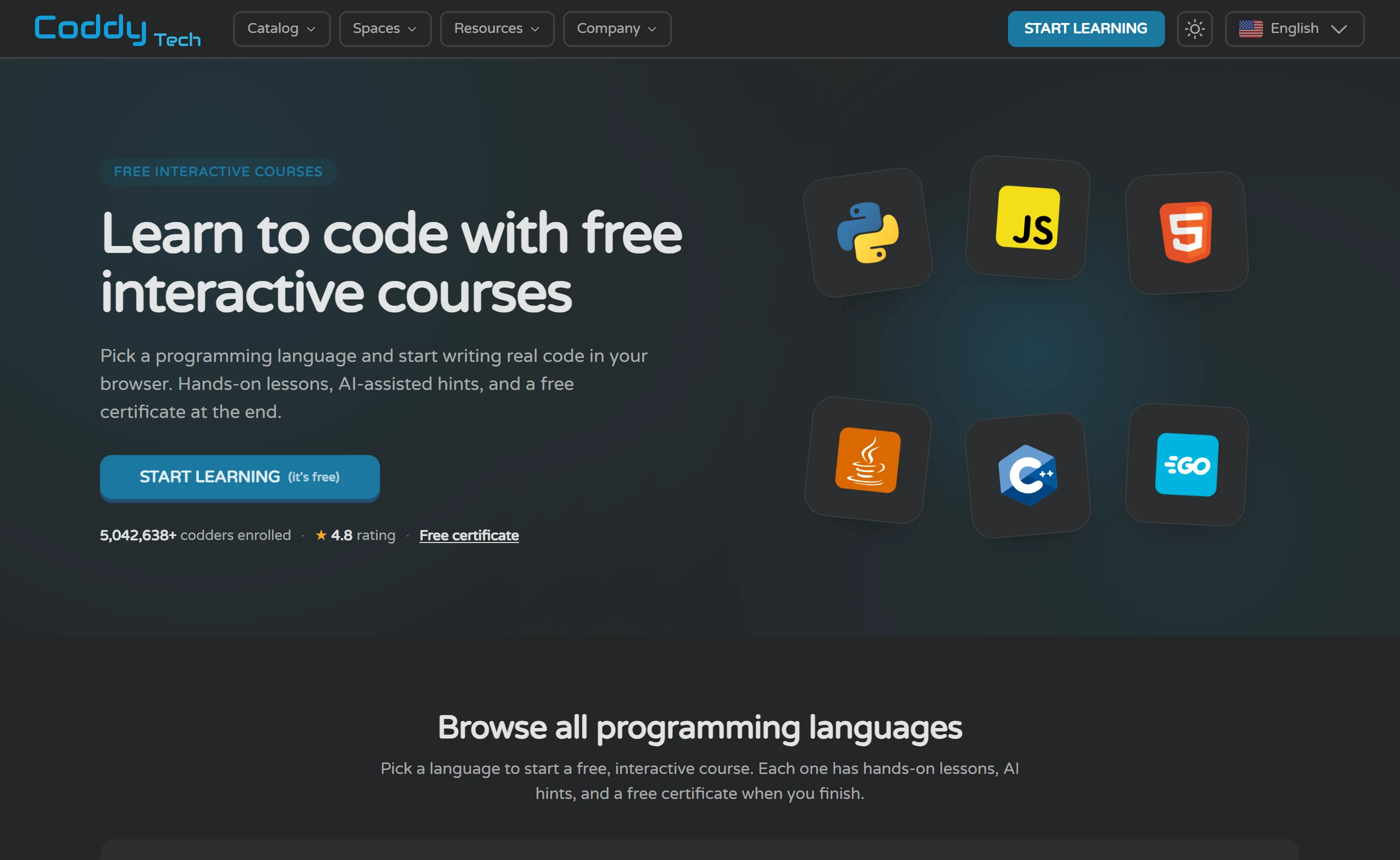
- You want breadth: the catalog page lists 28 language and technology journeys plus two non-code Spaces, and the all-courses page counts 125 courses across 17 languages.
- You mostly study on a phone - Coddy says the iOS and Android apps cache your current lessons for offline use and sync progress when you reconnect.
Look elsewhere if you
- You will not sign up for something whose price you cannot see: coddy.tech/pricing sends logged-out visitors to a Log in / Register screen, and no public Coddy page we opened states a web price for Plus, Pro or Lifetime. The only price Coddy publishes in the open is its Teachers seat plan, at $2.42 per seat per month and $289.99 billed annually at the page’s default of 10 seats.
- You want long, uninterrupted free sessions - the free plan runs on a daily energy allowance Coddy never quantifies, and Coddy’s own ranked list of free coding sites says heavier daily use needs Pro.
- You need a credential that a school or employer formally recognises - Coddy names no employer or institution, and its own math page states plainly that Coddy is not a school and does not award academic credit.
- You want an ad-free app without paying: Google Play labels the Android app Contains ads, Apple’s age rating lists Advertising, and ad-free learning is published as a feature of the paid Plus plan.
- You need to know where your code goes when an AI reads it - Coddy deliberately does not name its model, and its privacy policy, which lists Stripe, LinkedIn, Google, Firebase, Meta, TikTok, AppsFlyer and Brevo, says nothing about AI, chat logs or learner code.
Notable strengths
- Coddy puts every course and every certificate on the free plan. By its own FAQ, the free tier is limited by how much you can do per day, not by what you can reach: you can finish whole courses and collect section certificates without entering a card, and Coddy states no plan is required to start learning or to earn a certificate.
- Nothing to install, and you can see the editor before you register. Coddy says Python, JavaScript, Java, C++, SQL and the rest compile and execute in the browser with no IDE or local setup, and the Python playground is genuinely public - it renders the editor, Run, Reset and Erase controls and an output panel with no login prompt, so you can judge the tooling from outside the product.
- Certificates are issued per section, not per language. Each journey splits into sections and each section issues its own certificate with a unique ID and a public verification URL, so the first credential arrives after one section rather than at the end of a 219-lesson journey. What it certifies is that you finished every lesson and challenge in that section; Coddy publishes no exam, pass mark or minimum score anywhere we looked.
- The AI tutor is designed to withhold the answer. Coddy says Bugsy reads your current editor contents and your last failing test without you pasting anything, replaces any reply that would reproduce the solution with a Reveal Solution button, and after five failed runs offers the solution itself. That is the design as published; nobody here queried it, so treat it as an intention rather than a measured behaviour.
Important limits
- There is no public price list for the consumer plans. coddy.tech/pricing redirects logged-out visitors to a login screen, so the prices, billing periods and per-plan feature table for Plus, Pro and Lifetime are invisible until you have an account. The only consumer prices we could read are US App Store in-app purchases, and they list the same Plus yearly subscription at four different amounts and Pro yearly at two, with no explanation on the page. The one price Coddy publishes openly is for the Teachers seat plan, which is a different product bought by the classroom.
- The ceiling on the free plan is never quantified. Coddy publishes that a daily energy limit exists and that Plus and Pro lift it, but never how much energy a day holds, what spends it, or how fast it refills. No number appears on any page Coddy publishes; the figures in circulation - six energy, six lessons, multi-hour refills - come from reviewers, and the only vendor mentions are support replies on Trustpilot that echo a reviewer’s six lessons a day and a 5 lives daily limit without confirming either. You cannot work out how far a free account goes before you open one.
- Coddy’s own pages disagree with each other. The language count reads 15+ in the FAQ and page title, 17 on the all-courses page and 20+ in the home page catalog blurb, while the catalog itself shows 28 cards; certificates are described both as one per course and as one per section; and the home page badges of 4.9 on the App Store and 4.8 on Google Play sit above live listings showing 4.8 and, on different reads the same day, 4.6 or 4.7. None of these figures can be treated as the number.
- Ads are part of the free mobile experience and are never described. Google Play carries the Contains ads label and Apple’s 16+ age rating lists Advertising and Loot Boxes, but Coddy’s own pages treat ads only as something a paid plan removes - ad-free learning under Plus in the FAQ, No ads inside the PRO seat list on the teachers pricing page - and never describe the ads themselves. Format, frequency and whether the web app shows them at all are unpublished, so the free experience cannot be pictured before install.
Verification status. Verified on 11 September 2026 against Coddy’s own public pages - home, FAQ, the catalog and its course and journey pages, the Bugsy page, certifications and per-track certification pages, apps, teachers pricing, the Python playground, terms, privacy and the cookie policy - plus the US App Store listing, the Google Play listing and the Trustpilot profile. No account was created, no lesson completed, no code run on Coddy and no question put to its AI tutor. The consumer pricing page is the main gap: it redirects logged-out visitors to a login screen, so the only consumer plan prices quoted anywhere in this review are US App Store in-app purchases, and the sole price Coddy publishes on the open web is for its Teachers seat plan.
OfficeBooks has no affiliate relationship with Coddy at the time of writing. Every Coddy link on this page is a plain link that earns us nothing, and nothing here was shown to Coddy before publication. Coddy does run a public affiliate program paying commission on subscriptions and one-off purchases; we are not in it. Other pages on OfficeBooks do carry affiliate links.
How this was checked
Sources. We read Coddy’s public pages - home, /faqs, /landing with its language journeys and /landing/courses, /ai-tutor, /certifications and the per-track certification pages, /apps, /teachers and /teachers/pricing, /playground/python, /embed, /build, /press, /affiliate, the blog, /terms, /privacy and /cookie-policy - together with the US App Store listing, the Google Play listing and the Trustpilot profile, plus the public pricing pages of Mimo, Codecademy, DataCamp, Scrimba and Codedex, and the freeCodeCamp homepage, for comparison. Every statement below is tied to a page that was opened and quoted. We also read 70 user reviews in full: 20 recent and 20 one- and two-star reviews on Trustpilot, all 10 reviews the US App Store listing displays, and the 20 Most relevant reviews Google Play loads.
Hands-on. None. No account was created, no lesson completed, no challenge submitted, no code run on Coddy and no question put to its AI tutor. A researcher opened the first onboarding screen - the one where the mascot introduces itself as Bit, above a CONTINUE button - and stopped there, because going further would have meant entering the sign-up flow. Everything below is either something Coddy publishes, something visible on a store or review page, or an absence we could not fill from outside the product.
Not accessible. Coddy’s consumer pricing page is login-gated: it briefly loads as Coddy - Pricing, then redirects to a Log in / Register screen, so plan prices, billing periods and the per-plan feature table could not be read, and an archived copy of that page was unreachable as well. Everything behind the sign-in is therefore unexamined: the lesson player and its energy meter, the Bugsy chat, the My certifications area, and the internals of the iOS and Android apps, which we could only observe through their store listings. One comparison point, SoloLearn, returned a 403 and then a browser security check we did not pass, so it is absent from the alternatives section.
Criteria. This review judges what a logged-out reader can check for themselves: what Coddy publishes about its lessons, limits, AI tutor and certificates; whether those statements agree with one another and with its own app store listings; and what it withholds until you register. It does not judge teaching quality, because nobody here took a lesson. There is no score, no star rating and no ranking. User reviews are treated as individual reports, never as measurements of how common a problem is, and where Coddy’s pages contradict each other we print the contradiction rather than pick a winner.
Screenshots. Every picture on this page is a capture of a public Coddy page or store listing taken on 11 September 2026, with the source URL under it.
How Coddy actually works
The loop Coddy publishes is short and repetitive by design. You pick a language journey from the catalog, or let the catalog’s 30-second quiz match you with a starting language; journeys are the structured per-language tracks, while topic and project courses sit in a separate all-courses list you reach from the same page. Inside a lesson, Coddy says there are five ways to work: read it, listen to the audio, test yourself with a quiz, ask the AI, or look up a reference for anything you have already covered. The homepage’s own lesson mock-up shows an Ask AI button sitting next to Run Code, which is the whole method in one screenshot. Coddy describes that method as learning by doing - writing real code, querying databases, building websites, working on AI prompts - and says the beginner path is bite-sized interactive lessons, hands-on challenges and AI hints when you get stuck, with instant feedback on every challenge.
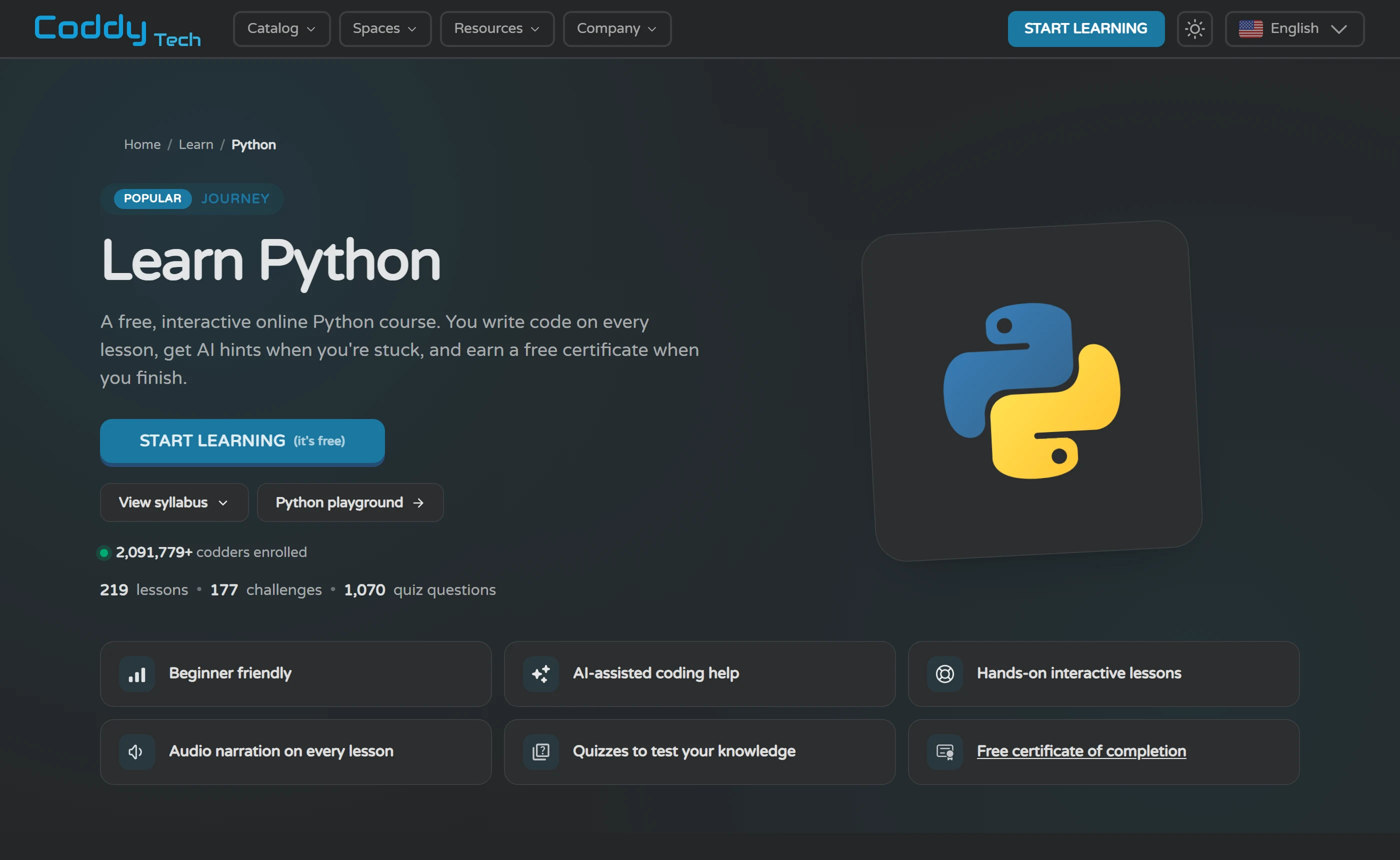
Two exercise types are clearly evidenced by the pages. The first is write-code-and-run-it: the Python journey page says every concept comes with a coding challenge so you spend the lesson writing Python rather than reading about it, and its syllabus counts 219 lessons, 177 challenges and 1,070 quiz questions across 3 sections. The second is the quiz, which is why those quiz-question counts exist at all on every journey page. A smaller topic course shows the same shape at course scale: LAN Labs, in the Computer Networking group, is 8 chapters, 35 lessons and 35 challenges. Audio is listed as a lesson mode rather than as a separate exercise. Projects exist and are counted per journey and per course, and the all-courses FAQ says most courses include projects and challenges, marked by badges on the cards.
What is not evidenced matters as much. No fill-in-the-blank or drag-the-token exercise type is described on any page we checked, so if that is the format you are picturing from other learn-to-code apps, nothing here confirms it. Neither is an open-ended, self-designed project: every project description we found is guided. Coddy’s own example, the Python calculator course, is sold as a step-by-step build in which the learner writes the code rather than being handed it - which is a good design, but it is still a build someone else specified. Whether there is anything on the platform where you choose the problem is not stated on the pages we checked.
Getting unstuck has a published mechanism. Coddy says Bugsy, the AI tutor, automatically has your editor contents as they are right now, your last failing test, the lesson and challenge, and that lesson’s saved chat, so you never paste anything into it. It is instructed to guide rather than hand over the solution, and if a reply would reproduce the solution the code block is replaced by a Reveal Solution button. After five failed runs, Coddy itself offers to show the solution. That is the design as documented; nobody here queried it, so treat it as an intention rather than a measured behaviour.
The no-setup promise is real and, unusually, checkable from outside. Coddy says every lesson runs in the browser and that Python, JavaScript, Java, C++, SQL and the rest compile and execute without any IDE, compiler or local setup. The public Python playground backs this up for a logged-out visitor: it loads with an editor, Run, Reset and Erase controls, a standard-input box and an output panel, and no login prompt. You can form an opinion about the editor before you have an account.
The limit of that convenience is the obvious one, and it is worth naming because Coddy does not. Everything happens inside Coddy’s environment. The Terminal journey does cover the tools - Version Control is its second section at 58 lessons, 46 challenges and 2 projects, and Introduction to Docker is its third at 40 lessons and 36 challenges - but those run in the same browser sandbox as everything else. The part that usually breaks first on a real machine, installing a toolchain, configuring an editor, getting a project to run outside a lesson harness, is not something the pages we checked describe. Shipping is offered as a separate product: Coddy Build is described as chatting with an AI and watching a live preview, and it sits behind its own sign-in with no pricing shown. And the loop itself is metered - the free plan runs on a daily energy limit Coddy never quantifies, and Coddy’s own comparison page says the free tier suits about 15 to 20 minutes of learning a day.
What you can learn, and how far it goes
Start with the counting problem, because Coddy has one. The home page catalog blurb says 20+ programming languages; the FAQ answer and the home page title say 15+; the all-courses page says 17. The FAQ’s own list names 19 languages and then adds Terminal and AI Prompts courses on top, and it includes Kotlin, for which we found no catalog tile, no language filter and no certification track. The catalog page itself shows 28 language and technology tiles plus two non-code Spaces, the all-courses page counts 125 courses and offers exactly 17 language filters. None of these is the number. The useful figure is the one you can act on: 28 tiles and 125 courses, of which the per-language filters range from Python at 68 down to SQL at 2.
Fundamentals. Start at the Python or Java journey, or take the catalog quiz if you have no preference. Verified scope: Python is 3 sections - Fundamentals, Logic and Flow, Object Oriented Programming - with 219 lessons, 177 challenges, 1,070 quiz questions and 6 projects. Java is the same three sections with 219 lessons, 203 challenges, 1,464 quiz questions and 2 projects. That is enough structure to carry someone from nothing to writing small programs with classes, and it is where the free plan is strongest, because every course and every certificate sits inside it. The next step is not another course: it is rebuilding one of those projects from an empty folder on your own machine, where no test harness tells you what is wrong.
Web. The HTML journey is the spine here - 5 sections, 241 lessons, 212 challenges, 1,193 quiz questions, 6 projects - and the CSS tile is not a separate course but sections 2 and 3 of it, 119 lessons and 104 challenges. The same pattern repeats: TypeScript is section 3 of the JavaScript journey (73 lessons, 58 challenges), Next.js Essentials is section 2 of React (47 lessons, 32 challenges, one project), Git and Docker are sections 2 and 3 of Terminal, and Luau is section 4 of Lua. JavaScript itself is 271 lessons and 227 challenges across 4 sections; React is 89 lessons across 2. So the catalog looks wider than it is: several tiles are slices of a bigger journey, which is fine, but it means you should read the section structure before assuming a tile is a course.
Data and SQL. This is the thinnest part of the catalog and you should know it before you build a plan around it. The SQL language filter shows 2 courses, the smallest of the 17, with Terminal at 3 and HTML at 26 for comparison. Data work exists mostly as Python courses, such as Pandas Analytics, and as topic groups on the all-courses page: Data Structures 16 courses, Interview Preparation 10, Graph Algorithms 7, Computer Networking 3. Those algorithm courses are deliberately language-agnostic - you build the structure from zero in your preferred language - which is why one course, Merge Sort, is listed under 13 languages and why the per-language filter counts add up to far more than 125. Excel gets its own single-section journey of 42 lessons, 34 challenges and 235 quiz questions ending in a Grade Book project. The next step outside is a real dataset in a real database, answering a question nobody set for you.
Developer tools and reference. Terminal is a full journey - 180 lessons, 150 challenges, 1,005 quiz questions, 3 sections, 6 projects - and it is the most job-shaped thing in the catalog, since it covers the shell, version control and Docker. AI Prompts is a separate 1-section journey of 23 lessons, 14 challenges and 175 quiz questions that states no coding experience is required. Around the courses sit two free resources: Docs, which are concept references for 8 languages and runtimes, and the playground, which lists 23 environments and needs no account. The playground is wider than the catalog in places: Solidity and Zero have environments but no course we could find.
Spaces and the edges. Coddy runs non-code subjects in the same lesson, quiz and progress format: Algebra is labelled BETA with 5 sections, 319 lessons and 308 challenges, and Chess is a hub of courses rather than a single journey with its own counts. On the gaps, be blunt with yourself before signing up: Kotlin is advertised in the FAQ language list and absent from the catalog, no page publishes a platform-wide lesson total, and the counts that do exist are per journey and per course only. If a specific language is the reason you are here, open its catalog tile first and check that the sections are there.
| Track | Where to start | Verified scope | Next step outside Coddy |
|---|---|---|---|
| Programming fundamentals | The Python or Java journey from the catalog, or the catalog’s 30-second quiz if you have no preference. | Python: 3 sections (Fundamentals, Logic and Flow, Object Oriented Programming), 219 lessons, 177 challenges, 1,070 quiz questions, 6 projects. Java: the same three sections, 219 lessons, 203 challenges, 1,464 quiz questions, 2 projects. A certificate is issued per section, and every course and certificate is on the free plan. | Rebuild one of those projects from an empty folder on your own machine, with a local editor and interpreter and no test harness telling you what is wrong. |
| Web front end | The HTML journey. The CSS, TypeScript and Next.js tiles are slices of bigger journeys, not separate courses. | HTML: 5 sections, 241 lessons, 212 challenges, 1,193 quiz questions, 6 projects, with CSS as sections 2 and 3 (119 lessons, 104 challenges). JavaScript: 4 sections, 271 lessons, 227 challenges, with TypeScript as section 3 (73 lessons). React: 2 sections, 89 lessons, 69 challenges, with Next.js Essentials as section 2 (47 lessons, 1 project). | Put a page you built on a host you control, with your own domain and a form that actually submits. No journey we opened covers publishing to a live host. |
| Data, SQL and spreadsheets | The SQL filter on the all-courses page, the Pandas Analytics course inside the Python catalog, or the Excel journey. | SQL shows 2 courses, the smallest of the 17 language filters, and has its own certification track. Excel is a 1-section journey: 42 lessons, 34 challenges, 235 quiz questions, ending in a Grade Book project. Data Structures is the largest topic group at 16 courses, ahead of Interview Preparation (10), Graph Algorithms (7) and Computer Networking (3), and those courses are language-agnostic by design. | Load a dataset you care about into a real database, write queries against it, and answer a question nobody set for you. |
| Developer tools | The Terminal journey, which is the most job-shaped track in the catalog. | Terminal: 3 sections, 180 lessons, 150 challenges, 1,005 quiz questions, 6 projects. Version Control is section 2 (58 lessons, 46 challenges, 370 quiz questions, 2 projects) and Introduction to Docker is section 3 (40 lessons, 36 challenges, 1 project). AI Prompts is a separate 1-section journey of 23 lessons that says no coding experience is needed. All of it runs in the browser. | Install Git and Docker locally, put a project of your own under version control, push it to a remote you own, then break it and recover it there. |
| Practice and reference | The all-courses page for drills, the playground for scratch work, Docs for lookups. None of the three needs an account to browse. | 125 courses across 17 languages, with topic groups including Interview Preparation (10) and Graph Algorithms (7); one course, Merge Sort, is offered in 13 languages, which is why the per-language counts add up to far more than 125. Docs cover 8 languages and runtimes. The playground lists 23 environments and loads logged out. Non-code Spaces: Chess, and Algebra in BETA (5 sections, 319 lessons, 308 challenges). | Timed practice on problems you have not seen before, and reading a real repository written by someone else. |
Bugsy, the AI tutor
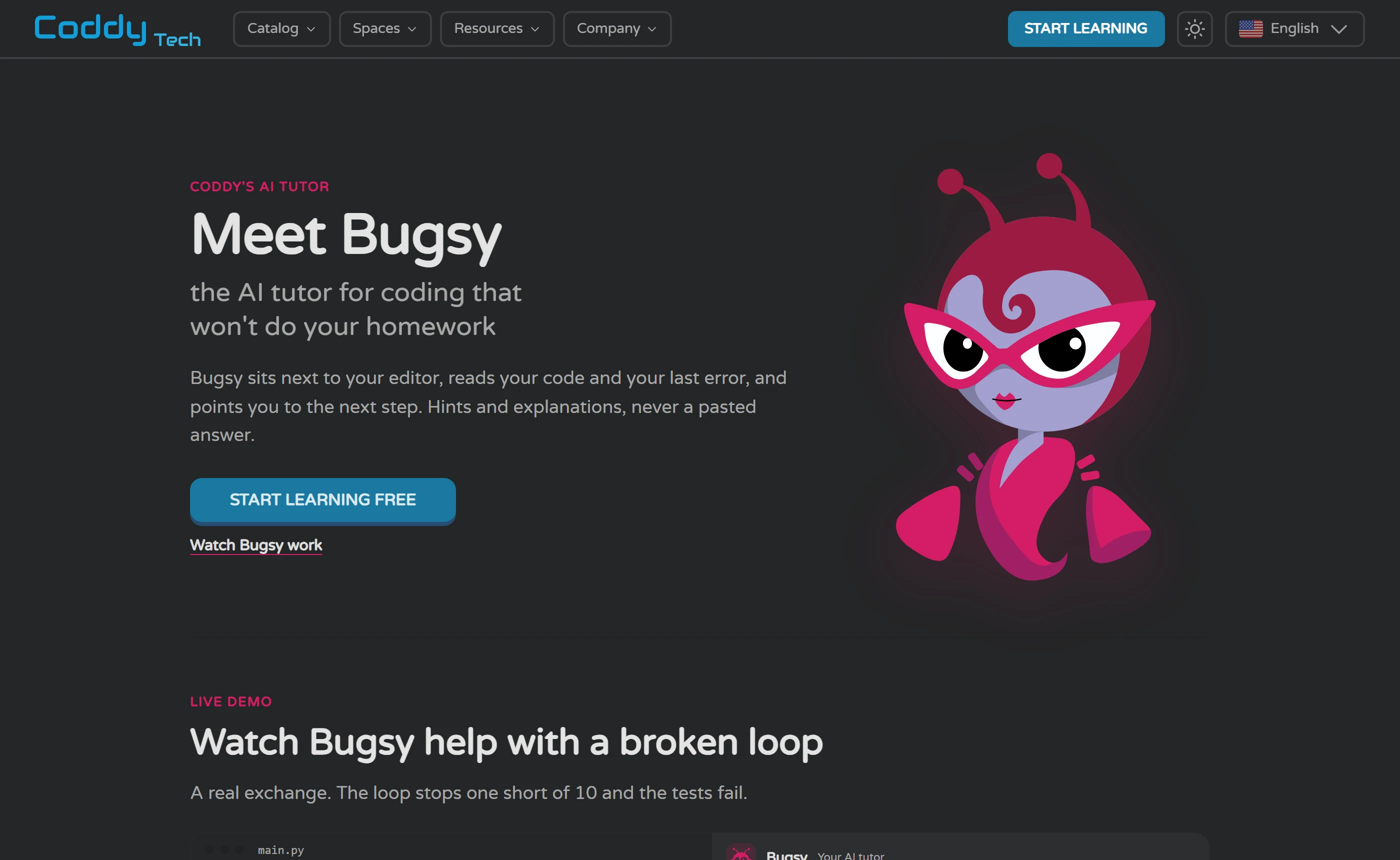
The assistant is currently called Bugsy, and Coddy’s own page for it is headed Meet Bugsy, the AI tutor for coding that will not do your homework. The homepage uses the same framing: reads your code and your error, explains, and hints, never the answer. That positioning is the product decision worth examining, because it is the part Coddy can actually control.
What the vendor says it reads: four things automatically, without you pasting anything - the code in your editor as it is right now, your last failing test, the lesson and the challenge, and that lesson’s saved chat. It replies in the language you use Coddy in. There are three preset ways to start a conversation: Ask AI for help with the challenge, Explain challenge, and Explain solution once the solution is open. On Pro, Coddy says Bugsy also scores a passing solution from 1 to 4 for readability, performance and maintainability and explains each score, which is the only feedback mechanism on these pages that looks at working code rather than broken code.
The guardrails are specific enough to be checkable by anyone who does sign up. Coddy says Bugsy is told to guide rather than hand over the solution, that a reply which would reproduce the solution is replaced by a Reveal Solution button, and that after five failed runs Coddy offers the solution itself. It also says Bugsy will proactively offer a hint that another learner with the same code rated useful, with thumbs up and down feeding that system. There are badges for asking Bugsy 5, 25, 100 and 500 questions, which sits oddly beside the anti-homework framing: the product rewards asking. Coddy addresses the obvious objection directly, saying this is not cheating because you still write the code and run the tests.
The limits are where Coddy contradicts itself. The Bugsy page is clear: every learner gets 3 messages a day and 20 on the day they sign up, Pro removes the limit and uses the vendor’s best model while free learners get a faster one, and Bugsy never costs energy. The FAQ page then says three different things about who gets AI at all. Its plan-comparison answer assigns the AI assistant to Pro. Its free-tier answer says you can use the AI assistant without paying. A third answer says Plus and Pro lift the limit and unlock extra AI features, without ever saying what those are. The apps page adds a term, AI Plus, that matches no tier Coddy publishes anywhere. What Plus buys you in Bugsy messages is not stated on any page we checked.
Coverage is listed rather than explained. The Bugsy page shows 28 tags for where it works, running from Python through Docker and Math, and Coddy says chess lessons run on the board without Bugsy while math lessons include it, with Bugsy reading the steps you wrote. AI Prompts, which is both a catalog journey and one of the 20 certification tracks, does not appear among those tags.
Now separate two things that are easy to blur. The first is whether AI is woven into the loop, and on the published evidence it is: it reads the failing state without you copying anything, it does not consume the free plan’s energy, and it is capped by messages rather than by lessons. The second is whether the hints are any good, and nobody here can tell you. No account was created and no question was put to it. Coddy deliberately declines to name the model or provider, says it switches models as better ones arrive, and its privacy policy - which does name Stripe, LinkedIn, Google, Firebase, Meta, TikTok, AppsFlyer and Brevo, and states a retention period of roughly 7 years for account data - says nothing at all about AI, chat logs or learner code. The Terms contain no AI clause either. So if you need to know where your code goes when a model reads it, that answer is not published. The only outside signals are individual reviews pointing both ways: one Trustpilot reviewer writes that the AI kept telling them the same thing and they learned nothing, another reports hitting an out-of-credits popup on the second day of a free account, and one Play reviewer praises the explanations. Those are single reports, not a rate.
Using the assistant so that you learn, not just finish
- Try it first, and count attempts rather than messages. Write something and run it before you open the chat. A free account gets three Bugsy messages a day and twenty on sign-up day, so the first question you spend should be one you have earned by failing at least once.
- Describe the error before you ask about it. Read the failing output and say, in your own words, what you think it means and which line you suspect. Coddy says Bugsy already has your editor contents and your last failing test, so the value of your message is your reasoning, not your code.
- Ask for the smallest hint that unblocks you: which line is wrong, or which concept the error points at. Asking what it should be is how you end up looking at a Reveal Solution button instead of a nudge.
- Fix it yourself, one change at a time, running after each change. If you alter three things and it passes, you have learned nothing about which one mattered.
- Explain it back before moving on. Write one sentence saying why the fix worked. If you cannot write that sentence, you have a completed lesson and an unlearned concept, and the certificate will not know the difference.
- Do a similar task with the chat closed. Another challenge in the same section, or the same exercise rewritten from a blank file. Coddy offers the solution itself after five failed runs, which is a comfort while you are learning and a trap when you are checking whether you have learned.
Editorial illustration written by us, not a real Bugsy exchange. No account was created and no question was put to Coddy’s AI tutor, so the reply below shows the shape of hint Coddy says Bugsy gives, not anything the tutor produced.
Learner, written by us: My loop prints the last item four times instead of printing each item once. I think the variable I print is being reassigned before the print runs, but the indentation looks right to me. Which line should I look at first?
Hint-shaped reply, written by us as an illustration and not text from Coddy’s tutor: Compare where that variable is assigned with where it is printed, and say out loud what its value is on the final pass of the loop. Change one thing, run it again, and see whether the output moves in the direction you expected.
Streaks, energy and ads: the game layer
The marketing is explicit about the machinery. Coddy advertises a daily streak you protect with freeze days, rewards for showing up, global leaderboards and friend invites that earn rewards. Its home page mock-ups put numbers on screen: a Streak Freeze chip reading 2 left, a Double or Nothing chip reading Day 5 of 7, a Challenger League board marked Top 7 advance with a promotion zone, and a phone screen showing a streak of 7, a score of 250 and an energy counter of 5. The mobile page adds daily streaks, XP, badges and a global leaderboard as app features.
Almost none of it is documented. How many freeze days you get, how you earn or buy them, what Double or Nothing stakes or pays, what other leagues exist above or below Challenger, how many people are in a ladder, when it resets, whether you can be demoted - none of that is published on any page we checked. Nor is any XP value: a blog post says a missed day resets the streak to zero and that XP is added when a lesson is completed, and the only numeric XP rule we found anywhere is in App Store release notes, where the Daily Challenge is said to unlock at 1000+ XP. A second mascot, Bit, is named in a blog post as the streak buddy, distinct from Bugsy. For a system whose whole job is to shape your behaviour, that is a lot of unpublished rules.
There is also a shop, and it is even less explained. The Terms and privacy policy list Tokens, Boosters, Titles, Themes and Avatars as one-time purchases and never say what any of them do; an iOS release note mentions a Collection page for themes, titles and avatars you have unlocked. The US App Store sells Token Boost at 250 tokens for $4.99 and Token Pouch at 1000 tokens for $12.99, so you can buy tokens today without being able to read what they buy. Apple’s own age rating for the app lists Loot Boxes and Advertising among its reasons. Reviewers reach for words Coddy does not publish - gems, lives, stamina - which is what happens when a currency has no public documentation.
The energy limit is the number that decides whether the free plan works for you, and it is the number Coddy will not print. The FAQ says a free account has a daily energy limit and that Plus and Pro lift it. The Bugsy page says the AI never costs energy. Coddy’s own ranked listicle, on which it ranks itself first, lists as a con that the free tier suits about 15 to 20 minutes of learning a day and heavier daily use needs Pro. No page states the allowance, what spends it, or how fast it refills. Everything circulating is third-party and inconsistent: one Trustpilot reviewer says six energy a day, another says five lessons then a long wait, others describe multi-hour refills without giving a rate. Coddy’s own replies on Trustpilot repeat a reviewer’s six lessons a day without correcting it and acknowledge another reviewer’s five lives daily limit, which is as close to confirmation as anything gets and is still not a published figure.
Ads are the other thing the free tier costs you, and the stores describe them better than Coddy does. Google Play labels the Android app Contains ads; Apple’s age rating lists Advertising. Coddy’s own pages mention ads only as something a paid tier removes - ad-free learning under Plus in the FAQ, and No ads in the list of what each Teachers PRO seat includes - which leaves two questions unanswered: whether the web app shows ads at all, and whether the consumer Pro and Lifetime tiers are ad-free, since the FAQ attaches ad-free learning to Plus alone and describes Lifetime only as all Pro features plus a badge and a theme. Reviewers describe full-page timed ads on iOS and long unskippable ads after lessons on Android, plus a watch-an-ad-for-energy mechanic. Coddy’s public replies acknowledge the long unskippable ads, say ads keep Coddy free, and repeat through mid-2026 that the company is working on expanding the free tier.
So who does this suit? A short-daily learner, genuinely. The cap, the streak, the daily challenge and the per-section certificate all point the same way, and Coddy’s own 15-to-20-minute figure is roughly the shape of a free day. A long-focused learner is fighting the design: if your study time is a Sunday afternoon, you will hit an allowance nobody published, wait for a refill nobody published, and the lever on offer is a paid plan whose price you cannot see. Two things are worth saying plainly whichever you are. Finishing lessons and holding a streak measures attendance, not skill - the certificate condition is finishing every lesson and challenge in a section, with no exam or pass mark stated on the pages we checked, and the solution can be revealed after five failed runs. And nothing on these pages, or anywhere we looked, shows that the game layer makes anyone learn faster. It is a retention design. Coddy presents it as one, and you should evaluate it as one.
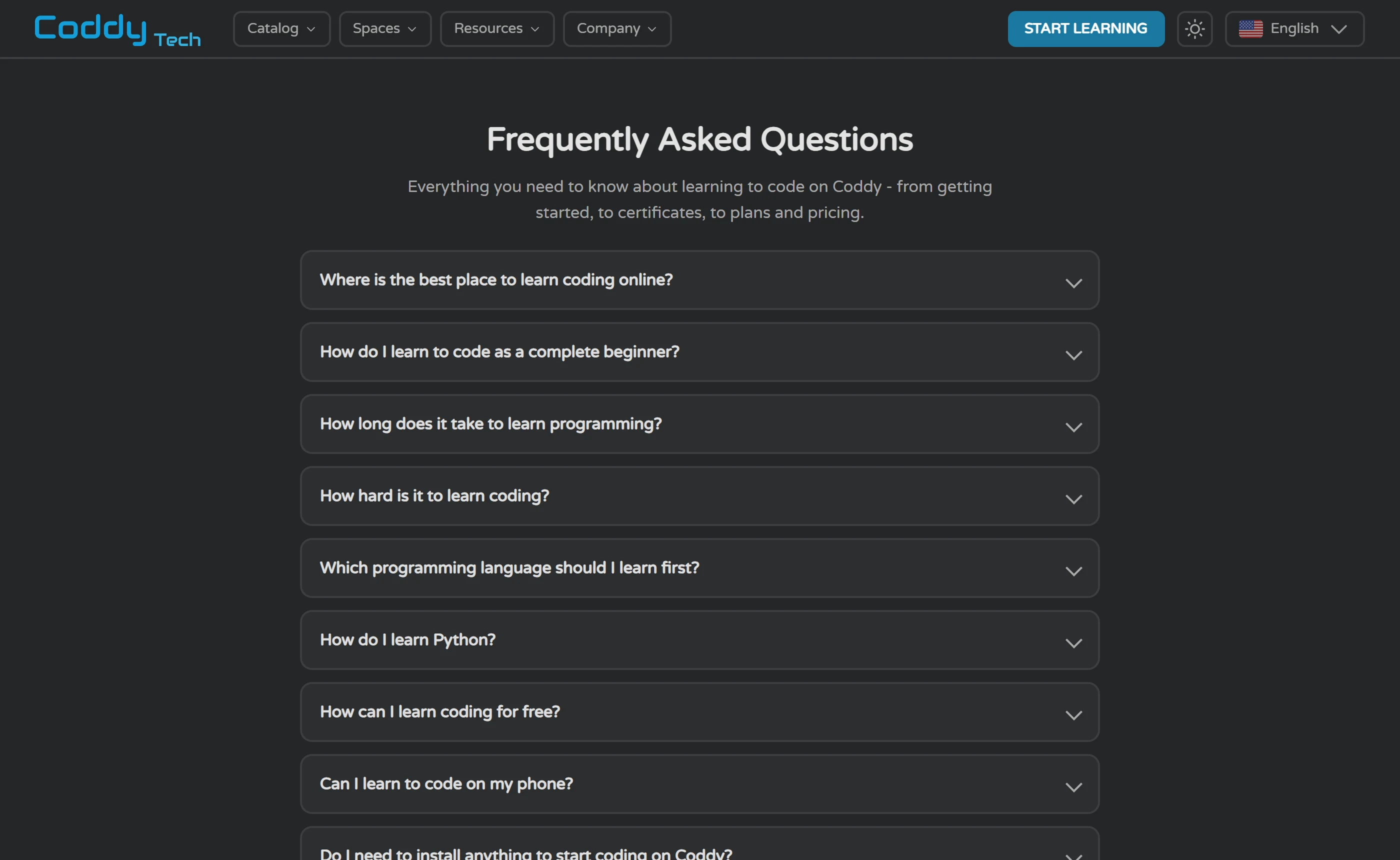
Free, Plus, Pro, Lifetime, and the missing price list
The tier structure is published even though the prices are not. Per Coddy’s FAQ: Free includes every course and every certificate, with a daily energy limit. Plus removes that limit and adds ad-free learning. Pro adds the AI assistant, advanced AI models, solution analysis and premium challenges. Lifetime is a one-time payment for all Pro features forever, plus an exclusive badge and theme. Coddy says there is no paywall to start and no card required, and its apps page says every lesson, challenge and certificate is free on iOS, Android and web with Pro as an optional upgrade. Note also what the Terms say for the long run: the Service is granted free of charge, and Coddy reserves the right to charge fees for it in future.
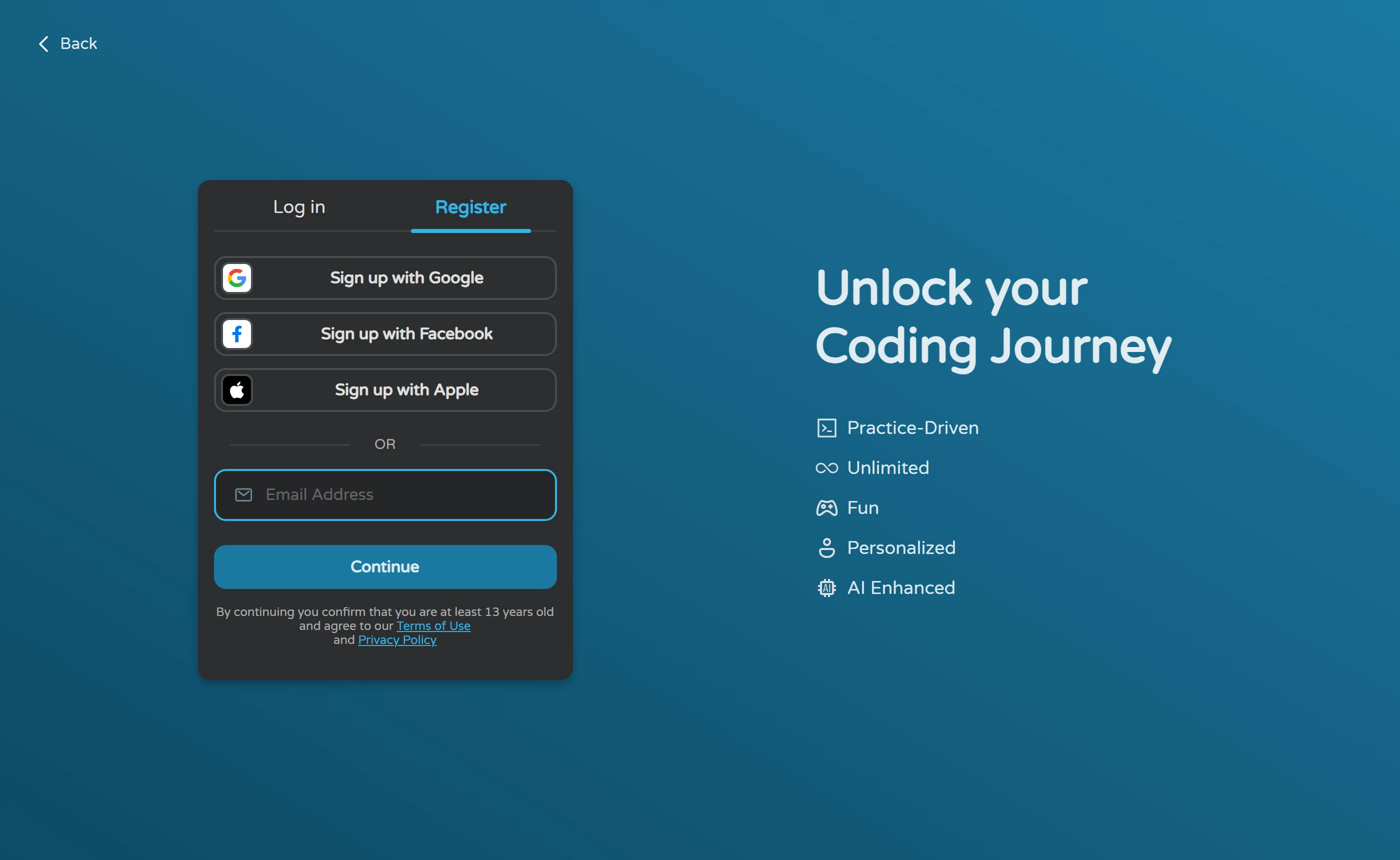
Then the gap. The consumer pricing page loads briefly as a pricing page and redirects logged-out visitors to a Log in / Register screen, confirmed in a browser and by direct fetch, and no public Coddy page we opened links to a readable price list. The Family Plan is mentioned on the teachers pricing page - share Pro with up to five family members - and its View Pricing button sends a logged-out visitor to the same login screen. Coddy’s own comparison page against Codecademy describes its paid tier only as affordable Pro, with no figure. Coddy even publishes a discount code for yearly and lifetime plans on its own site while publishing no price for those plans to discount. Third-party deal sites, a software directory and individual reviewers all quote their own figures; they disagree with each other, with the store listing, and in one case use a tier name Coddy does not use, so none of them belongs in a review as the price.
What is priced in public is iOS only. On the US App Store the in-app purchases are Coddy Subscription Plus - Monthly at $14.99 and Coddy Subscription Pro - Monthly at $19.99, then four different yearly prices listed under the single name Coddy Subscription Plus - Yearly ($59.99, $71.99, $83.99 and $119.99) and two under Coddy Subscription Pro - Yearly ($95.99 and $159.99), with no explanation anywhere on the page for why one plan name carries four prices. Token packs are $4.99 and $12.99. No Lifetime or Family item appears, though Apple caps that list at ten entries, so its absence proves nothing. These are iOS purchase prices on the US storefront in dollars. They are not Coddy’s web prices, and no page states that the two match.
The contrast with the class product is hard to miss. The teachers pricing page publishes real numbers to anyone: at the default 10 seats it shows $2.42 per seat per month, a total yearly price of $289.99 billed annually, and $4.80 per seat per month if you switch to monthly billing, with the seat slider running from 2 to 300 and teacher pricing starting at 6 seats. Set it to between 2 and 5 seats and the card renames itself the Family Plan and shows no price at all. A teacher buying ten seats can compare before signing up. A single learner buying one cannot.
Refunds and cancellation are short and strict. The Terms, last updated 8 October 2025, say subscription refunds are available within 14 days of purchase, provided you have not accessed or used the Service at all, and that refunds are not issued for unused portions of a subscription period or for one-time fees such as Tokens, Boosters, Titles, Themes and Avatars. The section also preserves whatever cancellation and refund rights your local consumer law gives you, which for many readers will matter more than the clause above it. Cancellation is easier: the Terms say any time through account settings, and the FAQ says one click in billing settings with access continuing to the end of the paid period. Read together, the practical effect is that a subscription you have actually used is not refundable under Coddy’s own policy - the 14-day window is for people who changed their mind before starting. The Terms say nothing about auto-renewal or about purchases made through the app stores, and no free trial wording appears on any page, listing or store we checked.
When not to pay yet: while you cannot name the wall you have hit. Every course and every certificate is on the free plan, Coddy states plainly that no plan is required to start learning or to earn a certificate, and a beginner working 15 to 20 minutes a day is inside the free tier’s own stated shape. Paying makes sense when one of three specific obstacles is actually biting. If you run out of energy mid-session several days running, the tier that removes the daily limit is Plus. If ads on the phone are what is breaking your concentration, ad-free learning is published as a Plus feature, and note that the consumer FAQ never says whether Pro and Lifetime are ad-free - the only place No ads is attached to PRO is the Teachers seat feature list. If three Bugsy messages a day is the constraint, or you want solution analysis on finished code, that is Pro on the Bugsy page, though the same FAQ elsewhere says the free tier can use the AI assistant. Two cautions before you buy anything: check the price in the place you will actually buy it, because the web price is gated and nothing says it equals the store price; and be aware that two Pro features, premium challenges and unlimited debug, are named in Coddy’s own lists and defined nowhere we could find.
| Plan | Total charged | Cycle | Per month | Promo and renewal | Tax | Includes | Where and when |
|---|---|---|---|---|---|---|---|
| Coddy Subscription Plus - Monthly | $14.99 USD | Monthly | $14.99 | not stated | not stated | Per Coddy’s FAQ, Plus removes the daily energy limit and adds ad-free learning. The FAQ does not say whether Plus changes the three-messages-a-day Bugsy cap. | Apple App Store in-app purchase, United States storefront · apps.apple.com · 2026-09-11 |
| Coddy Subscription Pro - Monthly | $19.99 USD | Monthly | $19.99 | not stated | not stated | Per Coddy’s FAQ, Pro adds the AI assistant, advanced AI models, solution analysis and premium challenges. The Bugsy page adds that Pro removes the daily message limit and uses the vendor’s best model. Premium challenges is never defined on any page we checked. | Apple App Store in-app purchase, United States storefront · apps.apple.com · 2026-09-11 |
| Coddy Subscription Plus - Yearly (one of four prices listed under this name) | $59.99 USD | Yearly | not shown | not stated | not stated | Plus features as above. The listing shows four different yearly prices under this single plan name and explains none of them. | Apple App Store in-app purchase, United States storefront · apps.apple.com · 2026-09-11 |
| Coddy Subscription Plus - Yearly (one of four prices listed under this name) | $71.99 USD | Yearly | not shown | not stated | not stated | Plus features as above. The listing shows four different yearly prices under this single plan name and explains none of them. | Apple App Store in-app purchase, United States storefront · apps.apple.com · 2026-09-11 |
| Coddy Subscription Plus - Yearly (one of four prices listed under this name) | $83.99 USD | Yearly | not shown | not stated | not stated | Plus features as above. The listing shows four different yearly prices under this single plan name and explains none of them. | Apple App Store in-app purchase, United States storefront · apps.apple.com · 2026-09-11 |
| Coddy Subscription Plus - Yearly (one of four prices listed under this name) | $119.99 USD | Yearly | not shown | not stated | not stated | Plus features as above. The listing shows four different yearly prices under this single plan name and explains none of them. | Apple App Store in-app purchase, United States storefront · apps.apple.com · 2026-09-11 |
| Coddy Subscription Pro - Yearly (one of two prices listed under this name) | $95.99 USD | Yearly | not shown | not stated | not stated | Pro features as above. The listing shows two different yearly prices under this single plan name and explains neither. | Apple App Store in-app purchase, United States storefront · apps.apple.com · 2026-09-11 |
| Coddy Subscription Pro - Yearly (one of two prices listed under this name) | $159.99 USD | Yearly | not shown | not stated | not stated | Pro features as above. The listing shows two different yearly prices under this single plan name and explains neither. | Apple App Store in-app purchase, United States storefront · apps.apple.com · 2026-09-11 |
| Token Boost (250 Tokens) | $4.99 USD | One-time purchase | not shown | not stated | not stated | No Coddy page we opened says what tokens do. The Terms list Tokens among one-time fees that are not refundable. | Apple App Store in-app purchase, United States storefront · apps.apple.com · 2026-09-11 |
| Token Pouch (1000 Tokens) | $12.99 USD | One-time purchase | not shown | not stated | not stated | No Coddy page we opened says what tokens do. The Terms list Tokens among one-time fees that are not refundable. | Apple App Store in-app purchase, United States storefront · apps.apple.com · 2026-09-11 |
Coddy’s consumer pricing page is login-gated: it redirects logged-out visitors to a Log in / Register screen, so web prices, billing periods and the per-plan feature table cannot be read without an account. Every price in this table is a US App Store in-app purchase price in dollars, observed on 2026-09-11. They are not Coddy’s web prices, and no page states that the two are the same. Read the yearly rows as a warning rather than a menu: the listing shows four prices under one Plus yearly name and two under one Pro yearly name, with no explanation. No Lifetime or Family Plan price is published by Coddy on any channel we could read - web, App Store or Google Play - and Apple caps its in-app purchase list at ten entries, so their absence there proves nothing. Deal sites, a software directory and individual reviewers publish their own Coddy figures; they disagree with each other and with this listing, so none of them is reproduced here. By contrast, Coddy does publish class pricing openly: at the default 10 seats the teachers page shows $2.42 per seat per month and $289.99 billed annually.
When you should not pay yet
Do not pay while you cannot name the wall you have hit. Coddy’s FAQ says the free plan includes every course and every certificate, that there is no paywall to start and no card required, and that no plan is required to start learning or to earn a certificate. A beginner doing short daily sessions is inside the free tier’s own stated shape, since Coddy’s comparison page puts that tier at about 15 to 20 minutes of learning a day. There is also no free trial to lose and no stated deadline - Coddy does publish a 25% discount code for yearly and lifetime plans, but no page we checked gives it an expiry, and no plan price to apply it to - and certificates you have already earned stay on the account even if you go back to free. Finish a section first, see whether the loop suits you, and let the obstacle tell you which tier to buy.
When paying makes sense
Pay when one of three specific obstacles is actually biting. First, energy: if you run out mid-session several days running, the tier the FAQ says removes the daily limit is Plus. Second, ads: ad-free learning is published as a Plus feature, Google Play labels the Android app as containing ads and Apple’s age rating lists Advertising, so if interruptions on the phone are what breaks your concentration, that is a Plus problem - and note that the consumer FAQ never says whether Pro and Lifetime are ad-free, the only place No ads is attached to PRO being the Teachers seat feature list. Third, the AI tutor: three Bugsy messages a day is the free cap, and removing it, together with solution analysis on finished code, is Pro per both the Bugsy page and the FAQ, though the same FAQ elsewhere says the free tier can use the AI assistant. Lifetime only makes sense if you already know from months of use that Pro is the tier you want, since it is described as a one-time payment for Pro forever plus a badge and a theme, and no vendor-published price for it appears on any channel we could read - web, App Store or Google Play - while the only figures circulating are third-party and mutually inconsistent.
Cancelling and refunds. Cancellation is straightforward: Coddy’s Terms say you may cancel at any time through account settings, and the FAQ says one click in billing settings with no email and no questions, with access continuing to the end of the paid period. Refunds are strict. The Terms, last updated 8 October 2025, allow a refund within 14 days of purchase only if you have not accessed or used the Service at all, and exclude refunds for unused portions of a subscription period and for one-time fees such as Tokens, Boosters, Titles, Themes and Avatars. The practical effect is that a subscription you have used is not refundable under Coddy’s own policy. The same section then preserves any cancellation or refund right your local consumer law gives you, which for many readers will matter more than the clause above it; refund requests go to support@coddy.tech. The Terms say nothing about auto-renewal or about purchases made through Apple or Google, so how the 14-day rule interacts with an App Store subscription is not stated.
That link asks you to sign in before it shows a plan. Prices change, so confirm the figure on Coddy’s own page before you pay.
Certificates: what they are and what they prove
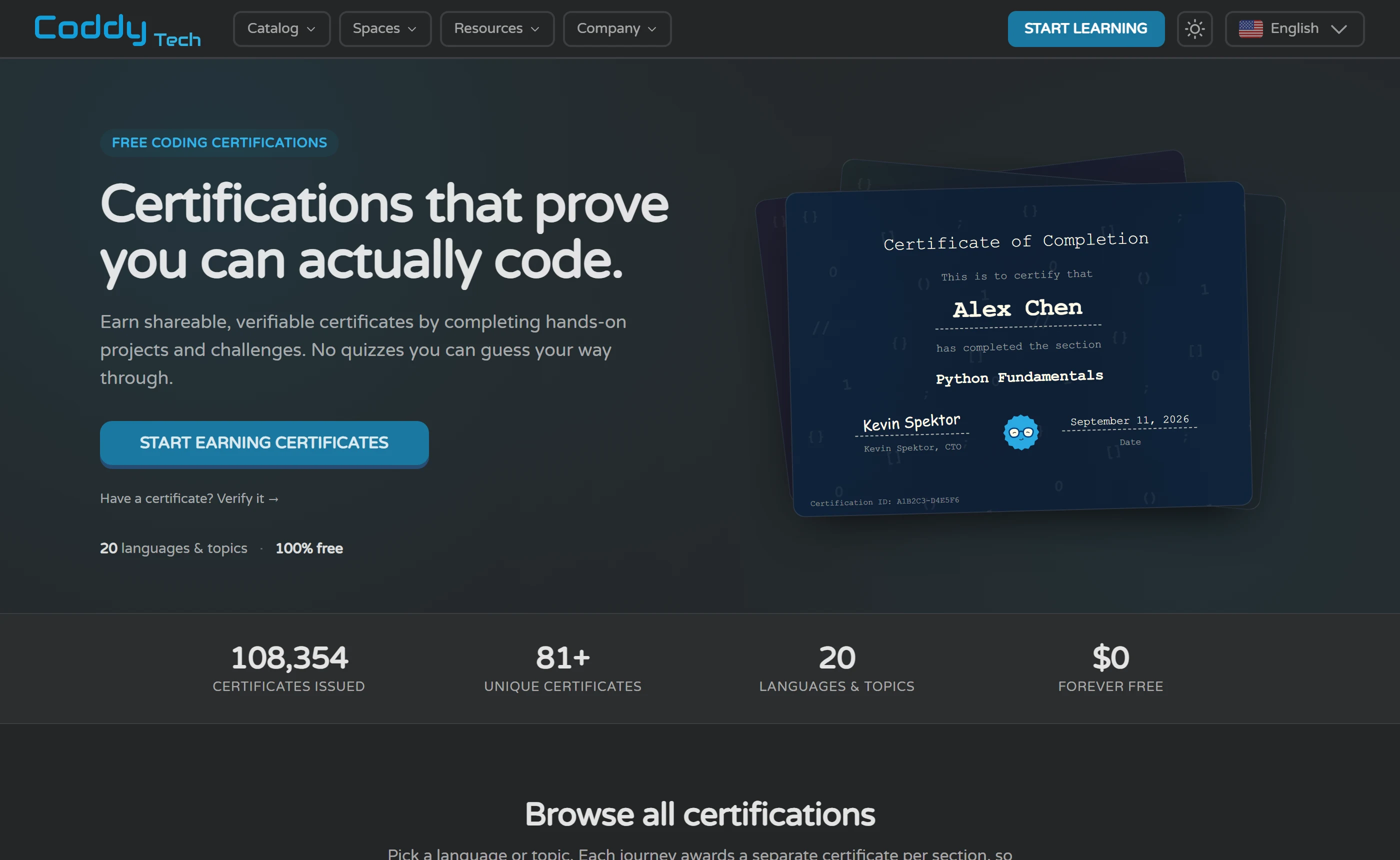
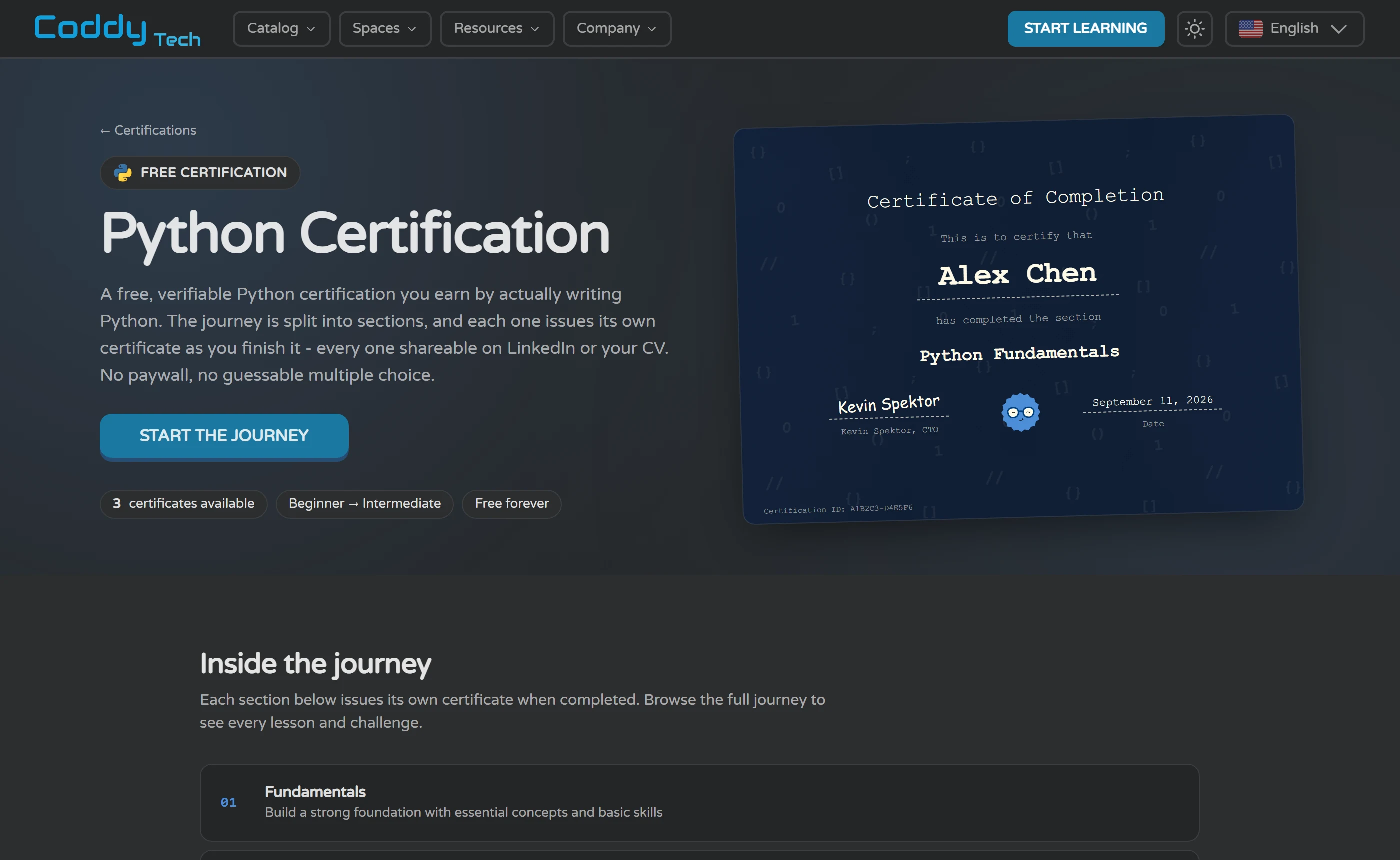
The unit is a section, not a language. Coddy’s certifications page says each journey awards a separate certificate per section, so you collect them as you progress, and the condition is mechanical: finish every lesson and challenge inside the section and the certificate is generated automatically. Coddy is careful to say these are earned through hands-on projects and challenges rather than quizzes you can guess your way through. In practice that means the Python track advertises 3 certificates for its 3 sections, HTML and CSS advertises 5, and Excel advertises 1. The first one arrives after a section rather than after a 219-lesson journey, which is the genuinely good part of this design.
Coddy’s own pages then muddle the unit. The home page and the general FAQ both say every course you complete comes with a certificate. The apps page says every section ends with one. The Python catalog page says finishing the Python course gives you a certificate, while the certification page for that same journey advertises three. The catalog is not uniform either: of the first 24 cards on the all-courses page, 23 carry a certificate badge and one does not, and at least one Python course, Stack in the Data Structures series, carries no certificate at all, with its course-certificate URL returning a 404 while a sibling course’s returns a page. Before counting on a specific credential, open that course’s own page and look for the badge.
What you receive is specific. The certificate carries your full name, the section you finished, the date and a unique verification ID; Coddy lists a public verification URL, a PDF download and a one-click Add to LinkedIn among the deliverables, and suggests sharing by link, PDF or ID. The certifications page carries a verify box that takes an ID in a six-characters-hyphen-six-characters format and, Coddy says, lets anyone including recruiters paste an ID or open the URL directly. We could not submit a real ID, having no account, but the mechanism is public: the verify tool’s own result links point at coddy.tech/certifications/ plus the ID, and the site’s sample ID resolves to a live verification page, marked not to be indexed by search engines. Certificates cost nothing, are not gated behind Plus, Pro or Lifetime, and the FAQ says they stay on your account forever even if you go back to the free plan. No expiry or renewal condition appears anywhere we looked.
The headline counts deserve a sceptical read. The certifications hub shows four tiles: 108,354 certificates issued, 81+ unique certificates, 20 languages and topics, and $0 forever free. That same issued figure appears unchanged on the chess and math hubs, so it is a site-wide counter rather than a coding one. Adding up the certificates advertised across all 20 coding track pages gives 53, not 81 - the remainder presumably sits in the 45 course-level certification pages the sitemap lists, which is a reasonable explanation Coddy never offers. And seven things you can study have no certification page at all: React, TypeScript, Git, Docker, Luau, Next.js and Verilog. CSS is covered, but inside the HTML and CSS track rather than on its own.
So what does one prove? That you worked through every lesson and challenge in one section of one journey. There is no exam, no pass mark and no expiry stated on the pages we checked, and the certificate does not distinguish code you wrote unaided from a solution Coddy offered you after five failed runs. On recognition, the only organisation named as recognising the credential is Coddy itself, in the certification pages’ own structured data; no employer, school or industry body is named on any page we opened. Coddy is honest about this where the stakes are clearest - its math page states that Coddy is not a school and does not award academic credit, and its chess page says the certificate is not a rating - but the coding pages carry no equivalent line. Instead they say the certificate helps you stand out to employers and can boost your earning potential. That is marketing, not evidence, and no page we opened supports it.
Use them the way Coddy’s own FAQ suggests, which is better advice than its marketing: pair a certificate with a small portfolio project and it becomes evidence of practical skill. That ordering is right. Coddy says most sections take a few hours of focused practice over a few days, so treat each certificate as a milestone in a habit rather than a qualification. Collect every section certificate in one journey - three for Python and Java, four for JavaScript, five for HTML and CSS, one for Excel - and you have shown you finished that journey, which is a real and modest thing to have shown. What no certificate covers, here or anywhere, is the part of a working job that is not lessons: reading code you did not write, using version control on your own machine, and fixing a failure nobody designed for you. The checklist below is the gap between the credential and the job.
Before you call yourself job-ready, can you
- Explain code out loud, line by line, to someone who has not seen it - first your own solution, including why you chose that approach instead of another one, then a function you did not write, in an open-source repository or a colleague’s file, saying what it does and why before you run it.
- Rewrite a challenge you have already solved from a blank file, with the lesson closed, no hint asked for and the reveal button untouched.
- Read an error you have never seen before and fix it yourself: locate the line, form a guess about the cause, test the guess, and know whether you were right.
- Find an answer in official documentation rather than in a tutor reply - look up a function’s arguments and return value and use it correctly on the first attempt.
- Put work under version control on your own machine: initialise a repository, commit in small steps, push to a remote you own, branch, merge and recover from a mistake.
- Build, run and present one project nobody assigned you: your own idea, your own file structure, running outside a lesson harness, with a short readme explaining how to start it.
- Learn the extras your target role expects beyond the language itself - testing, debugging tools, a framework, a database, an interview format - by reading job ads in your own market and closing the gaps they keep naming.
Beyond the courses: apps, playground, classrooms and Build
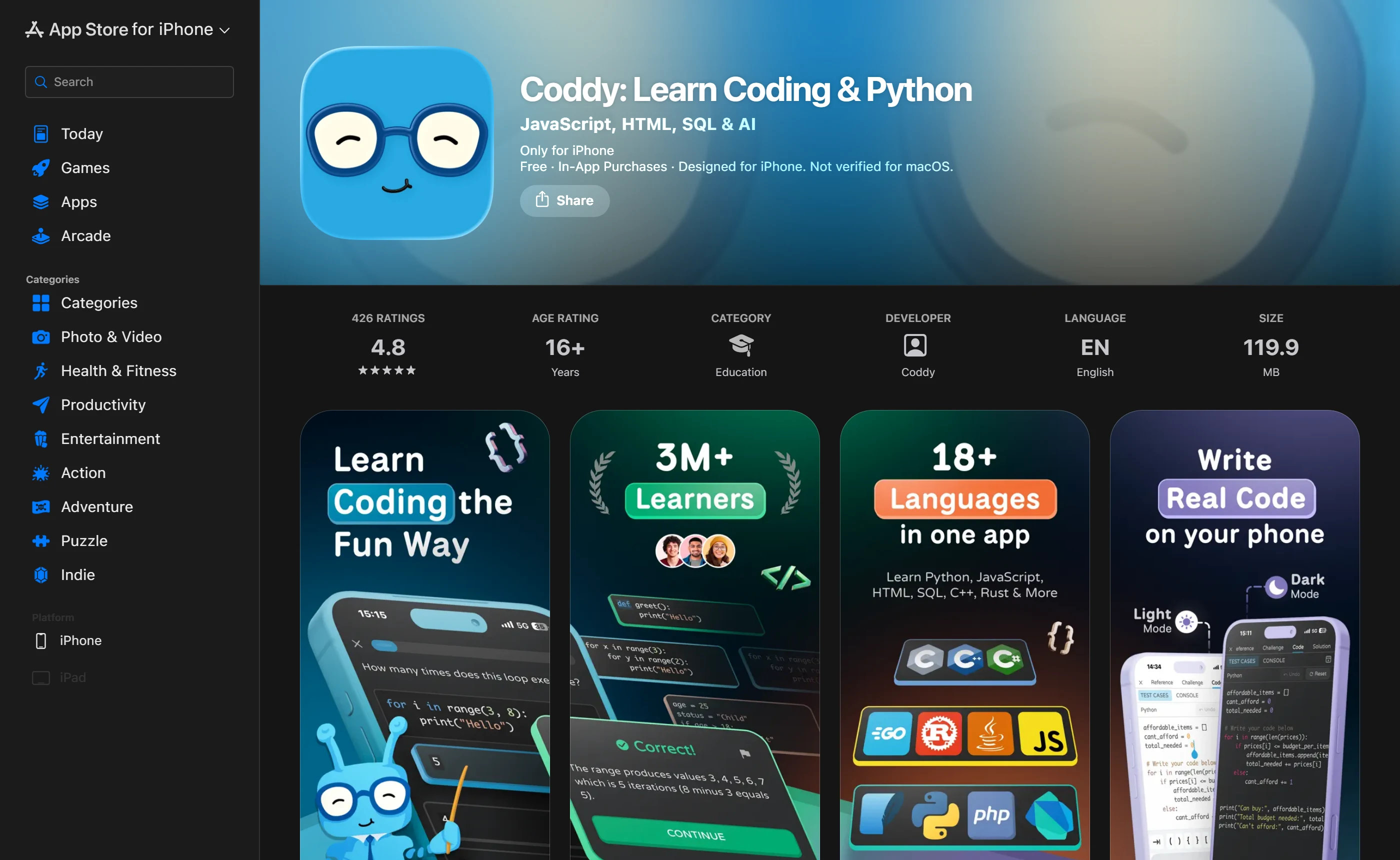
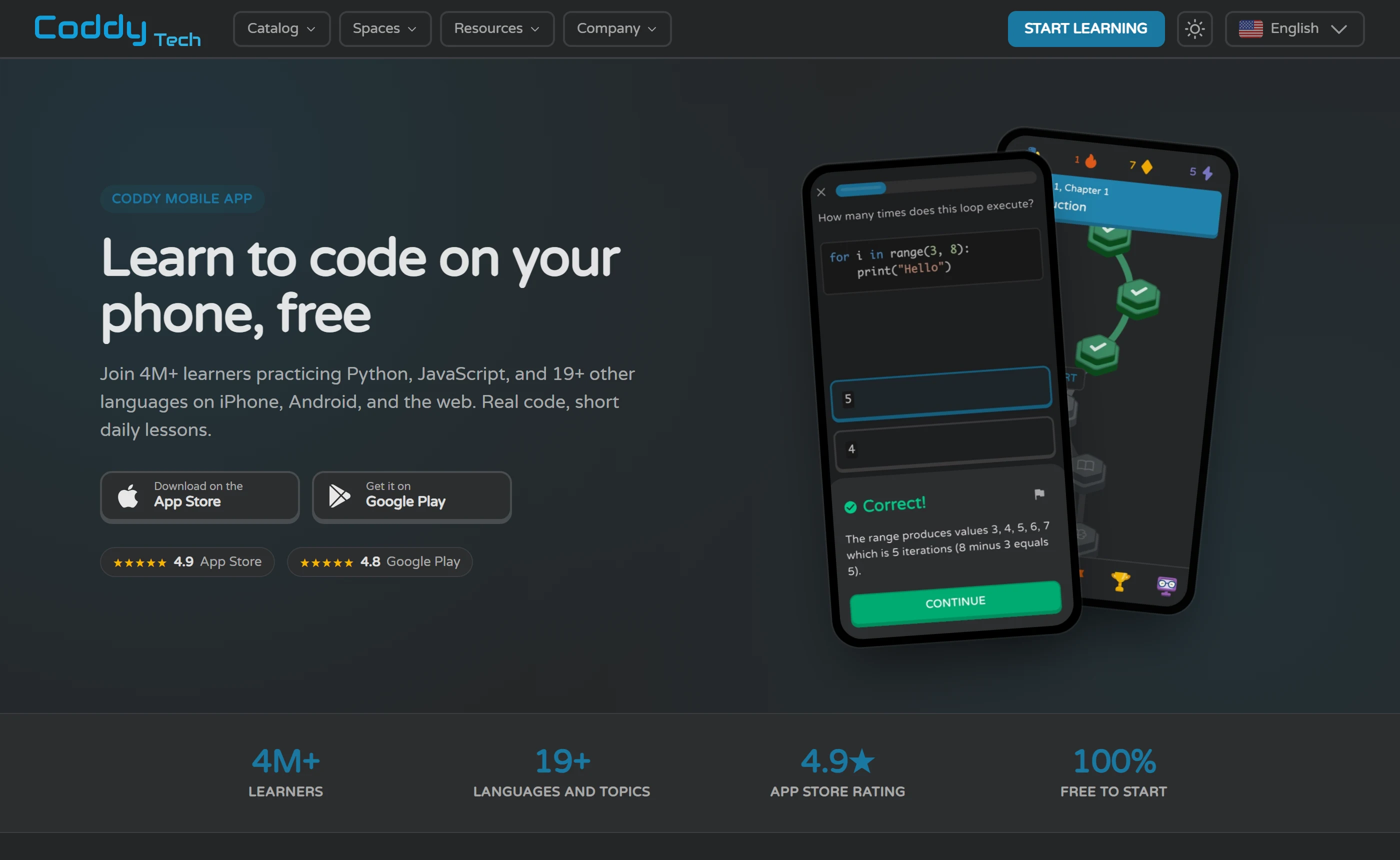
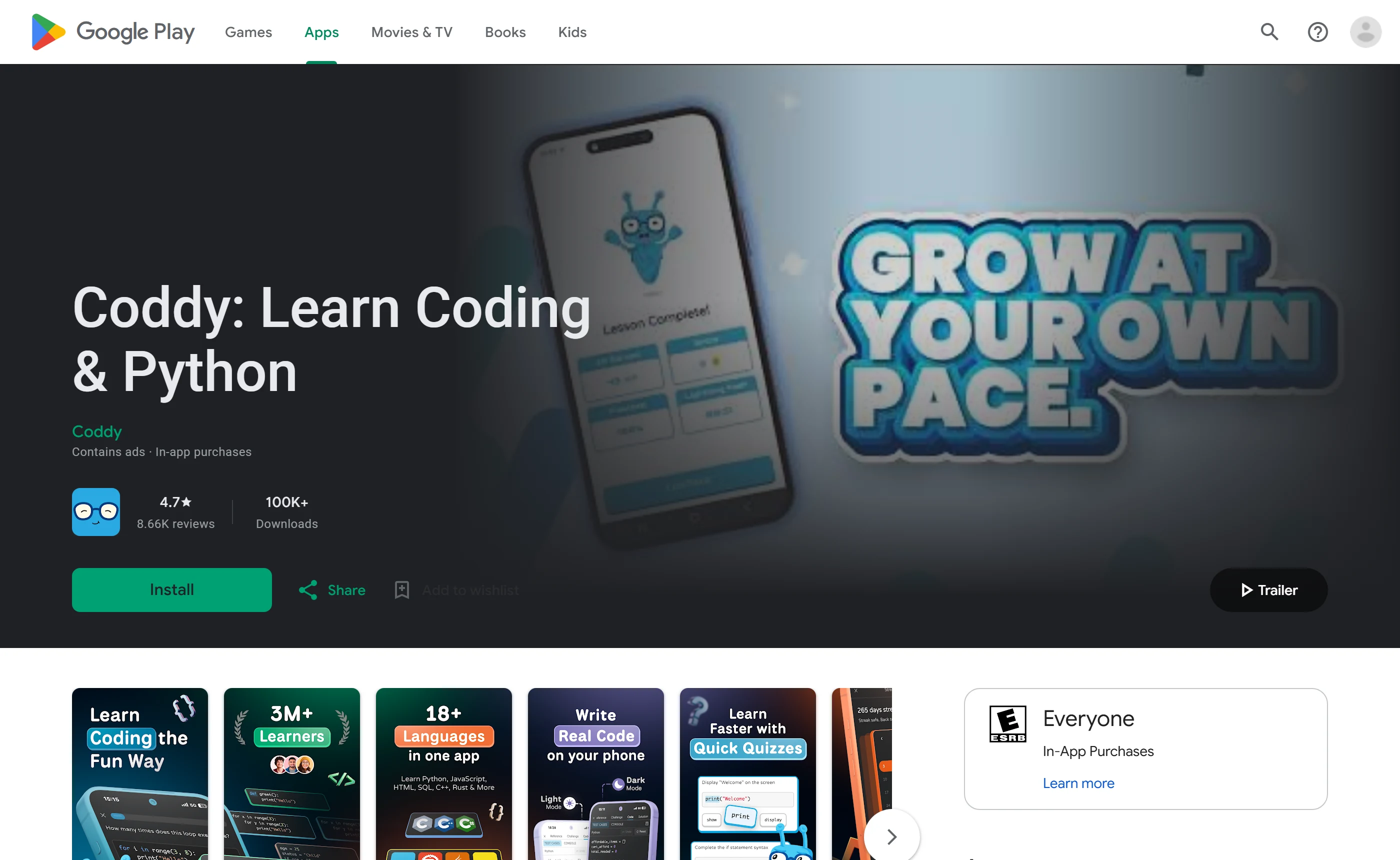
The mobile apps are the same product with a store listing attached, and the listings say things Coddy’s own pages do not. Apple lists Coddy: Learn Coding & Python under Education, seller Coddy, Inc., free with in-app purchases, version 2.1.9 at 119.9 MB, age rating 16+, with the release date shown only as 5d ago rather than an actual date. Expanding that age rating shows Frequent: Contests, and under Contains: Unrestricted Web Access, Loot Boxes and Advertising. The listing is badged Only for iPhone and Designed for iPhone, not verified for macOS, while its compatibility block still names iPhone on iOS 16 or later, a Mac with macOS 13 and an M1 chip, and Apple Vision. Google Play carries the same app from developer Coddy with both a Contains ads label and an In-app purchases label, 100K+ downloads and a last update of Sep 10, 2026, and its data safety panel states the app may share Personal info, App activity and Device or other IDs with third parties, with deletion available on request. The Play description also counts languages its own way, claiming 18+, which matches none of the counts on coddy.tech.
Coddy says the apps carry full coding challenges, AI assistance, streaks, XP, badges, a global leaderboard and offline mode: current lessons are cached so you can keep going on a subway or a flight, and a connection is needed only to sync progress, use the AI tutor and unlock new chapters. The /apps page says every lesson, challenge and certificate is free on iOS, Android and the web, with Coddy PRO an optional upgrade for power users, described in a parenthesis as AI Plus and deeper analysis. That phrase matches no tier Coddy publishes anywhere else, since its own FAQ lists Plus and Pro as two separate plans with different features. The same page also describes certificates as arriving per section, not per course, which is the opposite of what the home page says.
The playground is the part of the product a stranger can exercise most fully without an account. The Python page renders an editor with Run, Reset and Erase, a STDIN box and an output panel, with no login prompt anywhere on it, and its sidebar lists 23 environments plus a separate Pseudocode link: Python, JavaScript, Java, C++, TypeScript, C, C#, Go, Ruby, Rust, PHP, Dart, Lua, Luau, Swift, Web, SQL, R, Terminal, Zero, Solidity, Verilog and Assembly. Two of those lead nowhere else in the product. Solidity has a playground but no course and no catalog card, and Zero, described on its own page as a Vercel Labs systems language first released in May 2026, links only to its documentation. Coddy separately says a journey can be started with no card and no signup wall, and that the Embed Editor needs no sign-in either; neither of those claims was tested here.
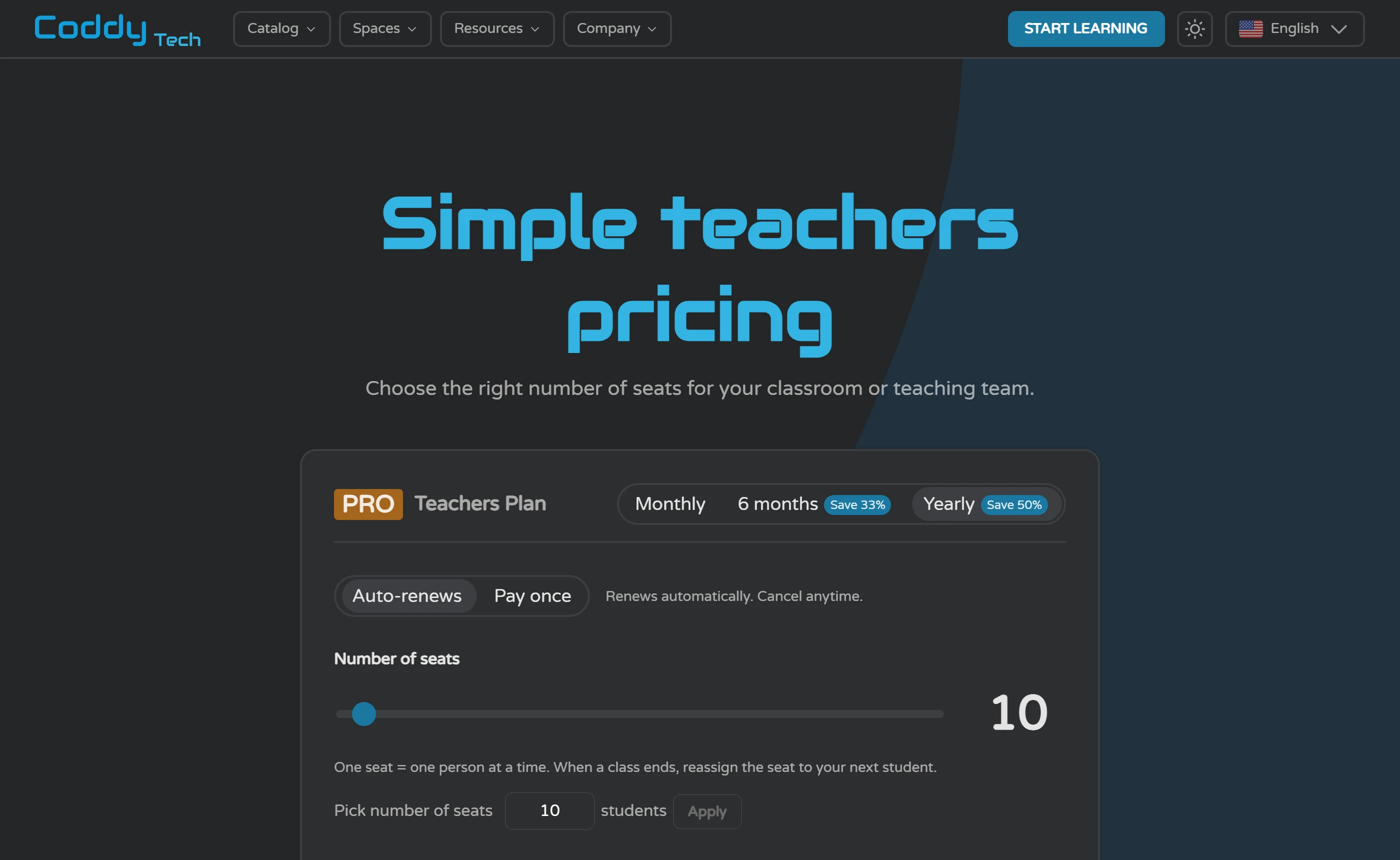
Coddy for Teachers is sold per seat, with the seat price falling as the class grows, and it is the only page on coddy.tech we opened that publishes a plan price at all. The card loads on the Yearly term with 10 seats selected and reads $2.42 per seat per month, total yearly price $289.99 billed annually, badged Save 50%; switching to Monthly at the same seat count gives $4.80 per seat per month and $47.99 in total, and a separate 6 months term gives $3.22 per seat per month and $192.99. The seat slider runs from 2 to 300, teacher pricing actually begins at 6 seats ($2.50 per seat per month, $179.99 a year), and above 300 seats Coddy prepares a custom quote with volume pricing, invoicing or a purchase order. A seat is described as a concurrent slot rather than a licence tied to one named student, so a school pays for the highest number of people using Coddy at the same time. Each seat is listed as full PRO, with 13 learner-side features including Unlimited energy, Unlimited Bugsy AI tutor, Advanced AI model, Unlimited debug, Solution analysis, Premium challenges, No ads and iOS & Android premium. Two of those, Unlimited debug and Premium challenges, are never defined on that page or on any other page we opened.
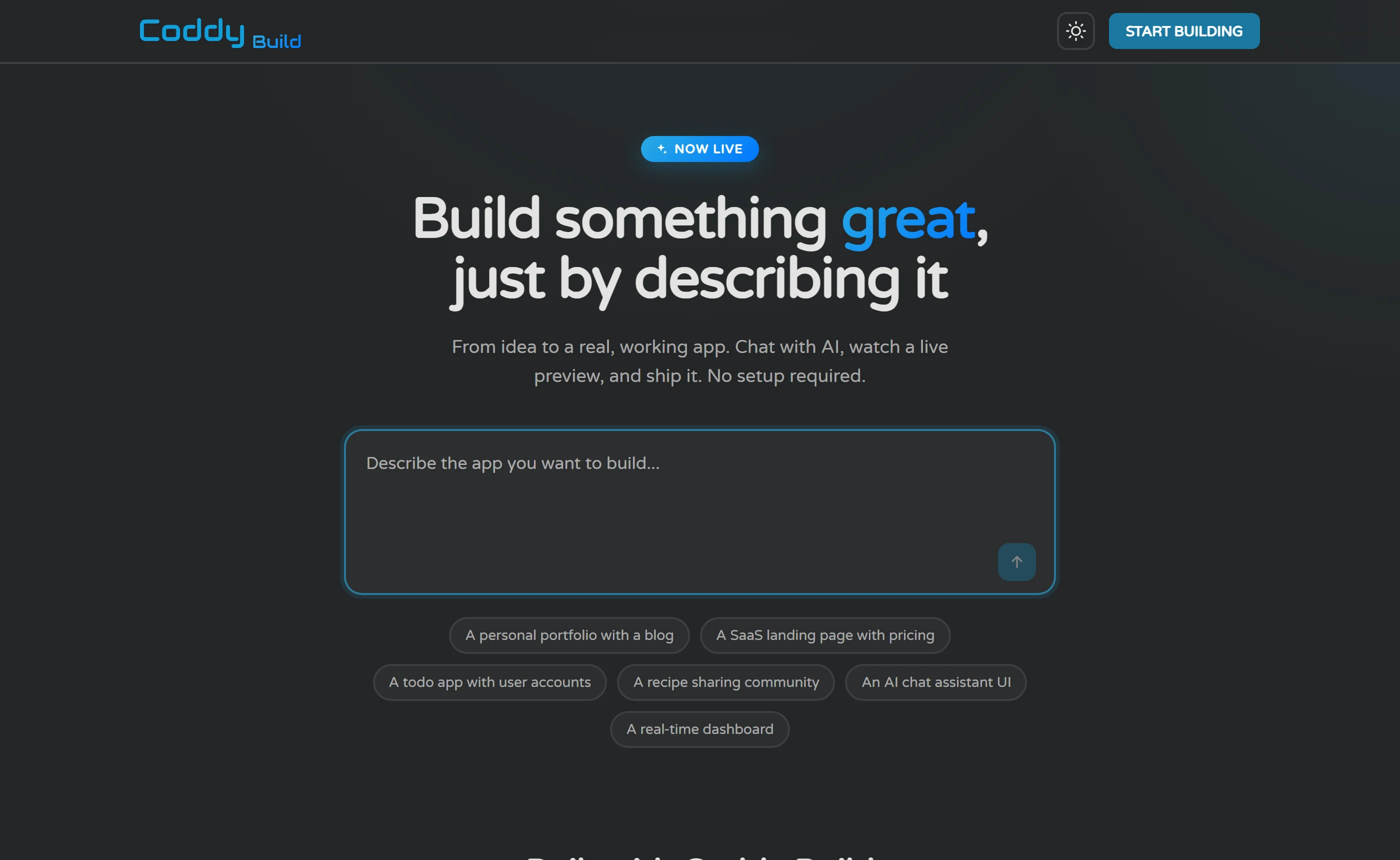
Drag the same slider down to between 2 and 5 seats and the card renames itself PRO Family Plan, stops showing a price entirely, and says the Family Plan is available on our pricing page, sharing PRO with up to 5 family members. Its VIEW PRICING button has no link target, and for a logged-out visitor it opens the login and sign-up screen rather than a price. Two smaller side products round out the list. The Embed Editor, which Coddy says is completely free to use on any website through a single iframe with no sign-in, asks only that you keep the Powered by Coddy link. Coddy Build, at build.coddy.tech, is pitched as chatting with an AI, watching a live preview and shipping a real working app with no setup; it sits behind its own sign-in offering Google or email and password, shows no pricing, and whether it is included in a learning subscription, billed separately or free is not stated on the pages we checked - the Terms of Use do not mention it at all.
| Product | Who it is for | What it adds | Verified scope |
|---|---|---|---|
| iOS and Android apps | Learners who study in short sittings away from a desk | Coddy says the apps carry full coding challenges, AI assistance, streaks and offline mode, caching your current lessons so you can keep going without a connection, and syncing progress when you reconnect; every lesson, challenge and certificate is stated to be free on both. | Vendor statements on coddy.tech/apps and /faqs, plus the US App Store listing (version 2.1.9, 119.9 MB, age rating 16+, Education, free with in-app purchases) and the Google Play listing (Contains ads, In-app purchases, 100K+ downloads, updated Sep 10, 2026). Neither app was installed or used. |
| Public code playground | Anyone who wants to run code today without handing over an email | An editor with Run, Reset and Erase, a STDIN box and an output panel, across 23 environments plus a separate Pseudocode link. | Observed logged out on coddy.tech/playground/python on 11 September 2026: no login prompt appeared. No code was run. Solidity and Zero exist as playgrounds with no matching course. |
| Coddy for Teachers | Teachers and schools buying seats for a class | Per-seat PRO access listing unlimited energy, unlimited Bugsy, advanced AI model, solution analysis, premium challenges and no ads; a seat is a concurrent slot, so you pay for the most people using Coddy at once rather than one licence per named student. | Read logged out on coddy.tech/teachers/pricing: $2.42 per seat per month at 10 seats yearly ($289.99 billed annually), $4.80 per seat per month monthly ($47.99 total), $3.22 per seat per month on the 6-month term ($192.99); slider runs 2 to 300 seats, pricing starts at 6 seats, custom quote above 300. Two listed features, Unlimited debug and Premium challenges, are undefined. This is the only page on coddy.tech we opened that states a plan price. |
| PRO Family Plan | Households wanting one subscription across several people | Coddy says PRO can be shared with up to 5 family members. | Named only on /teachers/pricing, and only when the seat slider sits at 2 to 5, where the card relabels itself and displays no price. Its VIEW PRICING button has no link target and opens the login and sign-up screen for logged-out visitors. No Family Plan price appears on any public page we opened. |
| Embed Editor | People writing tutorials, docs or course material on their own site | Coddy says the embeddable editor is completely free to use on any website through a single iframe, with no sign-in; the only stated condition is keeping the Powered by Coddy link. | Vendor statements on coddy.tech/embed, read on 11 September 2026. The editor was not embedded anywhere or exercised. |
| Coddy Build | Someone who wants an app generated rather than a lesson taught | Described by the vendor as chatting with an AI, watching a live preview and shipping a real working app with no setup. | Vendor description on coddy.tech/build plus the build.coddy.tech sign-in screen, which offers Google or email and password and shows no pricing. No Build clause exists in the Terms of Use, and no page states whether it is included in a subscription, billed separately, or free. |
Where Coddy is strong and where it is thin
Everything here is drawn from what Coddy publishes and from what public store and review pages show. No account was created, no lesson completed, no code run on Coddy and no question put to its AI tutor, so none of it judges teaching quality. What can be judged from outside is the offer: what Coddy gives away, what it holds back until you register, and whether its own pages agree with each other.
On paper the offer is unusually generous. Coddy’s FAQ says Free includes every course and every certificate, that there is no paywall to start and no card required, and that no plan is required to start learning or to earn a certificate. That is a genuine difference from much of the field, where the certificate is the part you pay for. The catch is that the generosity runs sideways rather than up: you can reach all of it, a little at a time, because the free plan is rationed by a daily energy allowance Coddy describes but never quantifies. Its own listicle puts the free tier at about 15 to 20 minutes of learning a day and says heavier daily use needs Pro, which is the closest thing to a number the vendor publishes.
The weaknesses cluster in one place: what Coddy will not tell a logged-out reader. The price of an individual plan, the size of a free day, where ads appear and what happens to code an AI model reads are all unpublished. Some of that is ordinary marketing reticence. Some is harder to excuse - a page offering 25% off yearly or lifetime plans that never states a price for either, and a store listing that shows the same yearly plan at four different amounts with no explanation.
The second cluster is internal disagreement, and it is not a single typo. The language count, the learner count and the certificate unit each take different values on different Coddy pages, sometimes within the same page - and the store ratings its own home page advertises match neither live listing. Individually each is minor. Together they mean a careful reader cannot treat any Coddy figure as a fact, which is an odd place to end up with a product whose whole promise is teaching precision.
Pros, with the consequence
- Every course and every certificate sits on the free plan. Coddy’s FAQ says Free includes every course and every certificate, that there is no paywall to start and no card required, and that no plan is required to start learning or to earn a certificate. The free limit is how much you can do in a day, not what you are permitted to reach - which is the opposite of the usual arrangement, where the credential is the paid part.
- Nothing to install, and you can see the editor before you register. Coddy says Python, JavaScript, Java, C++, SQL and the rest compile and execute in the browser with no IDE, compiler or local setup, and the Python playground renders logged out with Run, Reset and Erase, a STDIN box, an output panel and 23 environments in its sidebar. You can judge the tooling from outside the signup wall instead of taking it on trust.
- Certificates are issued per section, free, with a public verification URL. Each journey splits into sections, each section issues its own certificate with a unique ID and a public URL, and Coddy says most sections take a few hours of focused practice spread over a few days. The first credential arrives early rather than at the end of a 219-lesson journey. What it certifies is that you finished every lesson and challenge in that section: there is no exam and no pass mark stated anywhere.
- The AI tutor is published as a hint-giver rather than an answer machine. Coddy says Bugsy reads your current editor contents and your last failing test without you pasting anything, that a reply which would reproduce the solution is replaced by a Reveal Solution button, and that after five failed runs Coddy offers the solution itself. Free accounts get 3 messages a day, 20 on sign-up day, and Bugsy never costs energy. That is the stated design; nobody here queried it, so treat it as an intention rather than observed behaviour.
- The mobile apps are the whole product, not a trimmed version of it. Coddy states every lesson, challenge and certificate is free on iOS, Android and the web, that the apps cache your current lessons for offline use, and that a connection is needed only to sync progress, use the AI tutor and unlock new chapters. If your study time is a commute rather than a desk, that matters more than any feature list.
- On its non-coding tracks, Coddy says plainly what a certificate is not. The math certifications page states Coddy is not a school and does not award academic credit; the chess page says its certificate is not a rating and does not claim to be one. That candour is useful - and it makes the absence of any comparable line on the coding certifications page conspicuous, since that page instead says a certificate helps you stand out to employers and can boost your earning potential.
Cons, with the consequence
- There is no public price list for an individual learner. coddy.tech/pricing loads briefly as Coddy - Pricing and then redirects logged-out visitors to a Log in / Register screen, and none of the home, FAQ, apps or AI tutor pages links to a consumer pricing page at all. Coddy even publishes a promo code page offering 25% off yearly or lifetime plans without stating a price for either. The only plan price Coddy itself publishes on a page you can open is for classroom seats; the only consumer figures anywhere are Apple’s in-app purchase list, which is a different storefront with its own prices.
- The only readable prices contradict themselves, and the refund rule is strict. The US App Store lists Coddy Subscription Plus - Yearly at $59.99, $71.99, $83.99 and $119.99, and Pro - Yearly at $95.99 and $159.99, alongside Plus Monthly at $14.99 and Pro Monthly at $19.99, with nothing on the page explaining which a new subscriber pays. Apple caps that list at ten entries, so no Lifetime item appears, which proves nothing either way - the FAQ describes a Lifetime plan, but no page or listing we could open offers one for sale. Meanwhile the Terms say subscription refunds are available within 14 days of purchase provided you have not accessed or used the Service at all, with no refund for unused time or for one-time purchases such as Tokens - though the same section adds that these rules do not override rights under your own consumer protection law.
- The size of a free day is never quantified. Coddy publishes that a daily energy limit exists and that Plus and Pro lift it, but never how much energy a day holds, what spends it, or how fast it refills. Its own comparison page says the free tier suits about 15 to 20 minutes of learning a day and heavier daily use needs Pro. Every concrete number in circulation comes from reviewers, and those reviewers disagree with each other; company replies acknowledge the complaint without confirming or correcting a figure. You cannot work out how far a free account goes until you have opened one.
- Coddy’s own pages disagree on basic counts. The language count reads 15+ in the FAQ and page title, 17 on the all-courses page and 20+ in the home catalog blurb, while the catalog grid itself shows 28 tiles. Certificates are described both as one per course and as one per section. The certifications hub advertises 81+ unique certificates while the 20 track pages behind it add up to 53. No single figure can be treated as the number, which makes the product harder to compare with anything else.
- Ads are part of the free mobile experience and Coddy never describes them. Google Play carries the Contains ads label and Apple’s 16+ rating lists Advertising and Loot Boxes among its reasons, but Coddy never describes the ads themselves: format, frequency, and whether the web app shows any ads at all are unpublished. On its consumer plans, ad-free learning is attached to Plus alone and Pro and Lifetime are never stated to be ad-free; the one other mention we found is a bare No ads line among the Teachers PRO seat features.
- Nothing is published about what happens to the code an AI model reads. Coddy deliberately declines to name its model, saying only that Pro learners get its best one and free learners a faster one. Its privacy policy names Stripe, LinkedIn, Google, Firebase, Meta, TikTok, AppsFlyer and Brevo as service providers, states a retention period of roughly 7 years, and says nothing about AI, chat logs or learner code; the Terms of Use, last updated October 8, 2025, contain no AI clause. If your code or prompts are sensitive, there is no published answer to where they go.
What users say, and how much of it we actually read
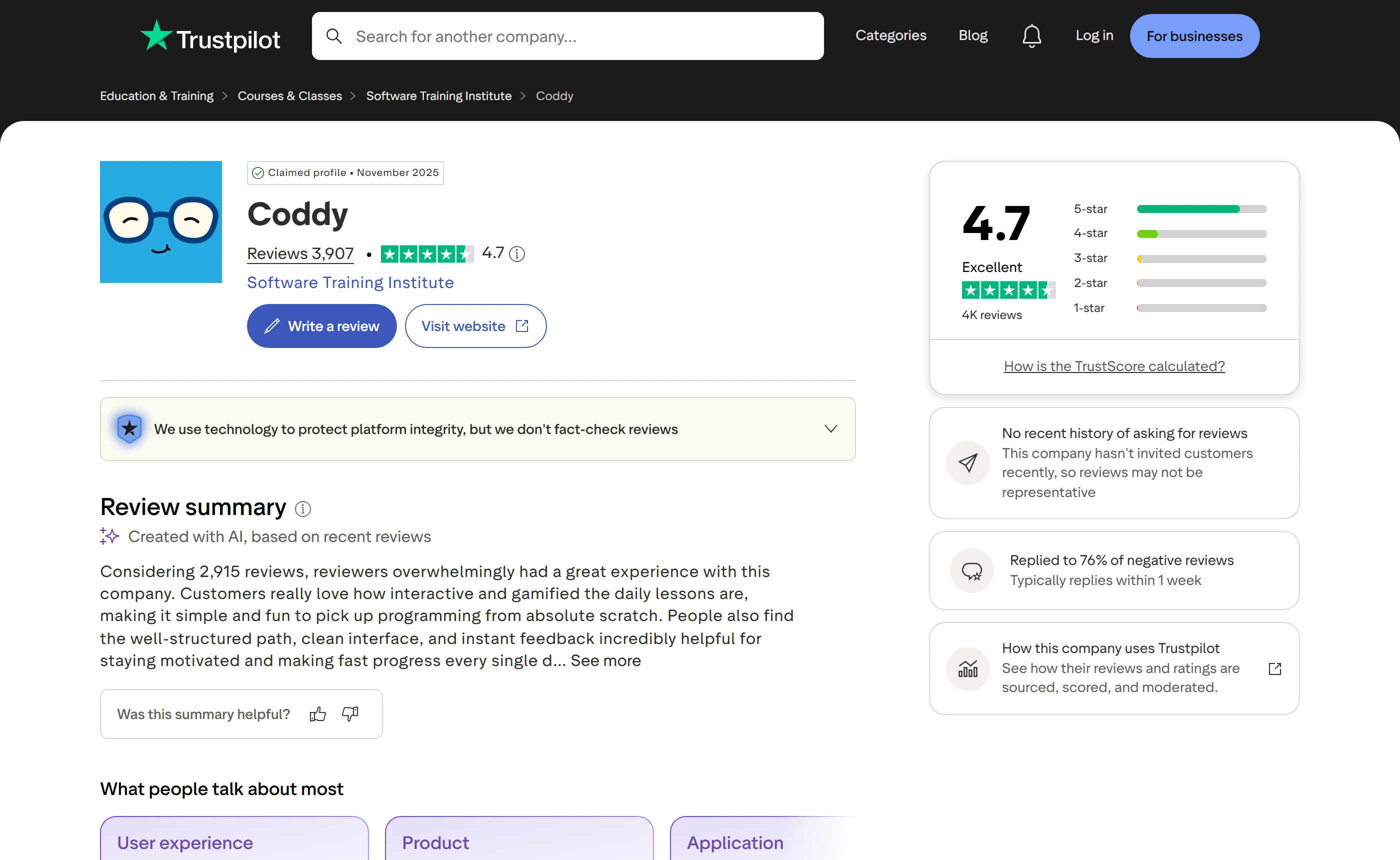
Coddy’s Trustpilot profile shows a TrustScore of 4.7, from 3,909 reviews at one reading on 11 September 2026 and 3,910 at another the same day. The distribution renders as 79% five star, 16% four star, 3% three star and under 1% each at two and one star. The profile is claimed, in November 2025, and Trustpilot attaches its own warning to it: this company hasn’t invited customers recently, so reviews may not be representative. The platform’s company badge says Coddy replied to 76% of negative reviews and typically replies within a week, and those replies are signed The Coddy Team.
We read 70 reviews in full: the 20 most recent on Trustpilot and 20 more under its one and two star filter, all 10 reviews the US App Store listing displays, and the 20 that Google Play loads under Most relevant with the phone filter. In the recent Trustpilot sample, 15 were five star, 4 four star and 1 two star. The positive theme is the same on all three platforms, and it is not about the teaching - it is the format. 5 of the 10 App Store reviews and 5 of the 20 Play reviews describe Coddy as fun, gamified or like Duolingo; at least 3 of the recent Trustpilot reviews make the same comparison; 3 Play reviewers praise the interface as smooth and intuitive; 2 App Store reviewers single out the range of languages; and 4 Play reviewers say the free tier is enough for them.
The negative theme is just as consistent, and it is the ceiling on the free plan. 12 of the 20 low-star Trustpilot reviews read complain about energy or point limits, the paywall or Pro’s price, and 5 of the 20 most recent reviews raise it too, including in reviews that are otherwise positive - one calls Coddy a great platform and in the same sentence says it is irritating that free gives only six energy a day. The figures those reviewers give disagree with each other: six energy a day, six lessons a day, five lessons then a 15-hour wait, one or two questions a day after a three-hour refill. Coddy’s public replies acknowledge the frustration without confirming or correcting any number, saying instead that it is actively working on expanding the free tier. The second cluster is correctness. 4 of the 20 low-star Trustpilot reviews report bugs - two of them code marked wrong when the reviewer believes it is right, the others a quiz with text missing and a runtime error that Coddy’s reply attributes to the reviewer’s own code - while 4 of the 20 Play reviews report content or exercise bugs and 5 more report app-specific problems such as indentation handling, lag, crashes and connection errors. 3 low-star Trustpilot reviewers say the explanations failed them, one writing that the AI repeated itself rather than explaining. Ads surface in 2 of the 10 App Store reviews and 2 of the 20 Play reviews, including long unskippable ads after lessons and a watch-an-ad-for-energy button that one reviewer says credited nothing.
Two observations of our own sit alongside that, and should not be confused with it. First, Coddy’s home page badges read 4.9 on the App Store with 2K+ ratings and 4.8 on Google Play with 8K+, while the live listings on the same day showed 4.8 from 426 ratings on the US App Store and 4.6 on Google Play in most reads, 4.7 in one. Neither badge matches its own store. Second, these samples lean positive by construction. Google Play’s Most relevant sort returned no one-star reviews at all, and its rating histogram rendered accessibility labels of zero reviews at one and two stars on the same day its one-star filter returned a full page of them. Coddy had replied under 19 of the 20 Play reviews we read, and 6 of those replies ask the reviewer for five stars or to change their rating. Seventy reviews is a small sample, chosen by each platform’s default sort rather than by us: read it as a set of individual reports, not as a measure of how common anything is.
| Source | Storefront | Rating | Reviews listed | Read | Date |
|---|---|---|---|---|---|
| Trustpilot | Global company profile for coddy.tech, claimed in November 2025 | TrustScore 4.7 out of 5 (79% five star, 16% four star, 3% three star, under 1% each at two and one star) | 3,909 reviews at one reading and 3,910 at another the same day | 40 read in full: the 20 most recent, plus 20 under the one and two star filter | Read 11 September 2026 |
| Google Play | United States (English); one earlier read rendered the Vietnam (English) storefront | 4.6 in most reads, 4.7 in one | 8.66K reviews in the header (8.67K in one read); the phone-filtered section showed 8.39K to 8.4K; 100K+ downloads | 20 read in full: the Most relevant set Google Play loads under the phone filter | Listing updated Sep 10, 2026; read 11 September 2026 |
| Apple App Store | United States, USD | 4.8 out of 5 | 426 Ratings (427 in one read) | All 10 reviews the listing displays | Version 2.1.9, shown only as 5d ago; read 11 September 2026 |
What reviewers praise
- The gamified format is the dominant praise on every platform: 5 of the 10 App Store reviews and 5 of the 20 Google Play reviews read call Coddy fun, gamified or like Duolingo, and at least 3 of the 20 most recent Trustpilot reviews make the same comparison.
- The interface is singled out by 3 of the 20 Google Play reviews read, described as smooth and intuitive.
- The range of languages is praised by 2 of the 10 App Store reviews read.
- 4 of the 20 Google Play reviews read say the free tier is enough for what they want from it.
- One of the 20 Google Play reviews read specifically praises the AI explanations.
What reviewers complain about
- The free tier’s ceiling dominates the complaints: 12 of the 20 low-star Trustpilot reviews read raise energy or point limits, the paywall or Pro’s price, and 5 of the 20 most recent reviews mention it too, including in reviews that are otherwise positive.
- Reviewers cannot agree on what the limit actually is - six energy a day, six lessons a day, five lessons then a 15-hour wait, one or two questions after a three-hour refill - and Coddy’s replies acknowledge the frustration without confirming or correcting any figure.
- Correctness problems recur: 4 of the 20 low-star Trustpilot reviews read report bugs, two of them code marked wrong when the reviewer believes it is right, the others a quiz with text missing and a runtime error that Coddy’s reply attributes to the reviewer’s own code; separately, 4 of the 20 Google Play reviews read report content or exercise bugs.
- App-specific friction appears in 5 of the 20 Google Play reviews read: indentation handling, lag, crashes, connection errors and difficulty adding new lines on a phone.
- Ads are raised by 2 of the 10 App Store reviews and 2 of the 20 Google Play reviews read, including long unskippable ads after lessons and a watch-an-ad-for-energy button that one reviewer says credited nothing.
Seventy reviews were read in full, and that is a small sample chosen by each platform’s default sort rather than by us. It leans positive by construction: Google Play’s Most relevant sort returned no one-star reviews at all, and its rating histogram rendered accessibility labels of zero reviews at one and two stars on the same day that its one-star filter returned a full page of them. Trustpilot adds its own caveat to the profile, that the company hasn’t invited customers recently so reviews may not be representative, while its badge says Coddy replied to 76% of negative reviews. Coddy had replied under 19 of the 20 Google Play reviews we read, and 6 of those replies ask the reviewer to give five stars or change their rating, which is one reason store averages and review text can point in different directions. Star ratings are not printed as text on either store page and had to be read from accessibility labels; on Google Play the per-review star split could not be verified at all. Headline counts also moved between readings on the same day. Treat all of this as individual reports about individual experiences, never as a measure of how common any problem is.
Alternatives worth checking before you register
We opened each alternative’s own pricing page on 11 September 2026 rather than quoting figures from memory, and two warnings come with that. Several of these pages are geo-localised: Mimo rendered euros, Scrimba rendered Singapore dollars with a regional discount and an auto-applied coupon, and Codedex rendered Vietnamese dong. What you see may not be what we saw, so every figure below is quoted with the currency and billing cycle exactly as displayed. SoloLearn, the obvious further name, is absent for a different reason: its pricing page returned a 403 and then a browser security check we did not pass, so we can say only that it exists and that we could verify nothing about it.
If the thing pushing you away from Coddy is the daily ceiling, freeCodeCamp is the direct answer. It states that every aspect of the platform - the courses, the projects and even the certifications - is 100% free, and it is a 501(c)(3) public charity rather than a subscription business, so nothing runs out because there is no paid tier to run out of. The price you pay is format. A certification there means building its five certification projects and getting all the project tests to pass, which is a much larger unit of work than a Coddy section. Its home page names no AI assistant, and it names a mobile app without naming an iOS or Android app specifically.
If what you want is Coddy’s shape with a price you can see before signing up, Mimo and Codecademy both publish one. Mimo’s entry paid tier, Pro, rendered at EUR 9.99 per month billed yearly or EUR 14.99 per month on the monthly toggle. Codecademy’s Plus is $11.99 a month billed annually or $14.99 billed monthly, with Pro at $15.99 annually or $19.99 monthly. Mimo puts the credential behind the paywall: certificates of completion are listed as a Pro feature and professional certificates as a Max feature. Codecademy issues a certificate of completion for every course or path you finish, plus professional certifications for passing all the exams in select career paths, though its pricing page does not say whether the free Basic tier includes them. DataCamp is the clearer inverse of Coddy’s trade, for a catalog aimed at data rather than software: Premium rendered at $14 per month billed annually under a special-price flag, while the free Basic tier gives the first chapter of every course and no certificates at all. That is the question worth settling before you register - would you rather pay to remove a limit, or pay to receive the certificate?
The last two differ in format rather than in pricing philosophy. Scrimba teaches through interactive screencasts it calls scrims, which a viewer can stop at any point and edit directly, with a Freemium tier at $0 forever covering the free intro courses, intro scrims per Pro course, up to 6 challenges and 6 free Explainers; Pro adds all 70+ courses and course certificates, and those certificates are paused if you downgrade. Codedex sells what Coddy gives away: its free Explorer tier is restricted to early chapters, certificates are a paid Club feature, and its AI assistant, Lumi, is limited on Explorer and unlimited on Club, with senior-dev mentor support 24/7 on the paid tier. Its practice format is bite-sized challenge packs plus Builds for making and sharing projects. Where Coddy opens the whole catalog and rations your day, Codedex rations the catalog and sells the credential.
One note on price claims that circulate outside these pages. Third-party deal sites, a SourceForge reviewer and several Trustpilot reviewers all quote Coddy prices, and they disagree with one another and sometimes use tier names Coddy does not publish. Because no Coddy page we could open states any of them, we do not repeat them here as prices.
| Platform | Best for | Learning style | Practice and projects | AI and who gets it | Free-tier limits | Entry paid price | Pick it over Coddy when |
|---|---|---|---|---|---|---|---|
| Anyone whose dealbreaker is a daily limit or a paywalled certificate | Project-based and step by step, in the browser, a code editor, or its mobile app | Each certification requires building its 5 certification projects and getting all the project tests to pass | No AI assistant is named on the home page we read | None stated: the site says every aspect, including the certifications, is 100% free | No paid tier stated; the site says every aspect of freeCodeCamp is 100% free source | There is no tier to run out of and no credential to buy; the site says the courses, the projects and even the certifications are free, and it is a 501(c)(3) public charity rather than a subscription business. The unit of work is far larger than a Coddy section. | |
| Learners who want a mobile-first free tier and a price they can read before registering | Interactive lessons; the free Basic tier is mobile only, paid tiers are Mobile + Web | Pro is advertised with 1000+ interactive lessons; Max adds guided projects and live sessions | The comparison row reads AI coding tutor / Limited / Unlimited keys; the expanded Pro card says Limited Access to AI Tutor, and the keys unit is never defined on the page | Basic is Free Forever but its lessons are mobile only | EUR 9.99 /month billed yearly, or EUR 14.99 /month on the monthly toggle (Pro; page rendered in EUR and is geo-localised) source | You can read the price before you register, and the trial is explicit: 7 days, yearly subscriptions only. The trade-off is that certificates sit behind the paywall. | |
| Someone who wants a big structured catalog and prices stated plainly in USD | Learn by doing: guided paths and interactive lessons, plus portfolio-worthy projects; the pricing page does not say which tier the projects sit in | Browser-based Workspaces plus iOS and Android apps | AI Learning Assistant, marked Limited on Plus and available under Pro | The free tier is Basic, shown as $0 and Always free; no numeric limit is stated on the pricing page | $11.99 a month, billed annually or $14.99 billed monthly (Plus, USD) source | A certificate of completion for every course or path you finish, plus professional certifications for passing all exams in select career paths - a two-step credential ladder, where Coddy issues one certificate per section of a journey. The pricing page does not state which tiers include the certificates. | |
| Front-end learners who prefer editable screencasts to written lessons | Interactive screencasts it calls scrims, which you can stop at any point and edit directly in the browser | Pro includes all 70+ courses and course certificates; certificates are paused if you downgrade to free | No AI assistant appears on the pricing page we read, only an AI Engineer course path | Freemium at $0 forever: free intro courses, intro scrims per Pro course, up to 6 challenges and 6 free Explainers | SGD 16.33 / month billed annually for SGD 196.00, as rendered for us with a regional discount and an auto-applied coupon; no USD price was shown source | A different way of learning rather than a different price model - you watch and edit rather than filling in a challenge, which suits people who stall on blank-editor exercises. | |
| Learners who want bite-sized challenge packs, a named AI assistant and 24/7 mentor support | Bite-sized challenge packs, with Builds for creating and sharing projects | Club adds mentor support from senior devs 24/7 | Lumi, described as an AI tutor for quick questions: Limited on the free tier, Unlimited Access on Club | Explorer is free forever but restricted to early chapters, excluding Club Courses | 65791.5 VND / month on the yearly toggle, or 133332 VND / month on the monthly toggle (Club; page rendered in VND and is geo-localised, no USD shown) source | It makes the opposite trade to Coddy: the catalog is gated to early chapters and the certificates are a paid Club feature, where Coddy opens the catalog and rations your day. |
Coddy against Mimo
Mimo is the closest match to Coddy’s shape among the pages we opened: a free tier aimed at the phone, paid tiers that add the web, and the same short daily sitting in mind. The difference that matters before you sign up is that you can read its prices. Pro rendered for us at EUR 9.99 per month billed yearly, or EUR 14.99 per month on the monthly toggle, with a higher Max tier at EUR 24.99 per month billed yearly or EUR 39.99 monthly. The page is geo-localised, so those are the figures it served us rather than a universal price list, and its free trial is 7 days and available only on a yearly subscription. Its pricing page does not describe streaks, XP or any other habit mechanic either way, so nothing here compares Mimo’s motivation layer with Coddy’s.
The real divergence is the free tier and the certificate. Mimo’s free tier, Basic, is Free Forever but its lessons are mobile only, with web access reserved for paid tiers; Coddy’s free tier runs everywhere and limits your day instead. Certificates of completion are a Pro feature at Mimo and professional certificates a Max feature, where Coddy’s FAQ says Free includes every course and every certificate. If you would rather pay once a year and stop thinking about a meter, Mimo answers that; if you would rather never pay and accept a ceiling, Coddy does.
On AI, Mimo is vaguer than Coddy, which is unusual given how little Coddy says elsewhere. Its comparison row reads AI coding tutor, Limited, Unlimited keys; its expanded Pro card says Limited Access to AI Tutor; and nothing on the page defines what a key is. Coddy at least publishes a countable allowance - 3 Bugsy messages a day, 20 on the day you sign up, unlimited on Pro, and never costing energy - even if it will not name the model behind it.
Coddy against freeCodeCamp
freeCodeCamp answers the complaint that runs through most of Coddy’s negative reviews, and it answers it structurally rather than generously: there is no daily allowance to exhaust because there is no paid tier to run out of. Its site states that every aspect of freeCodeCamp is 100% free - the courses, the projects and even the certifications - and that it is a 501(c)(3) public charity rather than a subscription business.
What you trade is pace and format. Coddy issues a certificate for finishing every lesson and challenge inside a section and says most sections take a few hours of focused practice spread over a few days, so credentials arrive early and often. At freeCodeCamp, each certification means building its 5 certification projects and getting all of their tests to pass. That is a much larger unit of work, and the output is projects rather than section badges; the site says more than 100,000 of its graduates work at companies, though it names no mechanism tying that to the certifications themselves.
The other trade is the scaffolding Coddy is built around. If streaks, XP, leaderboards and a tutor that reads your failing test are what get you to open the thing on a Tuesday night, note that none of them appears on the freeCodeCamp page we read: its home page names no AI assistant, and it names a mobile app without naming an iOS or Android app specifically. Whether any of that exists elsewhere on the site is not stated on the pages we checked - but the motivation layer is exactly what Coddy is selling, and it is not what freeCodeCamp advertises.
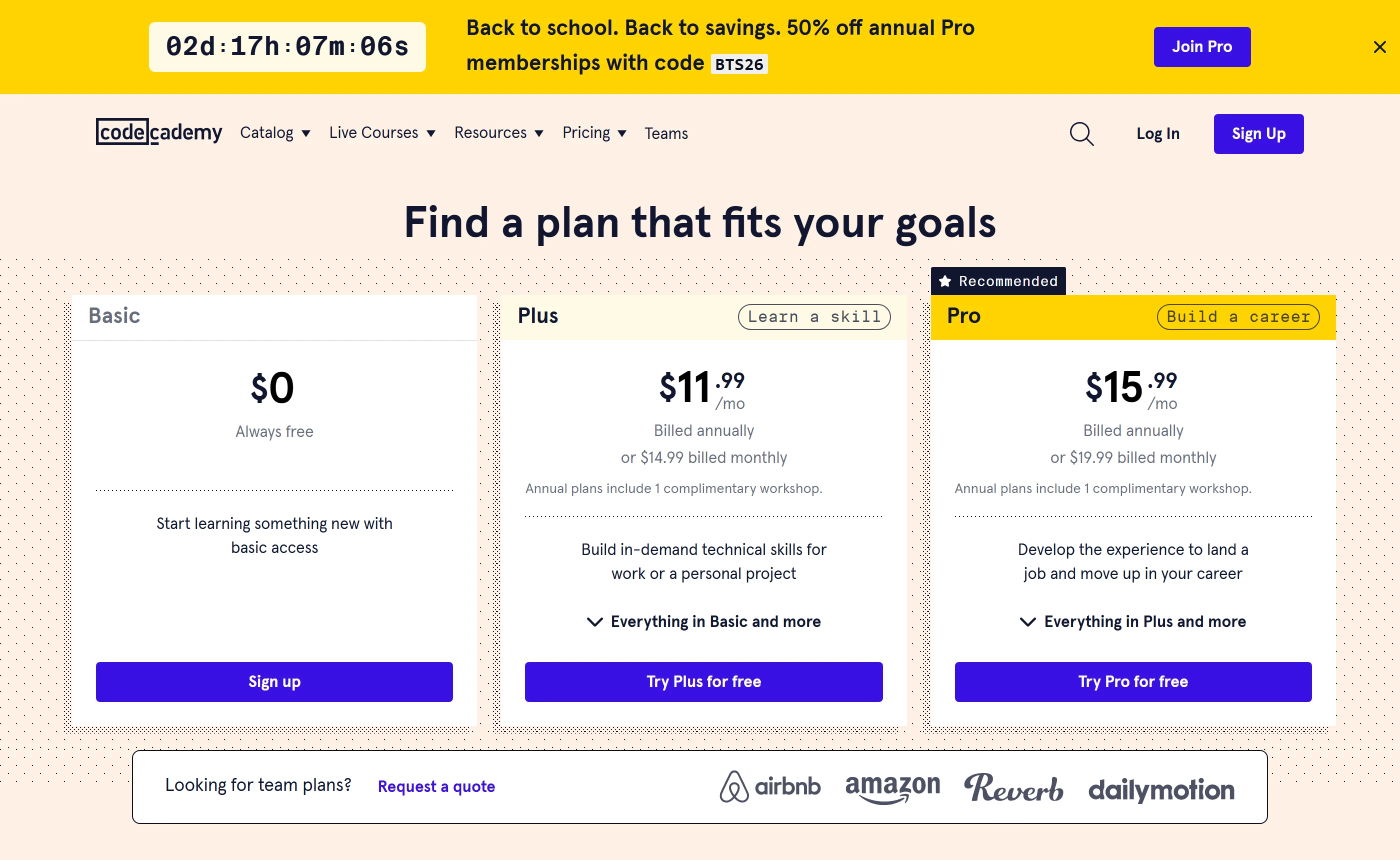
Decide it yourself: a decision table, a seven day plan and one exercise
Everything above is what Coddy publishes, plus what its store listings and review pages show. Three things stay invisible from outside the product, and only one of them survives a week of free use. What Plus, Pro or Lifetime cost on the web you cannot learn without registering, because coddy.tech/pricing sends logged out visitors to a Log in / Register screen. Where the daily energy ceiling lands for the way you learn is unknowable in advance, because Coddy states that a free account has a daily energy limit without ever saying how much a day holds. And whether the lessons leave you able to write code in an empty file is something no page can answer for you. The last two are answerable in about a week, without paying and without a card, and the three tools below are built for that: a decision table that asks four questions (what you want out of it, how much code you have written before, how long you sit down for, and whether you are willing to pay at all); a seven day plan that is our editorial suggestion rather than a Coddy program or any promise from Coddy about what you will know at the end; and one small exercise to run away from the lesson player, in your own editor or in Coddy’s public Python playground, which loads without an account.
The habit layer is the most visible thing in the product and the least useful as a measure of skill. Coddy markets daily streaks protected by freeze days, XP, badges and global leaderboards, its apps page repeats the same list for the phone, and its own blog describes a streak sitting at 22 days and resetting to zero if you miss today. All of that measures attendance, which is a real problem worth solving and a different problem from competence. Three checks measure something closer to skill. First, redo a task you have already passed from a blank editor, with no hints and without opening the solution; note that Coddy offers the solution itself after five failed runs, and replaces any AI reply that would reproduce it with a Reveal Solution button, so on this particular exercise you have to decline the help the product is designed to give. Second, explain in one sentence why your code works, before you run it, and see whether the sentence survives being written down. Third, solve a similar task somewhere no test tells you when to stop, with inputs you chose yourself.
Two of those checks run straight into the free plan’s limits, which is the point of doing them in the first week. Coddy publishes that the limit exists and that Plus and Pro lift it, never its size or its refill rate, and its own ranked listicle of free coding sites says the free tier suits about 15 to 20 minutes of learning a day and that heavier daily use needs Pro. The numbers in circulation, six energy a day, six lessons, waits of several hours for a recharge, come from individual reviewers, and Coddy’s replies repeat those figures back rather than correct them, one acknowledging the six lessons a day limit and another the 5 lives daily limit, without the company ever publishing a number of its own, so treat them as complaints rather than measurements. The AI tutor has a separate and clearly stated cap: three messages a day, twenty on the day you sign up, and Coddy says it never costs energy. Plan the week around one Bugsy day rather than assuming you can lean on it whenever you are stuck. On timing, Coddy says most sections take a few hours of focused practice spread over a few days, and a certificate is issued per section of a journey, so a week is long enough both to earn a first credential and to meet the ceiling.
The decision table deliberately does not end in a price, because there is no honest price to end it with. No public Coddy page we opened states a web figure for Plus, Pro or Lifetime, and for those consumer plans the only amounts readable without an account are US App Store in-app purchases for the iPhone app, where the seller is Coddy, Inc.: Plus monthly at $14.99, Pro monthly at $19.99, four different yearly amounts for Plus ($59.99, $71.99, $83.99 and $119.99), two for Pro ($95.99 and $159.99), and token packs at $4.99 and $12.99. Those are iOS in-app purchase prices on the US storefront, the listing gives no explanation of what separates the same plan name at four prices, and Apple caps that list at ten entries, so its contents are not a complete catalogue either. Coddy does publish one web price, but for a different product: its Teachers page prices classroom seats at $2.42 per seat per month, a total yearly price of $289.99 billed annually at its default of ten seats, or $4.80 per seat per month and $47.99 in total on the monthly toggle. Nothing equivalent exists in public for Plus, Pro or Lifetime, so what Coddy charges an individual learner on the web is not stated on the pages we checked, and that is the one unknown a week of free use will not resolve.
Which way should you go? A decision table
Plain conditional rules written by the editors: no score, no percentage, nothing sent anywhere. Answer all four to see the matching row; the whole table is below for reading without JavaScript.
The full decision table (12 rules, first match wins)
| Goal | Experience | Session | Paying | Recommendation | Why | Start at | Watch for | Choose another when |
|---|---|---|---|---|---|---|---|---|
| Move towards a developer job | Already write code at work or study | Any | Any | Prefer another option for the core of a job move | Coddy’s language journeys are labelled Beginner to Intermediate, and a certificate certifies that you finished every lesson and challenge inside a section. There is no exam and no pass mark on the pages we checked, and Coddy names no employer or institution that recognises the credential. If you already write code at work, that is not the evidence a hiring process asks for. | If you want Coddy at all, use it as drill material rather than a curriculum: the all-courses catalog groups Data Structures (16 courses), Interview Preparation (10), Graph Algorithms (7) and Computer Networking (3), and the data structures courses are language-agnostic, built from zero in your preferred language. For the portfolio itself, freeCodeCamp states that everything including its certifications is free and asks for five projects with all tests passing. | Coddy publishes no web price for Plus, Pro or Lifetime, so you cannot compare cost with anything else before registering, and the free plan’s daily energy allowance is never quantified, which makes a heavy study week impossible to plan in advance. | Come back to the free tier if what you want is a fast, gamified way to keep a daily habit alongside real project work. |
| Support school or university study | Any | Any | Any | Use Coddy as a supplement to the course you are already taking | Coddy is not a school by its own account: the math certifications page states that it does not award academic credit, and the chess page states its certificate is not a rating. The coding certification pages make no accreditation claim in either direction. As practice between classes the format fits well, since Coddy describes bite-sized interactive lessons, hands-on coding challenges and AI hints that are designed to stop short of the answer. | The journey for whichever language your course uses. Each language page lists its sections, so you can line them up with a syllabus: Python’s journey, for instance, runs Fundamentals, then Logic and Flow, then Object Oriented Programming, with a separate certificate for each. | The free plan is capped per day by an energy allowance Coddy does not quantify, so it will not absorb a cram session the night before an exam. The Terms bar users under 13, Apple rates the iPhone app 16+, and one Google Play storefront view showed Rated for 3+, so the published age gates do not agree. | If your course needs a graded or accredited credential, ask the institution what it accepts before spending weeks collecting section certificates. |
| Move towards a developer job | None yet | Any | Any | Not worth paying yet: prove the habit before you buy anything | Starting from zero with a job in mind, the risk is not which platform you picked, it is whether you are still turning up in a month. Coddy’s free plan is built for exactly that test: every course and every certificate included, no card required to start, and the first certificate issued after one section rather than at the end of a long journey. | The Python journey, which the page describes as 3 sections, 6 projects, 219 lessons, 177 challenges and 1,070 quiz questions, beginning with the Fundamentals section. | The daily energy allowance is unstated; Coddy’s own comparison page pitches the free tier at about 15 to 20 minutes a day and says heavier use needs Pro; and the journeys are labelled Beginner to Intermediate, which is short of what a job search asks for on its own. | Reconsider after a month of consistent days, and note that you will have to register before you can see what Plus, Pro or Lifetime cost. |
| Move towards a developer job | Some tutorials or a course | An hour or more, a few times a week | Any | Use Coddy as a supplement, not as the thing you spend the evening on | A long session is precisely what the free plan is not shaped for: Coddy’s own listicle says the free tier suits about 15 to 20 minutes of learning a day and that heavier daily use needs Pro. With some code already behind you, the useful part of the catalog is the drill material rather than the beginner journey. | The all-courses catalog filtered by topic, where Data Structures holds 16 courses, Interview Preparation 10, Graph Algorithms 7 and Computer Networking 3, and where the data structures material is language-agnostic. | Coddy publishes neither the size of the daily allowance nor the refill rate, so you cannot tell in advance where a long evening will be cut off, and the AI tutor is capped at three messages a day on the free plan. | If the long session is really project work, do it in your own editor and use Coddy only for the concept that stopped you. |
| Move towards a developer job | Some tutorials or a course | 10 to 20 minutes a day | Any | Start free and measure the ceiling before anything else | Short daily sittings are the case Coddy designs for, and with some experience you will move through the early lessons quickly, which means you will meet the daily limit fast. That is useful information about the product and it costs nothing to collect. | A language you do not already know, from the catalog’s journey pages, or a single topic course from the 125 the all-courses page counts across 17 languages. | Coddy states that the limit exists and that Plus and Pro lift it, but not its size, and no public page we opened states a web price for Plus, Pro or Lifetime, so the cost of removing the limit stays hidden until you register. | If you hit the ceiling every day inside ten minutes, that is the obstacle worth pricing, and pricing requires an account. |
| Start coding from zero | Any | Any | Willing to pay | Not enough information to recommend a paid plan | You are willing to pay and Coddy will not tell you what for. The pricing page redirects logged out visitors to a login screen, and for the consumer plans the only readable prices are US App Store in-app purchases, where the same Plus yearly subscription appears at four different amounts and Pro yearly at two, with no explanation on the listing. | The free tier, for at least a few days, so that when you finally see a price you know which limit you are buying your way out of. Coddy’s FAQ says Plus removes the daily energy limit and adds ad-free learning, while Pro adds the AI assistant, advanced AI models, solution analysis and premium challenges. | Coddy’s own FAQ is inconsistent about which tier carries the AI assistant: one answer gives it to Pro, another says free accounts can use it and that Plus and Pro unlock extra AI features. What Plus actually changes about the AI allowance is not stated on the pages we checked. | If you want a price before you register, the alternatives state theirs on their own pricing pages: Codecademy lists Plus at $11.99 a month billed annually or $14.99 billed monthly. |
| Hobby or curiosity | Any | Any | Willing to pay | Not enough information to recommend a paid plan for a hobby | Paying for a hobby should be a small, clear decision, and Coddy makes it neither: the consumer price list sits behind a login, and the App Store shows one plan name at several different yearly amounts. Meanwhile the free plan already contains every course and every certificate, so the upgrade buys convenience rather than access. | The free tier. If what you actually want is ad-free learning, note that Coddy sells ad-free as a Plus feature without ever describing where its ads appear or how often. | The Terms allow a refund within 14 days of purchase and only if the Service has not been accessed or used at all, and exclude refunds for unused subscription time and for one-time purchases such as Tokens; the same section says these rules do not remove rights your local consumer law gives you. | If ads on the phone are the whole problem, check whether the browser version bothers you at all first: whether the web app shows ads is not stated on the pages we checked. |
| Start coding from zero | None yet | 10 to 20 minutes a day | Any | Start on the free tier: this is the case Coddy is built around | Absolute beginner, short sittings, nothing installed. Coddy’s FAQ describes this exact learner: bite-sized interactive lessons, hands-on coding challenges and AI hints when you get stuck, with every lesson running in the browser and no IDE or compiler to set up. It also states you can start a journey with no card and no sign-up wall. | The catalog’s 30-second quiz if you have no language in mind, or the Python journey if you do, beginning with its Fundamentals section so the first certificate is in reach. | The daily energy allowance is not quantified anywhere, so the first thing to learn is where your day ends, and the AI tutor answers three questions a day on the free plan, twenty on the day you sign up. | If the streaks and leaderboards irritate rather than motivate you, a project-first alternative such as freeCodeCamp, which states that every part of it including certifications is free, will suit you better. |
| Start coding from zero | None yet | An hour or more, a few times a week | Any | Start free, but expect a long session to end before you do | Coddy meters the free plan by day rather than by lesson, and the vendor’s own comparison page puts the free tier at about 15 to 20 minutes of learning a day. A beginner planning two-hour weekend sessions will meet the ceiling rather than the syllabus. | The Python journey for the lesson work, plus the public Python playground for the part of the session that comes after the limit. It loads without signing up, with Run, Reset and Erase controls, a STDIN box and an output panel. | Coddy publishes neither the energy amount nor the refill rate, and the reviewer reports that circulate do not agree with one another, so nobody outside the product can tell you where your session will stop. | If long sessions are non-negotiable, prefer a platform whose free tier is limited by scope rather than by the clock: freeCodeCamp states that every aspect of it including certifications is free, and no daily limit appears on the page we opened. |
| Start coding from zero | Any | Any | Any | Start in the playground before you start a journey | Whatever you have written before, the open question is whether Coddy’s lesson format suits you, not whether it can teach variables, and the playground answers that from outside the product: an editor with Run, Reset and Erase, a STDIN box and an output panel, no login prompt, and a sidebar listing 23 environments. | The Python playground first, then a journey section covering something you genuinely do not know. Note how the catalog is organised before you choose: TypeScript is section 3 of the JavaScript journey, Git and Docker are sections of the Terminal journey, and CSS is two sections of the HTML journey rather than separate tracks. | Journeys are labelled Beginner to Intermediate, and the per-language course counts on the catalog overlap heavily because one algorithms course can be listed under 13 languages at once, so the catalog is smaller than the filter numbers suggest. | If you want depth over breadth, note that the Docs section covers only 8 languages and runtimes, and that two playground environments, Solidity and Zero, have no course at all. |
| Hobby or curiosity | Already write code at work or study | Any | Any | Prefer another option unless you want short drills | If you write code for a living, the journeys are pitched below you at Beginner to Intermediate, and the part of the catalog that will hold your attention is the drill material rather than the teaching. The other reason to be here is the non-code Spaces: chess, and algebra in beta, using the same lesson, quiz and progress format. | The Data Structures, Graph Algorithms and Interview Preparation groups in the all-courses catalog, or the Chess space if the point is relaxation rather than practice. | The AI tutor does not run in chess lessons at all by Coddy’s own statement, and elsewhere the free allowance is three messages a day. The algebra space is labelled BETA. | For a hobby that produces something you can show, a project-based platform will keep you engaged longer than a lesson ladder. |
| Hobby or curiosity | Any | Any | Any | Not worth paying yet: a hobby habit fits inside the free tier | A hobby learner wants a short daily habit, which is the exact shape of Coddy’s free plan as described: every course, every certificate, a cap on how much you do in a day, and a streak system built to bring you back tomorrow. | The catalog’s 30-second language quiz, or one of the Spaces if you want something that is not code at all: chess, or algebra in beta. | The streak layer is largely unexplained. The home page mock-up shows a Streak Freeze chip reading 2 left and a Double or Nothing chip reading Day 5 of 7, with no page saying how freezes are earned, what they cost, or what Double or Nothing stakes. On Android the free app is labelled Contains ads. | If the daily limit starts cutting sessions short in the middle of a concept, that is the moment to look at prices, which means registering first. |
| Anything else | Start free, then re-decide in a week | Whatever combination you picked, the same two unknowns apply: how far the daily energy allowance takes you, and what a paid plan costs. Coddy publishes neither, and only the first becomes answerable by using the product for a few days at no cost. | The free tier. Coddy states it includes every course and every certificate, that there is no paywall to start and no card required, and that certificates are issued per section, so a first credential is reachable inside the free week described above. | The pricing page redirects logged out visitors to a login screen, so consumer plan prices and the per-plan feature table are invisible until you register. For those plans the only prices we could read are US App Store in-app purchases, which list the same yearly plan names at several different amounts; the one web price Coddy does publish is for classroom seats on its Teachers page. | If you will not register just to see a price, pick a platform that states one on its pricing page: Codecademy, Mimo, DataCamp, Scrimba and Codedex all do, though several localise the currency and the discount to the visitor’s region. | |||
A seven-day trial plan
An editorial suggestion for testing the platform against your own goal, not a promise of what a week produces. Each day pairs one action with one thing you can observe.
- Day 1. Pick one goal and write down, in a single sentence, what you cannot do yet. Then choose one journey or topic course and note its section list, since the first certificate comes at the end of the first section rather than the end of the journey. Signal: A written line specific enough to test on day 6, for example: I cannot yet write a function that counts items in a list without looking anything up. Plus the name of the section you are aiming at.
- Day 2. Do one short sitting of lessons and stop the moment the product stops you. Do not top up, do not watch anything to continue, and do not switch devices to keep going. Signal: The number of lessons you finished before the daily limit arrived, and how long that took on the clock. Coddy publishes no figure for this, so the only number that applies to you is the one you just recorded.
- Day 3. Take one failing challenge and fix it without help: read the error, change one thing, run it again, repeat. Leave the AI tutor closed. Signal: You can state the cause of the failure in your own words afterwards. If you changed three things at once and it passed, it does not count, so do it again on the next failure.
- Day 4. Redo a lesson you already passed, from an empty editor, without opening the solution. Signal: It runs correctly on the first or second attempt. Coddy offers the solution itself after five failed runs and replaces any AI reply that would reproduce it with a Reveal Solution button, so declining that offer is part of the test: if you needed it, the concept is not yours yet.
- Day 5. Spend the free AI allowance on a single error. Ask Bugsy to explain what went wrong, close the chat, then explain it back out loud and write the explanation down. Signal: The written explanation still makes sense to you the next morning. Free accounts get three messages a day, twenty on sign-up day, so one question, one follow-up and one check is the entire budget: notice whether that was enough.
- Day 6. Do a task of the same shape away from the lesson player, in your own editor or any blank file, where no test tells you the answer. Use the exercise below if you want one ready-made. Signal: You chose the inputs yourself, including an awkward one, and knew whether the output was right without being told. Nothing highlighted, nothing green.
- Day 7. Finish the section you named on day 1 if the daily ceiling allowed it, then add it up: what you can now do unaided, how often the ceiling stopped you in the middle of something, whether ads got in the way on the phone, and whether the AI cap mattered. Signal: Either the section is finished, with the certificate Coddy says is generated automatically at that point, or you can say how many lessons short you stopped. Then name one specific obstacle rather than a general wish for more, for example: the limit arrives after a set number of lessons and I want two more, or the phone app showed a full-screen ad between lessons. If you cannot name one, the free plan is still enough, and the price you cannot see is not a problem you have.
Continue on the free tier if
Continue on the free plan if the week ended with the section certificate you named on day 1 on your account, or within a lesson or two of it, and the daily ceiling only ever arrived after you had already done a real piece of work. Coddy states that the free tier includes every course and every certificate, that no plan is required to earn one, and its own ranked list of free coding sites aims the free tier at about 15 to 20 minutes of learning a day. If that is the shape of your day, you are already getting the product’s main offer, and Coddy says your progress and certificates stay on your account forever, even if you go back to the free plan.
Consider upgrading if
Consider paying only when you can name the limit that is costing you something specific: the daily energy allowance ending sessions in the middle of a concept, which Coddy says Plus removes along with ads, or the three-messages-a-day cap on the AI tutor, since the assistant, advanced models and solution analysis are described as Pro features. Two warnings before you act on that. You cannot see a web price for the consumer plans until you have an account, and the one public source for those plans, US App Store in-app purchases, lists Plus yearly at four different amounts and Pro yearly at two for the same plan names. And the refund terms are narrow: within 14 days of purchase, only if you have not accessed or used the Service at all, with no refunds for unused time or for one-time purchases such as Tokens, subject to your local consumer law.
Change how you learn if
Change method if day 4 and day 6 kept failing while the lessons kept passing. That pattern means you are learning to satisfy a test rather than to write code, and more lessons of the same kind will not fix it. Move the weight of your practice to building something unassisted: Coddy’s own FAQ recommends pairing a certificate with a small portfolio project, its data structures courses are language-agnostic and ask you to build the structure from zero in your preferred language, and a project-first platform such as freeCodeCamp, which states that everything including its certifications is free and requires five passing projects per certification, is organised around exactly that.
Count the positives
Self-assessment exercise written by OfficeBooks. It is not a Coddy assignment or exam, and it does not measure whether you are hireable.
Write a Python function called count_positives that takes a list of numbers and returns how many of them are positive. Do it in a blank file rather than in a Coddy lesson: no tests waiting to tell you the answer, no hints, no Reveal Solution button. Decide for yourself what counts as positive before you write a line, and write the decision down. This is the day 6 task in the plan above, and it is deliberately small: the point is not difficulty, it is whether the thing you practised inside a lesson still works when nothing is checking it for you.
| Input | Expected output |
|---|---|
count_positives([3, -1, 0, 7]) | 2 |
count_positives([]) | 0 |
count_positives([0, 0, 0]) | 0 |
count_positives([-4, -2.5, 0.5]) | 1 |
count_positives([1, 2, 3]) | 3 |
- Write it from scratch in an empty file, without copying anything and without looking at a lesson. Choose the function name and the variable names yourself.
- Before you run it, explain in one sentence why it works: what the counter starts at, what the loop looks at, and what the condition decides. If the sentence comes out vague, the code is not yours yet.
- Check the edge cases on purpose: the empty list, a list where every number is 0, a list with no positives at all, and a list of floats. Say what you expect for each one before you run it.
- Introduce a deliberate bug: change > to >=, or start the counter at 1. Predict which sample outputs change, run it, compare your prediction with what happened, then put the code back.
- Write a second version in a different shape without looking at the first while you type: if you wrote a loop, write a comprehension, and the other way round. Then check both against every sample above.
One possible solution, after you have written yours
def count_positives(numbers):
    count = 0
    for n in numbers:
        if n > 0:
            count += 1
    return count
The whole exercise lives in two places: the starting value and the condition. count starts at 0, so an empty list returns 0 with no special case at all, because the loop body simply never runs. That is why the empty-list sample is in the list. n > 0 excludes 0 itself, which is the detail most people get wrong on first writing: 0 is neither positive nor negative, so [0, 0, 0] returns 0, and swapping in >= 0 would return 3 instead. Floats need no extra handling, because > compares them the same way it compares integers. A one-line version, sum(1 for n in numbers if n > 0), expresses the same logic with the counter hidden inside sum; write it only after the loop version works, and be able to say why it also returns 0 for an empty list. If you needed a hint for any of this, that is an honest answer to day 6 of the plan rather than a failure, and it tells you which section to redo.
Variant. Change the signature to count_above(numbers, threshold) and return how many numbers are strictly greater than threshold. Then confirm that count_above(numbers, 0) gives the same answer as your original function on all five samples, and decide what count_above([1, 2, 3], 3) should return before you run it. Extending a function you already wrote by adding a parameter, rather than starting a new one, is the step that separates completing lessons from writing code, and it is not something a completion certificate is designed to test.
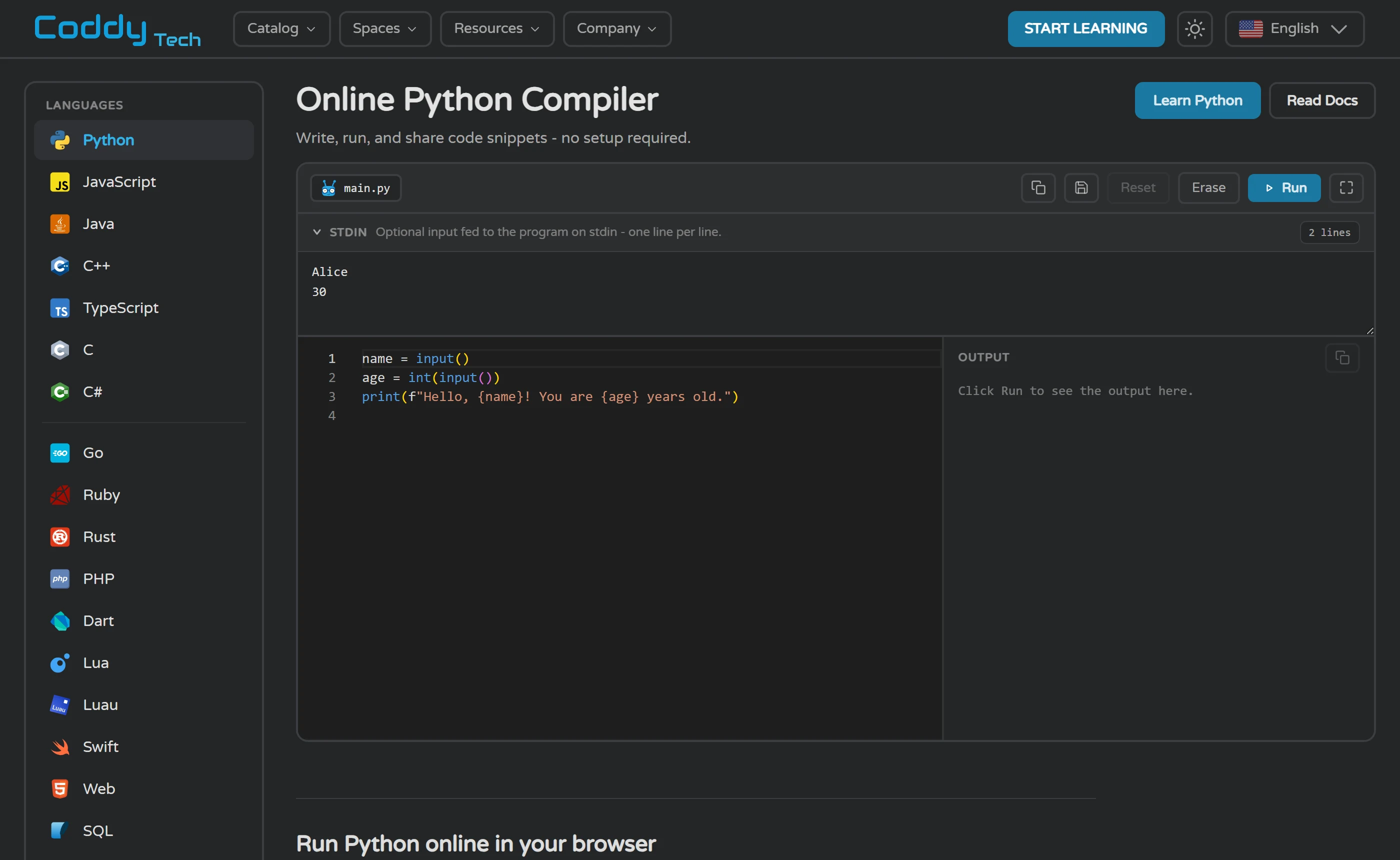
The verdict, and what it rests on
Coddy is unusually open about the thing most platforms gate, and unusually quiet about the thing most platforms publish. By its own FAQ the free plan carries every course and every certificate, no card is required to start, and no plan is required to earn a credential; certificates are issued per section of a journey rather than at the end, and Coddy says most sections take a few hours of focused practice spread over a few days, depending on the section and your pace; and the Python playground opens logged out with a working editor, so you can judge the tooling before handing over an email. What it gates is the consumer price list and the shape of the ceiling. The pricing page redirects logged out visitors to a login screen, and the daily energy allowance that defines the free experience is published as a fact and never as a number.
Its own pages also disagree with each other often enough that no single figure from them should be repeated as settled. The language count reads 15+ in the FAQ and the home page title, 17 on the all-courses page and 20+ in the home page catalog blurb, while the catalog itself shows 28 language and technology cards plus two non-code Spaces, and the all-courses page counts 125 courses. The unit that earns a certificate is described as a course in the FAQ and on the home page, and as a section of a journey on the certifications pages and the apps page. The home page badges of 4.9 on the App Store and 4.8 on Google Play sit above a live App Store listing showing 4.8 from 426 ratings, and two reads of the Google Play listing on the same day showing 4.6 and 4.7. Advertising sits in the same category. Coddy’s product pages mention ads only as something the paid tiers remove, with Plus described as ad-free and the Teachers PRO seat list including No ads, while its replies on Google Play and Trustpilot say plainly that ads keep Coddy free. Meanwhile Google Play labels the Android app Contains ads and Apple’s 16+ rating lists Advertising alongside Loot Boxes, and no page describes where the ads appear, how often, or whether the web app shows them at all.
So the recommendation here is procedural rather than a grade. Spend a week on the free tier using the plan below, and answer one question at the end: was the thing that stopped you a real obstacle, the ceiling arriving mid-thought, an ad between lessons on the phone, the AI tutor running out at the third message, or simply a wish for more? If it was a real obstacle, you will have to register before you can see what removing it costs, and the App Store in-app purchase list gives you a rough range rather than an answer. If it was not, the free plan already contains every course and every certificate, no plan is required to earn one, and Coddy says progress and certificates stay on your account forever, even if you go back to the free plan. A reader who decides not to sign up loses nothing this review could have told them: the lessons are free, the consumer price is hidden, and the limit is yours to measure.
Start with the free tier
Start on the free plan if you want to learn in short daily sittings and you want something finished early rather than at the end. Coddy states that the free tier includes every course and every certificate, that no card is required to begin, and that certificates are issued per section of a journey rather than per language, so a first credential is reachable early; on timing it says most sections take a few hours of focused practice spread over a few days, depending on the section and your pace. You can also look at the editor before registering at all: the Python playground loads logged out, with Run, Reset and Erase controls, a STDIN box and an output panel. Give it the week in the plan above and judge it on what you can write unaided at the end, not on the streak counter.
Specific reasons to consider paying
Consider paying only once the free week has produced a specific complaint, because the paid tiers are described in terms of what they remove: Coddy says Plus lifts the daily energy limit and adds ad-free learning, while Pro adds the AI assistant, advanced AI models, solution analysis and premium challenges, and Lifetime is a one-time payment for all Pro features plus an exclusive badge and theme. Expect to register before you see a price. The consumer pricing page redirects logged out visitors to a Log in / Register screen, and for those plans the only public figures are US App Store in-app purchases for the iPhone app, where Plus monthly is $14.99 and Pro monthly $19.99, while the same yearly plan names appear at four amounts for Plus and two for Pro with no explanation on the listing; the one web price Coddy does publish, $2.42 per seat per month and $289.99 billed annually at its default of ten seats, is for classroom seats on its Teachers page. Read the refund clause first: 14 days from purchase, and only if the Service has not been accessed or used at all, with no refunds for unused subscription time or one-time purchases such as Tokens, and with whatever your local consumer law gives you preserved on top.
Choose another platform, or combine
Choose something else if you need a credential an institution or an employer formally recognises, if your sessions are long rather than short, or if you will not hand over an email to find out a price. Coddy names no employer or institution that accepts its certificates, its own math page states that it is not a school and does not award academic credit, its free plan is metered by the day rather than by scope, and its web prices for Plus, Pro and Lifetime are not stated on the pages we checked. freeCodeCamp publishes that every aspect of it, including certifications, is free and asks for five projects with all tests passing per certification; Codecademy states $11.99 a month billed annually or $14.99 billed monthly for Plus on its pricing page, and issues a certificate for every course or path finished. If the goal is data rather than general programming, DataCamp is the closer fit, though its free Basic tier is limited to the first chapter of every course and excludes certificates.
Plain link to the vendor. It changes nothing about the price or about what this page says.
Questions readers still have
Can I really finish a whole course without paying?
That is what Coddy states. Its FAQ says the free tier includes every course and every certificate, that you can complete entire courses, earn certificates and use the AI assistant without paying, and that no plan is required to start learning or to earn a certificate. The constraint is per day rather than per course: a free account has a daily energy limit that Plus and Pro lift. Coddy also says progress and certificates stay on your account forever, even if you go back to the free plan, so a certificate you earn now does not disappear later.
How many lessons a day does the free plan actually allow?
Coddy publishes no number at all. Its pages state that a free account has a daily energy limit and that paid plans lift it, but no page we opened gives the amount, names which actions spend energy, or states how fast it refills. Two things about the shape of the limit are worth knowing before you start: it is a ceiling on the day rather than a price tag you can see on each lesson, and the AI tutor is metered separately at three messages a day, twenty on the day you sign up, with Coddy stating that Bugsy never costs energy. Since the vendor will not give you a figure, the only number that applies to you is the one you measure, which is what day 2 of the plan above is for: do one sitting, stop the moment the product stops you, and write down how many lessons and how many minutes that was.
Is Coddy usable by an absolute beginner, and is there an age limit?
It is aimed there. Coddy describes the beginner path as bite-sized interactive lessons, hands-on coding challenges and AI-powered hints when you get stuck, and says nothing needs installing because Python, JavaScript, Java, C++, SQL and the rest compile and execute in the browser. On the Python journey page it adds that every concept comes with a coding challenge, so the lesson is spent writing Python rather than reading about it. It also states you can start a journey with no card and no sign-up wall. On age, the Terms say users under 13 may not use the Service, Apple rates the iPhone app 16+, and the Google Play listing showed Rated for 3+ in one storefront view, so the published age gates do not agree with each other.
How much of the AI tutor, Bugsy, do I get without paying?
Three messages a day, and twenty on the day you sign up. Pro removes the limit, uses what Coddy calls its best model and adds solution analysis, while free learners get a faster model; Coddy deliberately does not name any model and says it switches them as better ones arrive. Using the tutor never costs energy by its own statement. What a Plus subscription changes about the AI allowance is not stated on the pages we checked: one FAQ answer assigns the AI assistant to Pro, another says free accounts can use it and that Plus and Pro unlock extra AI features, and the apps page refers to something called AI Plus that matches no tier name published elsewhere.
What does a Coddy certificate actually certify?
That you finished every lesson and challenge inside one section of a journey. The certificate is generated automatically at that point and carries your name, the section, the date and a unique verification ID, with a public URL, a PDF download and a one-click LinkedIn option. There is no exam and no pass mark on the pages we checked, Coddy names no employer, university or industry body that recognises it, and its math certifications page states plainly that Coddy is not a school and does not award academic credit, while the chess page says its certificate is not a rating. Coddy’s own advice is to pair a certificate with a small portfolio project.
If I pay and change my mind, how do cancellation and refunds work?
Coddy’s FAQ says any subscription can be cancelled in one click from billing settings, with access running to the end of the paid period, and the Terms repeat that you may cancel at any time through account settings. Refunds are much narrower: the Terms allow a subscription refund within 14 days of purchase and only if you have not accessed or used the Service at all, exclude refunds for unused portions of a subscription and for one-time purchases such as Tokens, Boosters, Titles, Themes and Avatars, and send requests to support@coddy.tech. The same section adds that these rules do not remove any cancellation or refund right your local consumer law gives you. If you subscribed through an iPhone in-app purchase rather than on the web, how the two routes interact is not stated on the pages we checked.
Which alternative fits which need?
From the public pages we opened: freeCodeCamp is the project-first, no-payment option, stating that every aspect of it including certifications is free, that it is a 501(c)(3) charity, and that each certification means building five projects with all tests passing. Codecademy states Plus at $11.99 a month billed annually or $14.99 billed monthly on its pricing page, and issues a certificate for every course or path finished. DataCamp suits data work, teaching through short videos alternating with exercises, with a free Basic tier limited to the first chapter of every course and certificates excluded from it. Scrimba teaches through screencasts you can pause and edit in the browser, with no IDE to install, and Codedex through bite-sized challenge packs, but both rendered geo-localised prices when we opened them, Scrimba with a coupon auto-applied on top of an annual discount and Codedex in Vietnamese dong, so check what your own region shows. Mimo’s free Basic tier is mobile-only. SoloLearn we could not read at all: it returned a 403 and then a browser security check we did not pass.
What is a sensible next step after finishing a few Coddy sections?
Coddy’s own answer is a portfolio project alongside the certificate, and its catalog holds material aimed at that stage: data structures courses that are language-agnostic, where you build the structure from zero in your preferred language, plus groups of interview preparation, graph algorithms and computer networking courses. Beyond the learning product, Coddy publishes a separate tool, Coddy Build, for describing an app to an AI and watching a live preview, but it sits behind its own sign-in at build.coddy.tech and no page we opened states what it costs or whether a learning subscription includes it.
What we could not establish
A review that claims to know everything is hiding something. These are the questions we could not answer from pages we were willing to stand behind. If one of them matters to your decision, ask Coddy and hold them to the answer.
- What Plus, Pro and Lifetime cost on the web, in any currency: coddy.tech/pricing redirected to a login screen on every attempt, and no Plus, Pro or Lifetime figure appears on the home page, the FAQ, the apps page or the teachers pricing page, whose published prices cover teacher seats only.
- Why the US App Store lists the same Coddy Subscription Plus - Yearly at $59.99, $71.99, $83.99 and $119.99, and Pro - Yearly at $95.99 and $159.99: the listing gives no explanation, and no Coddy page mentions introductory, promotional or regional pricing.
- Whether a Lifetime plan can be bought and at what price: the FAQ describes Lifetime as a one-time payment for all Pro features plus an exclusive badge and theme, but no Lifetime item appears among the ten in-app purchases Apple shows, and the web pricing page is gated.
- How much energy a free account gets each day, what actions spend it and how quickly it refills: Coddy states only that a daily energy limit exists; every number we saw came from reviewers on Trustpilot and the two stores, not from Coddy’s own pages.
- Whether the web version shows ads at all: Google Play carries the Contains ads label and Apple’s age rating lists Advertising, while Coddy’s pages mention ads only as something a paid plan removes, and never describe their format or frequency.
- Whether Pro and Lifetime are also ad-free: the FAQ attaches ad-free learning to Plus alone, the teachers pricing page lists No ads inside its PRO seat features, and no page we opened reconciles the two.
- What the Plus plan gives you on the AI tutor: the Bugsy page names only free limits (3 messages a day, 20 on sign-up day) and Pro (no limit), the FAQ says Plus and Pro unlock extra AI features, and no page states what those features are.
- Which AI model reads your code and what happens to it afterwards: Coddy explicitly declines to name a model, and its privacy policy - which lists Stripe, LinkedIn, Google, Firebase, Meta, TikTok, AppsFlyer and Brevo - contains no AI provider and no statement about code or chat logs; the terms contain no AI clause either.
- What tokens and boosters actually buy: Apple sells 250- and 1,000-token packs at $4.99 and $12.99, the affiliate page calls them AI tokens, and the terms list Tokens, Boosters, Titles, Themes and Avatars as non-refundable one-time purchases, but no Coddy page we opened explains what a token does.
- How many languages Coddy really teaches: its own pages say 15+, 17 and 20+, the catalog shows 28 language and technology cards, the playground lists 23 environments, and the FAQ names Kotlin, for which we found no course, no certification and no playground.
- How many distinct certificates exist and whether the issued counter is live: the certifications hub advertises 81+ unique certificates across 20 tracks, the per-track counters on those 20 pages add up to 53, and the identical figure of 108,354 certificates issued appears on the coding, chess and math pages with no date.
- Whether any employer, school or body recognises a Coddy certificate: Coddy’s marketing says a certificate helps you stand out and can boost your earning potential, but names no company or institution, and its math page states outright that Coddy is not a school and awards no academic credit.
- Why Coddy’s own rating badges run higher than the live listings: the home page shows 4.9 App Store (2K+) and 4.8 Google Play (8K+), while on the day we looked the US App Store showed 4.8 from 426 ratings and Google Play showed 4.6 in some reads and 4.7 in others, from 8.66K reviews.
- How many people actually use Coddy: the home page counter reads 5,042,638 codders, the press page says 4M+ learners, the Google Play description says 3M+, and no page defines whether a codder is a registered account or a visitor.
Where every figure came from
Every claim above traces to a page we opened on the date shown. The list is folded rather than trimmed.
314 checked claims across 81 pages on 15 sites
- Coddy describes its core method as learning by doing: writing real code, querying databases, building websites and mastering AI prompts in interactive lessons. coddy.tech 2026-09-11
- Coddy lists five lesson modes: read, listen (audio), test yourself (quiz), ask the AI, and references. coddy.tech 2026-09-11
- The FAQ page describes Coddy as browser-based with no setup, 15+ languages, instant feedback on every challenge, and a certificate per finished section. coddy.tech 2026-09-11
- The FAQ describes the beginner method as bite-sized interactive lessons, hands-on coding challenges and AI-powered hints. coddy.tech 2026-09-11
- The FAQ states nothing needs installing: every lesson runs in the browser, and code for Python, JavaScript, Java, C++, SQL ’and the rest’ compiles and executes without local setup. coddy.tech 2026-09-11
- The catalog page offers a ’30-second quiz’ to match a beginner with a starting language. coddy.tech 2026-09-11
- The catalog distinguishes per-language ’journeys’ from a separate list of topic/project ’courses’ reachable via ’Explore all courses’ (/landing/courses). coddy.tech 2026-09-11
- The all-courses page FAQ says most courses include projects and challenges, indicated by badges on each card. coddy.tech 2026-09-11
- Sample course entry: ’LAN Labs’ (Computer Networking, available in Terminal) has 8 chapters, 35 interactive lessons and 35 challenges, with a free certificate of completion. coddy.tech 2026-09-11
- The Python journey page states 219 lessons, 177 challenges, 1,070 quiz questions, 3 sections and 6 projects, and ’2,091,779+ codders enrolled’. coddy.tech 2026-09-11
- The Python journey page states every concept comes with a coding challenge and that AI hints do not hand over the answer. coddy.tech 2026-09-11
- A sample project course, ’Calculator project using Python’, is described as a step-by-step build where the learner writes their own code rather than being given it. coddy.tech 2026-09-11
- The public Python playground is usable without sign-up: it shows a Monaco-style editor, Run/Reset/Erase buttons, a STDIN box and an OUTPUT panel, and no login prompt. coddy.tech 2026-09-11
- The vendor states Bugsy reads the learner’s current editor code and last error, and gives hints and explanations rather than pasted answers. coddy.tech 2026-09-11
- The vendor lists four context items Bugsy has automatically: the live editor contents, the last failing test/error output, the lesson and challenge, and the lesson’s saved chat. coddy.tech 2026-09-11
- The vendor states the learner never has to paste code into the assistant. coddy.tech 2026-09-11
- The vendor states Bugsy is instructed to guide rather than hand over the solution, and that a code block that would reproduce the solution is replaced by a “Reveal Solution” button. coddy.tech 2026-09-11
- The vendor states that after five failed runs Coddy itself offers to show the solution. coddy.tech 2026-09-11
- The Coddy homepage’s illustrative lesson UI shows an “Ask AI” button next to “Run Code”, and lists “Ask AI” as one of the ways to learn in each lesson. coddy.tech 2026-09-11
- Coddy Build is described as building apps by describing them to an AI with a live preview, and is entered via a separate sign-in at build.coddy.tech. coddy.tech 2026-09-11
- The Coddy Build sign-in page offers ’Continue with Google’ or email/password and a ’Create account’ option, with no pricing shown. build.coddy.tech 2026-09-11
- The /landing/terminal page is a journey (eyebrow: “JOURNEY”) titled “Learn the Terminal & Command Line” with 180 lessons, 150 challenges, 1,005 quiz questions, 3 sections (Fundamentals; coddy.tech 2026-09-11
- The /landing/git page is the ’Version Control’ section of the Terminal journey, with 58 lessons, 46 challenges, 370 quiz questions, 1 section, 2 projects, 31,230+ enrolled. coddy.tech 2026-09-11
- The /landing/docker page is the “Introduction to Docker” section of the Terminal Journey. coddy.tech 2026-09-11
- Coddy’s free account has a daily energy limit; Plus and Pro lift that limit. coddy.tech 2026-09-11
- Coddy’s own ranked listicle “The 10 best free coding websites in 2026” (coddy.tech/free-coding-websites, last updated 2026-06-25) lists as a CON of Coddy: "The free tier suits… coddy.tech 2026-09-11
- Home page (https://coddy.tech/) says ’20+ programming languages’ in the catalog blurb, but its own FAQ answer ’Where can I learn to code for free?’ says ’free interactive courses… coddy.tech 2026-09-11
- The FAQ lists the languages Coddy ’currently teaches’ as 15+: Python, JavaScript, TypeScript, Java, C, C++, C#, Go, Rust, Ruby, PHP, Swift, Kotlin, Dart, Lua, R, SQL, HTML, CSS,… coddy.tech 2026-09-11
- The catalog page /landing lists 28 language/technology ’journey’ entries: 20 programming languages (HTML, JavaScript, Python, C++, C, SQL, C#, Java, GO, PHP, R, Dart, Rust, Lua,… coddy.tech 2026-09-11
- The all-courses page states Coddy has ’125 Free Interactive Courses’ across ’17 programming languages’. coddy.tech 2026-09-11
- The all-courses page groups courses under four topics with counts: Data Structures 16, Interview Preparation 10, Graph Algorithms Courses 7, Computer Networking 3. coddy.tech 2026-09-11
- Data-structures and algorithm courses are language-agnostic: learners build the structure ’from zero in your preferred language’. coddy.tech 2026-09-11
- The playground’s LANGUAGES sidebar lists 23 environments: Python, JavaScript, Java, C++, TypeScript, C, C#, Go, Ruby, Rust, PHP, Dart, Lua, Luau, Swift, Web, SQL, R, Terminal,… coddy.tech 2026-09-11
- Coddy’s Docs section offers concept references for 8 languages/runtimes: Python, JavaScript, Java, C++, SQLite, R, Verilog and Zero. coddy.tech 2026-09-11
- Coddy offers non-coding ’Spaces’ (Chess, and Algebra in BETA) using the same lesson/quiz/progress format. coddy.tech 2026-09-11
- The Python certification page states 3 certificates are available, level Beginner to Intermediate, free forever; sections: Fundamentals, Logic & Flow, Object Oriented Programming. coddy.tech 2026-09-11
- /landing shows 30 course tiles in total, all linking to /landing/<slug>, but they sit in two separate sections, not one grid. coddy.tech 2026-09-11
- The /landing/courses catalog states a total of 125 free interactive courses across 17 programming languages. coddy.tech 2026-09-11
- Under the “Browse by language” heading, /landing/courses renders exactly 17 language filters with these counts, in this display order: Python 68, C++ 53, Java 47, JavaScript 47, GO… coddy.tech 2026-09-11
- A single catalog course (Merge Sort - DSA Series) is offered in 13 languages, which explains why per-language filter counts sum far above the 125 total: each multi-language course… coddy.tech 2026-09-11
- The per-language catalog page for Python states 68 free interactive Python courses; coddy.tech 2026-09-11
- The /landing/java page is a journey with 219 lessons, 203 challenges, 1,464 quiz questions, 3 sections (Fundamentals; Logic & Flow; Object Oriented Programming), 2 projects, and… coddy.tech 2026-09-11
- The /landing/react page is a journey with 89 lessons, 69 challenges, 164 quiz questions, 2 sections (Fundamentals 42 lessons/37 challenges/65 questions; coddy.tech 2026-09-11
- The /landing/nextjs page is section 2 of the React journey (’Next.js Essentials’), with 47 lessons, 32 challenges, 99 quiz questions, 1 section, 1 project (Coddy Eats, 9 steps), 1,000+ enrolled. coddy.tech 2026-09-11
- The /landing/excel page is a journey with 42 lessons, 34 challenges, 235 quiz questions, 1 section (Fundamentals, ending in ’Project: Grade Book’), 3,262+ enrolled. coddy.tech 2026-09-11
- The /landing/luau page is section 4 of the Lua journey (’Introduction To Luau’), with 73 lessons, 57 challenges, 420 quiz questions, 1 section, 2 projects, 77,721+ enrolled. coddy.tech 2026-09-11
- The /landing/lua page confirms Luau is its 4th section: 287 lessons, 231 challenges, 1,488 quiz questions, 4 sections (Fundamentals 90; coddy.tech 2026-09-11
- The /landing/typescript page is section 3 of the JavaScript journey (’Introduction To TypeScript’), with 73 lessons, 58 challenges, 438 quiz questions, 1 section, 2 projects, 293,253+ enrolled. coddy.tech 2026-09-11
- The /landing/javascript page confirms TypeScript is its 3rd section: 271 lessons, 227 challenges, 1,457 quiz questions, 4 sections (Fundamentals 77; coddy.tech 2026-09-11
- The /landing/css page covers sections 2-3 of the HTML journey, with 119 lessons, 104 challenges, 582 quiz questions, 2 sections (Styling with CSS 76 lessons/100 challenges/418 questions/3 projects; coddy.tech 2026-09-11
- The /landing/html page confirms CSS is sections 2-3: 241 lessons, 212 challenges, 1,193 quiz questions, 5 sections (Fundamentals 60; coddy.tech 2026-09-11
- The AI Prompts catalog card links to /landing/prompts, which is a journey titled ’Learn Prompt Engineering’ with 23 lessons, 14 challenges, 175 quiz questions, 1 section… coddy.tech 2026-09-11
- The /landing/algebra page is labelled Beta and is a journey with 319 lessons, 308 challenges, 1,315 quiz questions, 5 sections (Fundamentals; coddy.tech 2026-09-11
- The /landing/chess page is a category hub (’Free interactive chess courses’, ’Browse all chess courses’) rather than a single journey; it shows no lesson/challenge/section counts of its own. coddy.tech 2026-09-11
- The FAQ names Kotlin among the languages Coddy teaches, but no Kotlin tile, catalog card, filter, or link was found on /landing, the homepage, /learn-to-code, /landing/courses, or… coddy.tech 2026-09-11
- The Solidity playground exists at /playground/solidity but links to no Solidity course or /landing/solidity page; Kotlin is not among the playground languages. coddy.tech 2026-09-11
- The Zero playground exists at /playground/zero and links to /docs/zero, but to no Zero course or /landing/zero page; the page describes Zero as a Vercel Labs systems language released May 2026. coddy.tech 2026-09-11
- The left sidebar on /playground/python is a landmark labelled “Playground languages” with the heading “Languages”. coddy.tech 2026-09-11
- Coddy’s AI assistant is currently named “Bugsy” and is described by the vendor as “Coddy’s AI tutor”. coddy.tech 2026-09-11
- The vendor states Bugsy replies in the language the learner uses Coddy in. coddy.tech 2026-09-11
- The page describes three preset chat starters: “Ask AI” (help with the challenge), “Explain challenge”, and “Explain solution” (available once the solution is open). coddy.tech 2026-09-11
- The vendor states Bugsy performs solution analysis after a solution passes, scoring readability, performance and maintainability from 1 to 4 with an explanation of each score. coddy.tech 2026-09-11
- The vendor states Bugsy proactively offers a hint that another learner with the same code rated useful, and that thumbs up/down ratings feed that system. coddy.tech 2026-09-11
- The vendor states free accounts get 3 Bugsy messages per day, and 20 on sign-up day. coddy.tech 2026-09-11
- The vendor states Pro removes the Bugsy message limit, uses the vendor’s best AI model, and adds solution analysis. coddy.tech 2026-09-11
- The vendor states using Bugsy never consumes energy. coddy.tech 2026-09-11
- The vendor does not name the underlying AI model; it states Pro learners get its best model on every reply, free learners get a faster one, and that models are switched over time. coddy.tech 2026-09-11
- The vendor states Bugsy works in math lessons (reads the steps written on the board) and that chess lessons do not include Bugsy. coddy.tech 2026-09-11
- The Bugsy page lists 28 coverage tags under “Where Bugsy works”, from Python through Docker and Math. coddy.tech 2026-09-11
- Coddy’s FAQ plan-comparison answer says Pro “adds the AI assistant, advanced AI models, solution analysis, and premium challenges” while Free has a daily energy limit and Plus… coddy.tech 2026-09-11
- Coddy’s Privacy Policy contains no statement about AI, Bugsy, or sending learner code/chat to an AI provider; coddy.tech 2026-09-11
- Coddy’s Privacy Policy states the account-usage data it collects is email address, password and username (plus name and photo from Google/Facebook sign-in), and states retention of… coddy.tech 2026-09-11
- Coddy’s Terms of Use (Last Update: October 8, 2025) contain no clause about AI, Bugsy, or AI-generated content. coddy.tech 2026-09-11
- The Bugsy page lists four badges awarded for asking Bugsy 5, 25, 100 and 500 questions. coddy.tech 2026-09-11
- The vendor states that using Bugsy is not cheating because it gives hints and explanations rather than finished solutions. coddy.tech 2026-09-11
- The assistant is named Bugsy on the vendor’s own page. The H1 is split into two elements and reads “Meet Bugsy” followed by a span "the AI tutor for coding that won’t do your… coddy.tech 2026-09-11
- The /ai-tutor page never mentions Plus (0 occurrences of the string ’Plus’ in the rendered page; it names only Free-by-implication and Pro). coddy.tech 2026-09-11
- The FAQ answer ’How can I learn coding for free?’ states verbatim: "A free account has a daily energy limit; coddy.tech 2026-09-11
- The /apps FAQ answer to “Is the Coddy app really free?” states verbatim: "Every lesson, challenge, and certificate is free on iOS, Android, and the web. coddy.tech 2026-09-11
- A Trustpilot reviewer (Dan W, Jul 7, 2026) reports a popup saying he was out of AI Assistant credits for the day while on the free plan on his second day. trustpilot.com 2026-09-11
- Bugs: 4 of 20 confirmed (Vanshika “shows error mostly even when written code is correct”; trustpilot.com 2026-09-11
- Among the 20 Google Play reviews read, 5 praise the gamified/Duolingo-like format and 3 praise the UI; one mentions the AI explanations positively. play.google.com 2026-09-11
- The coddy.tech homepage names the AI tutor ’Bugsy’. coddy.tech 2026-09-11
- The ’Browse all certifications’ grid lists exactly 20 tracks: Python, JavaScript, Java, C++, HTML & CSS, C#, SQL, Go, Rust, PHP, Ruby, Swift, Dart, R, Lua, C, AI Prompts, Assembly, Terminal, Excel. coddy.tech 2026-09-11
- The Privacy Policy contains no statement about how user code or prompts are handled by the AI tutor (Bugsy) or by any AI provider. coddy.tech 2026-09-11
- Coddy advertises streaks with freeze days and a ’Double or Nothing’ mechanic as part of the learning experience. coddy.tech 2026-09-11
- Coddy advertises global leaderboards and friend invites (’Challenger League’ mock-up) on its home page. coddy.tech 2026-09-11
- Coddy’s home page markets a streak system with freeze days and rewards for daily activity. coddy.tech 2026-09-11
- The home-page streak mockup shows a ’Streak Freeze’ counter reading ’2 left’ and a ’Double or Nothing / Day 5 of 7’ element. coddy.tech 2026-09-11
- The home-page leaderboard mockup is labelled ’Challenger League’ with ’Top 7 advance’ and a ’Promotion zone’. coddy.tech 2026-09-11
- Coddy markets global leaderboards and friend invites with rewards. coddy.tech 2026-09-11
- The home-page mobile mockup shows an energy counter of ’5’ next to an energy icon, alongside a streak of ’7’ and score of ’250’. coddy.tech 2026-09-11
- The Google Play listing for Coddy is labelled ’Contains ads’ and ’In-app purchases’. play.google.com 2026-09-11
- App Store lists multiple yearly Plus prices ($59.99, $71.99, $83.99, $119.99) and yearly Pro prices ($95.99, $159.99). apps.apple.com 2026-09-11
- The ’(unlocks at 1000+ XP)’ statement appears in the Version History release notes for version 1.2.9 (dated ’May 5’ on the page; also repeated in the 1.2.8 ’Apr 28’ notes), not in… apps.apple.com 2026-09-11
- Review by ’Nimdae’ titled ’Good format, gets basic things wrong very quickly, ads’, dated ’Jan 24’ (browser render; WebFetch render shows ’Jan 23’ — timezone-dependent) says: ’if… apps.apple.com 2026-09-11
- Coddy’s blog ’A Day In the Life of a Coddy Learner’ describes streaks resetting to zero when a day is missed and XP being added on lesson completion. coddy.tech 2026-09-11
- Coddy’s FAQ states a free account has a daily energy limit and that Plus and Pro lift it; no numeric amount is given anywhere on the page. coddy.tech 2026-09-11
- Coddy states that using Bugsy does not consume energy. coddy.tech 2026-09-11
- Coddy’s Terms list Tokens, Boosters, Titles, Themes and Avatars as non-refundable one-time purchases, but do not define what Tokens or Boosters do. coddy.tech 2026-09-11
- Coddy’s homepage marketing UI shows an energy icon with the value 5, but it sits in the top stats bar of a mock PHONE SCREEN in the “Code Anywhere, Anytime” mobile-apps section… coddy.tech 2026-09-11
- A Coddy company reply on Trustpilot echoes a reviewer’s ’six lessons a day’ free limit without correcting it. trustpilot.com 2026-09-11
- A Coddy company reply on Trustpilot acknowledges a ’5 lives daily limit’ raised by a reviewer. trustpilot.com 2026-09-11
- Trustpilot reviewers state the free tier gives 6 energy per day / costs 6 energy; Coddy’s replies do not confirm or deny the number. trustpilot.com 2026-09-11
- On Trustpilot’s 3-star filter for coddy.tech (accessed 2026-09-11), one reviewer (Ayush, Aug 29 2026) writes that the "major problem is to refill energy in 3 hours and after 3… trustpilot.com 2026-09-11
- A Google Play reviewer reports a ’watch ad for +1 energy’ feature that was not crediting energy; Coddy’s reply acknowledges ’energy rewards’ from ads. play.google.com 2026-09-11
- A Google Play reviewer says ads must be watched after lessons to earn ’gems’ used to skip content; Coddy’s reply confirms ads fund the free tier but does not define gems. play.google.com 2026-09-11
- The coddy.tech homepage markets streaks with freeze days and rewards but does not state how many freeze days a user gets, how to obtain them, or their price. coddy.tech 2026-09-11
- The homepage shows two static mock-up chips inside the streak illustration — “Double or Nothing” reading “Day 5 of 7”, followed by “Streak Freeze” reading “2 left”. coddy.tech 2026-09-11
- The homepage leaderboard mock-up shows a single league named ’Challenger League’ with ’Top 7 advance’ and a ’Promotion zone’ marker; coddy.tech 2026-09-11
- The homepage describes leaderboards as global and ties friend invites to rewards, without defining the rewards. coddy.tech 2026-09-11
- The /apps page lists daily streaks, XP, badges and a global leaderboard as features of the mobile app, without any numbers or rules. coddy.tech 2026-09-11
- The ’Day in the Life’ blog post describes web streaks as resetting to zero after one missed day, but gives no XP amount per lesson. coddy.tech 2026-09-11
- The post shows XP and a global leaderboard as Coddy’s own motivational devices (“XP added”, “You glance at the global leaderboard”), but “levels” appears exactly once and only in a… coddy.tech 2026-09-11
- A Coddy blog post names a second mascot, ’Bit’, as the streak character, distinct from Bugsy the AI tutor. coddy.tech 2026-09-11
- The App Store description lists streaks, XP, badges and leaderboards and says daily challenges award XP that ranks you on the leaderboard, with no amounts. apps.apple.com 2026-09-11
- The ’(unlocks at 1000+ XP)’ note refers to the Daily Challenge feature: App Store release notes for versions 1.2.8 and 1.2.5 say the Daily Challenge unlocks once a user has 1000+ XP. apps.apple.com 2026-09-11
- App Store release notes for version 1.2.3 phrase the same gate as ’available at 1000+ XP’ and are the earliest statement of it. apps.apple.com 2026-09-11
- App Store release notes for versions 1.2.10 (May 6) and 1.2.9 (May 5) carry an identical note stating "home screen widgets are here! Keep your streak, XP, and progress visible… apps.apple.com 2026-09-11
- Coddy’s FAQ says the Plus plan removes the daily energy limit and includes ad-free learning; the Free tier description does not mention ads. coddy.tech 2026-09-11
- The FAQ describes Lifetime as a one-time payment for all Pro features forever, without stating whether it is ad-free. coddy.tech 2026-09-11
- The Teachers PRO seat feature list includes ’No ads’ and ’iOS & Android premium’. coddy.tech 2026-09-11
- The Google Play listing for Coddy carries the ’Contains ads’ and ’In-app purchases’ labels. play.google.com 2026-09-11
- Coddy’s official Play reply to the rewarded-ad complaint confirms ads fund the free tier and refers to ’energy rewards’. play.google.com 2026-09-11
- A Play reviewer reports long unskippable ads after each lesson, tied to earning gems to skip content. play.google.com 2026-09-11
- Coddy’s official Play reply acknowledges ’long unskippable ads’ and says ads keep Coddy free. play.google.com 2026-09-11
- Coddy’s official Play reply to an energy complaint says the company keeps Coddy free through ads. play.google.com 2026-09-11
- The App Store lists Coddy’s age rating as “16+”. Expanding the rating shows two labelled groups, not a flat list: “Frequent” = “Contests”; “Contains” = “Unrestricted Web Access”,… apps.apple.com 2026-09-11
- An App Store reviewer on the free tier reports ’very disruptive full page time gated ads’ in the iOS app. apps.apple.com 2026-09-11
- The Teachers PRO plan lists 13 learner-side PRO features including Unlimited energy, Unlimited Bugsy AI tutor, Advanced AI model, Unlimited debug, Solution analysis, Premium challenges, No ads. coddy.tech 2026-09-11
- The US App Store lists token packs: ’Token Boost (250 Tokens)’ $4.99 and ’Token Pouch (1000 Tokens)’ $12.99. apps.apple.com 2026-09-11
- Trustpilot shows Coddy with a 4.7 TrustScore from 3,909 reviews on a claimed profile; a Sept 2026 review complains the free tier gives only 6 energy per day. trustpilot.com 2026-09-11
- Coddy’s Privacy Policy says paid offerings are Plus, Pro and Lifetime subscriptions plus one-time purchases of Tokens, Boosters, Titles, Themes and Avatars. coddy.tech 2026-09-11
- On the coding certifications page, the unit that earns a certificate is a ’section’ of a ’journey’; one journey yields several certificates. coddy.tech 2026-09-11
- Condition to earn a certificate: finish every lesson and challenge inside a section; the certificate is then generated automatically. coddy.tech 2026-09-11
- Coddy’s stated time to earn one certificate: a few hours of practice over a few days, depending on section and pace. coddy.tech 2026-09-11
- In the 20 most recent reviews at my access, 5 mention the free tier’s energy/daily-lesson limit or the need to subscribe: JEEVAN DJ (’takes a lot of time to get recharged’),… trustpilot.com 2026-09-11
- The public pricing URL https://coddy.tech/pricing does not show a pricing page to logged-out visitors; coddy.tech 2026-09-11
- Coddy’s FAQ says the free plan includes every course and certificate but has a daily energy limit. coddy.tech 2026-09-11
- Coddy’s FAQ says the Plus plan removes the daily energy limit and includes ad-free learning. coddy.tech 2026-09-11
- Coddy’s FAQ says the Pro plan adds the AI assistant, advanced AI models, solution analysis, and premium challenges. coddy.tech 2026-09-11
- Coddy’s FAQ describes Lifetime as a one-time payment for all Pro features forever plus an exclusive badge and theme. coddy.tech 2026-09-11
- Coddy’s FAQ says the platform is free to start with no card required and no paywall. coddy.tech 2026-09-11
- Coddy’s FAQ says any subscription can be cancelled in one click from billing settings and access continues to the end of the paid period. coddy.tech 2026-09-11
- The Terms of Use page shows a last-update date of October 8, 2025 and names the company as Coddy Inc. coddy.tech 2026-09-11
- Coddy’s Terms allow subscription refunds only within 14 days of purchase and only if the Service has not been accessed or used at all. coddy.tech 2026-09-11
- Coddy’s Terms exclude refunds for unused subscription time and for one-time purchases such as Tokens, Boosters, Titles, Themes and Avatars. coddy.tech 2026-09-11
- Coddy’s Terms state a subscription may be cancelled at any time through account settings. coddy.tech 2026-09-11
- Coddy’s Terms say the base Service is free of charge but Coddy may charge fees in the future. coddy.tech 2026-09-11
- The US App Store listing shows the app as Free with In-App Purchases, seller Coddy, Inc., version 2.1.9, 119.9 MB, age rating 16+. apps.apple.com 2026-09-11
- The US App Store lists an in-app purchase ’Coddy Subscription Plus - Monthly’ at $14.99. apps.apple.com 2026-09-11
- The US App Store lists an in-app purchase ’Coddy Subscription Pro - Monthly’ at $19.99. apps.apple.com 2026-09-11
- The US App Store lists ’Coddy Subscription Plus - Yearly’ at four different prices: $59.99, $71.99, $83.99 and $119.99. apps.apple.com 2026-09-11
- The US App Store lists ’Coddy Subscription Pro - Yearly’ at two prices: $95.99 and $159.99. apps.apple.com 2026-09-11
- Coddy’s own comparison pages describe its pricing only as ’Free tier; affordable Pro’ with no figure. coddy.tech 2026-09-11
- The Teachers pricing page shows $2.42 per seat per month at the default 10 seats with a total yearly price of $289.99 billed annually. coddy.tech 2026-09-11
- Teacher seats are concurrent slots, not licences tied to a named student. coddy.tech 2026-09-11
- The teachers pricing page states ’The Family Plan is available on our pricing page. coddy.tech 2026-09-11
- coddy.tech/pricing does not render a public pricing page. The server returns a JS shell whose title is “Coddy - Pricing” (WebFetch sees only a logo and loader icon); once JS runs… coddy.tech 2026-09-11
- Coddy states the PRO Family Plan shares PRO with up to 5 family members and is sold on the (gated) pricing page; no Family Plan price is published on the teachers pricing page. coddy.tech 2026-09-11
- On https://coddy.tech/teachers/pricing the “PRO Teachers Plan” card loads with the Yearly term and 10 seats selected, displaying “$2.42” “/ seat / month” and “Total yearly price”… coddy.tech 2026-09-11
- Coddy’s Terms state, in section 5 “Refund and Cancellation Policy”: "Subscription refunds are available within 14 days of purchase, provided you have not accessed or used the… coddy.tech 2026-09-11
- Coddy publishes an official promo code COD25KLO for 25% off yearly or lifetime plans, without listing any plan price. coddy.tech 2026-09-11
- The US App Store in-app purchase list shows exactly ten SKUs and none of them is a Lifetime or Family SKU; apps.apple.com 2026-09-11
- Third-party deal site Lifetimo shows Coddy Lifetime at a strike-through $299.99, discounted to $224.99 with code COD25KLO. lifetimo.com 2026-09-11
- Lifetimo shows Coddy PRO at $13.33 per month billed annually (strike-through), $9.99 after the 25% code. lifetimo.com 2026-09-11
- A SourceForge reviewer (Computing Lecturer, 2025-06-06) cited Coddy Pro at $7.49 a month or $299.99. sourceforge.net 2026-09-11
- A Trustpilot reviewer (ChummiBear, 6 May 2025) cited a $15 a month price and said pro features are removed immediately on cancel. trustpilot.com 2026-09-11
- AIChief’s review lists a ’Premium’ tier at $9.99/monthly, which conflicts with the App Store and Lifetimo figures and uses a tier name Coddy does not use. aichief.com 2026-09-11
- Coddy’s own comparison page against Codecademy describes its paid tier only as ’affordable Pro’ without any figure. coddy.tech 2026-09-11
- The FAQ defines the four tiers as: Free includes every course and every certificate, with a daily energy limit; coddy.tech 2026-09-11
- The consumer pricing page at coddy.tech/pricing is not publicly viewable; it redirects to the login/sign-up screen. coddy.tech 2026-09-11
- Neither ’Unlimited debug’ nor ’Premium challenges’ is defined on the teachers pricing page or any other page opened; they appear only as bare list items. coddy.tech 2026-09-11
- Teachers PRO plan, yearly billing, 10 seats (page default): $2.42 / seat / month, total yearly price $289.99, billed annually, labelled ’Save 50%’. coddy.tech 2026-09-11
- Teachers PRO plan, monthly billing, 10 seats: $4.80 / seat / month, total monthly price $47.99, billed monthly. coddy.tech 2026-09-11
- The Free plan includes every course and every certificate; certificates are not gated by Plus, Pro or Lifetime. coddy.tech 2026-09-11
- Coddy states no paid plan is required to earn a certificate. coddy.tech 2026-09-11
- Coddy states its free tier lets users complete entire courses, earn certificates and use the AI assistant; Plus, Pro and Lifetime remove the daily limit. coddy.tech 2026-09-11
- Coddy says certificates are earned by completing hands-on projects and challenges, not quizzes. coddy.tech 2026-09-11
- Coddy states certificates cost nothing and require no subscription to earn, view, download or share. coddy.tech 2026-09-11
- Coddy states a journey can be started without a card or a sign-up wall. coddy.tech 2026-09-11
- The certificate shows the learner’s name, the section finished, the date, and a unique verification ID. coddy.tech 2026-09-11
- Deliverables listed: unique verification ID + public URL, PDF download, one-click ’Add to LinkedIn’. coddy.tech 2026-09-11
- Verification mechanism: anyone can paste the certificate ID into the on-page tool or open the certificate’s public URL. coddy.tech 2026-09-11
- A verification form is rendered on the certifications page: a text box with placeholder ’FFFFFF-FFFFFF’ and a ’Verify’ submit button; the hero ’Verify it’ link is an in-page anchor (#verify). coddy.tech 2026-09-11
- Stat tiles on the certifications page read 108,354 certificates issued, 81+ unique certificates, 20 languages & topics, $0 forever free. coddy.tech 2026-09-11
- Employer wording (verbatim, vendor marketing): Coddy says its certificate helps you stand out to employers and ’can boost your earning potential’. coddy.tech 2026-09-11
- Sharing options stated: a URL link, a PDF, and a certification ID. coddy.tech 2026-09-11
- Multiple certificates: each journey has multiple sections and each section issues its own certificate; certificates can be stacked across languages. coddy.tech 2026-09-11
- The Java certification page (https://coddy.tech/certification/java) uses ’journey’ (not ’course’) for the unit: ’Each journey is split into multiple sections, and each section… coddy.tech 2026-09-11
- The Excel certification page lists only 1 certificate (section ’Fundamentals’). coddy.tech 2026-09-11
- The Python course catalog page phrases the certificate as awarded for finishing the course, and shows the three sections. coddy.tech 2026-09-11
- General FAQ: every course awards a free certificate of completion with a unique ID and a public verification URL. coddy.tech 2026-09-11
- On employer recognition the FAQ does not claim formal recognition; it says certificates prove working code and recommends pairing with a portfolio project. coddy.tech 2026-09-11
- FAQ lists share targets: LinkedIn profile, CV, Twitter, GitHub, portfolio, ’with one click’. coddy.tech 2026-09-11
- The math certifications page explicitly states the certificate is NOT accredited and Coddy does not award academic credit. coddy.tech 2026-09-11
- The chess certifications page states the certificate is not a chess rating. coddy.tech 2026-09-11
- Chess and math pages say a certificate does not require finishing the whole course; each section issues its own certificate when finished. coddy.tech 2026-09-11
- The certifications hub shows four stat tiles: 108,354 certificates issued, 81+ unique certificates, 20 languages & topics, $0 forever free. coddy.tech 2026-09-11
- Summing the ’N certificates available’ counters on all 20 coding-track pages gives 53 journey-section certificates, not 81. coddy.tech 2026-09-11
- The page states “5 certificates available” and renders exactly 4 numbered section cards (01 Fundamentals, 02 Styling with CSS, 03 CSS Mastery, 04 Practical Frontend) followed by… coddy.tech 2026-09-11
- The ’108,354 certificates issued’ figure is repeated unchanged on the chess and math certification hubs, so it is a site-wide (not per-subject) counter. coddy.tech 2026-09-11
- The all-courses catalog states 125 courses and promises ’certificate on completion’ in its subheading (’125 interactive courses across 17 programming languages - free to start,… coddy.tech 2026-09-11
- On the Python course list, the ’Stack - Data Structures Series #1’ card shows a ’Data Structures’ label instead of a certificate badge and the ’Calculator project using Python’… coddy.tech 2026-09-11
- Stack’s own course entry carries no certificate (its embedded data says “hasCertificate”:false and “noCertification”:true, and no “Certificate on completion” badge is attached to Stack itself). coddy.tech 2026-09-11
- The Python landing page’s FAQ does describe a single free certificate for finishing the Python course ("Finishing the Python course gives you a free certificate of completion you… coddy.tech 2026-09-11
- The homepage says certificates are earned for every course completed. coddy.tech 2026-09-11
- The /apps page says certificates are earned per SECTION, not per course. coddy.tech 2026-09-11
- A found certificate’s public ’View’ link on the /certifications verify tool is https://coddy.tech/certifications/<ID> (route /certifications/ followed by the certificate ID). coddy.tech 2026-09-11
- The derived URL https://coddy.tech/certifications/A1B2C3-D4E5F6 (the site’s own sample ID) returns HTTP 200 with og:title ’Verify Certificate A1B2C3-D4E5F6 | Coddy’ and robots noindex,nofollow. coddy.tech 2026-09-11
- Accessed 2026-09-11 (no data date shown on either page). The second half of the claim holds: neither /certification/python nor /certifications contains any page-visible… coddy.tech 2026-09-11
- The chess certifications page states a chess certificate ’is not a rating and does not claim to be one’. coddy.tech 2026-09-11
- Coddy’s FAQ says certificates stay on the account forever even after downgrading to the free plan; no page states an expiry or validity period, and the JSON-LD has no validFor/expires field. coddy.tech 2026-09-11
- A stats band directly below the /certifications hero (aria-label=“Certification stats”) displays ’108,354’ / ’certificates issued’, ’81+’ / ’unique certificates’, ’20’ / ’languages… coddy.tech 2026-09-11
- Correct as stated for React, TypeScript, Git, Docker, Luau, Next.js and Verilog, but NOT for CSS. coddy.tech 2026-09-11
- Coddy also publishes course-level certification pages at /certification/course/<course_slug>; coddy.tech 2026-09-11
- The US App Store lists the app as ’Coddy: Learn Coding & Python’ by seller Coddy, Inc., category Education, age rating 16+, free with in-app purchases. apps.apple.com 2026-09-11
- The iOS App Store listing’s latest version is 2.1.9, shown as released 5 days before 2026-09-11 (relative date only). apps.apple.com 2026-09-11
- The iOS App Store listing shows ’Coddy: Learn Coding & Python’ rated 4.8 out of 5 from 426 ratings, age rating 16+, badged ’Only for iPhone’ / ’Designed for iPhone. apps.apple.com 2026-09-11
- The Google Play listing (US, English) is ’Coddy: Learn Coding & Python’ by developer Coddy, marked ’Contains ads’ and ’In-app purchases’, with 100K+ downloads. play.google.com 2026-09-11
- The Google Play listing shows ’Updated on Sep 10, 2026’. play.google.com 2026-09-11
- The US Google Play listing shows the app ’Contains ads’ and has ’In-app purchases’, rated 4.7 with 8.66K reviews and 100K+ downloads, updated Sep 10, 2026. play.google.com 2026-09-11
- Google Play data safety says the app may share Personal info, App activity, and Device or other IDs with third parties, and that users can request data deletion. play.google.com 2026-09-11
- The Google Play description claims ’Why 3M+ People Learn With Coddy’ and ’18+ languages’, and says the app is ’Available in 9 languages’. play.google.com 2026-09-11
- Coddy’s iOS and Android apps include streaks and offline mode, and progress syncs across devices. coddy.tech 2026-09-11
- Coddy’s mobile apps cache current lessons for offline use; a connection is needed to sync progress, use the AI tutor and unlock new chapters. coddy.tech 2026-09-11
- Coddy’s mobile-app page says daily streaks, XP, badges and a global leaderboard are in the app. coddy.tech 2026-09-11
- Coddy’s mobile-app page describes ’Coddy PRO’ as an optional upgrade and says every lesson, challenge and certificate is free on iOS, Android and web. coddy.tech 2026-09-11
- Coddy publishes a Teachers product (’Coddy for Teachers’) sold per seat, with the seat price dropping as class size grows. coddy.tech 2026-09-11
- For more than 300 seats Coddy provides a custom quote with volume pricing, invoicing or purchase order; PayPal also requires contacting sales. coddy.tech 2026-09-11
- Coddy’s Embed Editor is stated to be completely free to use on any website via a single iframe, without sign-in. coddy.tech 2026-09-11
- The Embed Editor page asks users to keep the ’Powered by Coddy’ link as its only condition. coddy.tech 2026-09-11
- Free plan includes every course and certificate but has a daily energy limit; Plus removes the limit and includes ad-free learning. coddy.tech 2026-09-11
- If a Bugsy reply would paste the solution the code block is replaced by a Reveal Solution button, and after five failed attempts Coddy offers the solution itself. coddy.tech 2026-09-11
- The homepage and the FAQ, apps and ai-tutor pages contain no public link to a consumer pricing page (no href/anchor containing pricing, pro, plus, premium, upgrade, lifetime). coddy.tech 2026-09-11
- Coddy’s own comparison page says the free tier suits about 15-20 minutes of learning a day and heavier daily use needs Pro. coddy.tech 2026-09-11
- Google Play reviews show a Coddy staff reply (July 2, 2026) saying ’We’re actively working on expanding our free tier’. play.google.com 2026-09-11
- The home page shows a user counter using the vendor’s word ’codders’, reading ’Join over 5,042,638 codders’ on 2026-09-11. coddy.tech 2026-09-11
- The press page claims 4M+ learners, 500K+ mobile app downloads, 100K+ code submissions per day, 180+ countries and a 4.8+ store rating. coddy.tech 2026-09-11
- The certifications hub defines earning a certificate as completing a section of a journey. coddy.tech 2026-09-11
- The coddy.tech homepage displays ’★4.9 App Store (2K+)’ and ’★4.8 Google Play (8K+)’, whereas the live US App Store (https://apps.apple.com/app/id6755648162) shows ’4.8 • 426… coddy.tech 2026-09-11
- The homepage displays app-store rating badges of 4.9 for App Store (2K+) and 4.8 for Google Play (8K+). coddy.tech 2026-09-11
- The Privacy Policy states an overall data retention period of approximately 7 years. coddy.tech 2026-09-11
- A Trustpilot profile for coddy.tech exists and shows a TrustScore of 4.7 out of 5. trustpilot.com 2026-09-11
- The Trustpilot profile shows 3,909 total reviews. trustpilot.com 2026-09-11
- Trustpilot star distribution for Coddy: 5-star 79%, 4-star 16%, 3-star 3%, 2-star <1%, 1-star <1%. trustpilot.com 2026-09-11
- The Trustpilot profile is marked as a claimed profile, claimed in November 2025. trustpilot.com 2026-09-11
- Trustpilot states the company has no recent history of asking for reviews, so reviews may not be representative. trustpilot.com 2026-09-11
- Trustpilot shows Coddy replied to 76% of negative reviews and typically replies within 1 week. trustpilot.com 2026-09-11
- At my access on 2026-09-11 the newest reviews were JEEVAN DJ (India, 5-star, ’1 hour ago’) and Fabiano Rossi (Brazil, 5-star, ’1 hour ago’); trustpilot.com 2026-09-11
- Of the 20 most recent Trustpilot reviews read, 15 were 5-star, 4 were 4-star, 1 was 2-star, and at least 3 explicitly compare Coddy to Duolingo or a game. trustpilot.com 2026-09-11
- Page 1 of the 1–2 star filter shows 20 low-star reviews. Oldest: Faizan Ahmed, United Kingdom, posted “Apr 8, 2026”. Newest: FAITH OLUKOTUN, Nigeria, posted “14 hours ago” with… trustpilot.com 2026-09-11
- Of the 20 low-star (1-2 star) Trustpilot reviews read, 12 complain about the free tier’s energy/points limits, paywall, or Pro pricing. trustpilot.com 2026-09-11
- 4.8 out of 5, 426 Ratings (US storefront, accessed 2026-09-11) apps.apple.com 2026-09-11
- The US App Store Ratings & Reviews page displays 10 reviews; all 10 were read. Star split: six 5-star, one 4-star, two 3-star, one 1-star. apps.apple.com 2026-09-11
- Among the 10 App Store reviews read, the most common positive theme is that Coddy is fun/gamified or ’like Duolingo’ (5 of 10); 2 praise the variety of languages. apps.apple.com 2026-09-11
- Among the 10 App Store reviews read, 2 complain about ads, 2 about subscriptions/paying for unlimited energy, and 3 about content errors or answers being given away. apps.apple.com 2026-09-11
- The Google Play listing shows a 4.6-star rating with 8.66K reviews in the header, while the phone-filtered ’Ratings and reviews’ section shows 4.6 with 8.39K reviews. play.google.com 2026-09-11
- The ’See all reviews’ dialog (Most relevant, Phone) loaded 20 reviews and all 20 were read; play.google.com 2026-09-11
- Coddy posted a developer reply on 19 of the 20 Google Play reviews read (no reply under Okafor Uchechukwu, August 22, 2026); play.google.com 2026-09-11
- Among the 20 reviews read, 5 report mobile-app technical problems (indentation x2, lag/crash, connection errors, inability to add new lines on phone) and 4 report content/exercise bugs; play.google.com 2026-09-11
- Among the 20 reviews read, 2 complain about ads (long unskippable ads; ’watch ad for +1 energy’ not granting energy), 3 about the energy limit, and 4 say the free tier is sufficient; play.google.com 2026-09-11
- In Google Play replies dated July-August 2026, Coddy states it is ’actively working on expanding our free tier’. play.google.com 2026-09-11
- As of 2026-09-11 Trustpilot shows Coddy (coddy.tech) with a 4.7 TrustScore from 3,910 reviews, and states “Replied to 76% of negative reviews”. trustpilot.com 2026-09-11
- Trustpilot profile for coddy.tech shows TrustScore 4.7 from 3,910 reviews (5-star 79%, 4-star 16%, 3-star 3%, 2-star <1%, 1-star <1%); trustpilot.com 2026-09-11
- App Store (US) shows a 4.8-star rating from 427 ratings. apps.apple.com 2026-09-11
- Google Play listing shows Coddy rated 4.6 stars with 8.66K reviews and 100K+ downloads. play.google.com 2026-09-11
- App Store listing shows Coddy rated 4.8 with 426 ratings, age rating 16+, ’Free · In‑App Purchases’, version 2.1.9 (released ’5d ago’ as of 2026-09-11). Storefront: United States (/us/), USD. apps.apple.com 2026-09-11
- Google Play lists the app as “Contains ads” with “In-app purchases”, rated 4.6 from 8.67K reviews (not 8.66K), 100K+ Downloads, Updated on Sep 10, 2026. play.google.com 2026-09-11
- A Play reviewer describes a rewarded-ad mechanic (’watch ad for +1 energy’) in the Android app that failed to grant the energy. play.google.com 2026-09-11
- On 2026-09-11 the Google Play rating histogram (Phone device filter) rendered accessibility labels of 5,842 reviews at 5 stars, 1,825 at 4 stars, 730 at 3 stars, 0 at 2 stars and 0… play.google.com 2026-09-11
- Mimo’s entry paid tier is ’Pro’; on the Yearly toggle the page shows €9.99 per month billed yearly (a yearly rate displayed as a monthly-equivalent). Currency displayed was EUR,… mimo.org 2026-09-11
- Mimo Pro on the Monthly toggle shows €14.99 per month. mimo.org 2026-09-11
- Mimo’s higher tier ’Max’ shows €24.99 per month billed yearly, or €39.99 per month on the Monthly toggle. mimo.org 2026-09-11
- Mimo’s free tier is called ’Basic’, is ’Free Forever’, and its lessons are mobile-only (paid tiers are Mobile + Web). mimo.org 2026-09-11
- The comparison table row reads ’AI coding tutor / Limited / Unlimited keys’. mimo.org 2026-09-11
- Mimo certificate policy: ’Certificates of completion’ are a Pro feature; ’Professional certificates’ are a Max feature. mimo.org 2026-09-11
- Mimo’s 7-day free trial is available only on a yearly subscription. mimo.org 2026-09-11
- Mimo is available via the App Store, Google Play and the Mimo website (i.e. iOS, Android, web), per its cancellation FAQ. mimo.org 2026-09-11
- Mimo’s homepage claims ’35M+ learners’ and ’750K+ 5-star reviews’. mimo.org 2026-09-11
- Codecademy’s entry paid tier ’Plus’ is $11.99 a month billed annually, or $14.99 billed monthly (the annual figure is a monthly-equivalent). codecademy.com 2026-09-11
- Codecademy ’Pro’ is $15.99 a month billed annually or $19.99 billed monthly; ’All Access’ is $54.99 a month billed annually. codecademy.com 2026-09-11
- Codecademy’s free tier is called ’Basic’, shown as ’$0’ ’Always free’ with the description ’Start learning something new with basic access’. codecademy.com 2026-09-11
- Codecademy’s AI feature is named ’AI Learning Assistant’; it is marked ’Limited’ on the Plus plan. codecademy.com 2026-09-11
- Codecademy issues a certificate of completion for every course or path finished, and professional certifications when passing all exams in select career paths. codecademy.com 2026-09-11
- Codecademy offers iOS and Android mobile apps and browser-based ’Workspaces’. codecademy.com 2026-09-11
- Codecademy describes its learning style as “Learn by doing”: “Find guided paths and interactive lessons no matter your skill level”, "Build portfolio-worthy projects that stand out… codecademy.com 2026-09-11
- freeCodeCamp states every aspect of the platform, including certifications, is 100% free. freecodecamp.org 2026-09-11
- freeCodeCamp is a 501(c)(3) public charity. freecodecamp.org 2026-09-11
- freeCodeCamp’s learning style is project-based, step-by-step, in the browser, code editor, or mobile app. freecodecamp.org 2026-09-11
- freeCodeCamp’s certificate policy: each certification requires building its 5 certification projects with all project tests passing. freecodecamp.org 2026-09-11
- freeCodeCamp claims more than 100,000 graduates work at companies. freecodecamp.org 2026-09-11
- DataCamp’s entry paid tier ’Premium’ is shown at $14 /month billed annually, flagged ’SPECIAL PRICE’ with a struck-through $28 (yearly rate displayed as monthly-equivalent). datacamp.com 2026-09-11
- DataCamp’s free tier ’Basic’ is labelled ’LIMITED ACCESS’ and includes the first chapter of every course. datacamp.com 2026-09-11
- DataCamp Basic (free) does not include certificates; certificates and certifications are Premium/Teams features. datacamp.com 2026-09-11
- ’Learn on mobile’ is Included for Basic, Premium and Teams in the comparison table (Checkmark in all three columns). datacamp.com 2026-09-11
- DataCamp describes its learning style as short videos alternating with interactive exercises. datacamp.com 2026-09-11
- DataCamp’s homepage promises built-in AI support but does not name a specific AI assistant; the pricing page mentions only ’Course credits included in subscription’. datacamp.com 2026-09-11
- Scrimba’s single paid tier ’Scrimba Pro’, on the Yearly toggle, rendered as SGD 16.33 per month billed annually for SGD 196.00, with a struck-through SGD 47.00; scrimba.com 2026-09-11
- Scrimba Pro on the Monthly toggle rendered as SGD 32.90 per month (struck-through SGD 47.00) with the same 30% coupon applied. scrimba.com 2026-09-11
- Scrimba’s free tier is called ’Freemium’ at $0 forever and is limited to free intro courses, intro scrims per Pro course, up to 6 challenges and 6 free Explainers. scrimba.com 2026-09-11
- Scrimba Pro includes all 70+ courses and course certificates; certificates are paused when downgrading to Free. scrimba.com 2026-09-11
- Scrimba’s learning style is interactive screencasts (’scrims’) that the viewer can pause and edit; the editor runs in the browser with no IDE install. scrimba.com 2026-09-11
- Codédex’s paid tier ’Club’, on the Yearly toggle, rendered as 65791.5 VND / month with a ’Save 51%’ badge (yearly rate displayed as monthly-equivalent); the page is geo-localised to VND. codedex.io 2026-09-11
- Codédex Club on the Monthly toggle rendered as 133332 VND / month. codedex.io 2026-09-11
- Codédex’s free tier ’Explorer’ is free forever and limited to early chapters of courses (excluding Club Courses). codedex.io 2026-09-11
- Codédex’s AI assistant is named ’Lumi’; Explorer gets ’Limited’ access and Club gets ’Unlimited Access’. codedex.io 2026-09-11
- Codédex certificates are a Club feature, described as shareable credentials for LinkedIn and resumes. codedex.io 2026-09-11
- Codédex describes its practice format as bite-sized challenge packs plus ’Builds’ for creating and sharing projects; Club adds mentor support from senior devs 24/7. codedex.io 2026-09-11
- SoloLearn’s pricing page could not be read: WebFetch returned HTTP 403 and the browser showed a persistent Cloudflare-style ’Performing security verification’ interstitial, which was not bypassed. sololearn.com 2026-09-11
- Every learner gets 3 Bugsy messages per day, and 20 on the day they sign up. coddy.tech 2026-09-11
- Lifetimo shows Coddy Plus at $9.99 per month billed annually (strike-through), $7.49 after the 25% code. lifetimo.com 2026-09-11
- A Trustpilot reviewer (Theo Luttrell, AU, Jul 19, 2026) states the lifetime plan cost about 250 AUD and covers unlimited lessons and AI feedback forever. trustpilot.com 2026-09-11
- Coddy’s official Trustpilot reply to a student complaining about premium cost says ads keep Coddy free. trustpilot.com 2026-09-11