The full review
What is Workato?
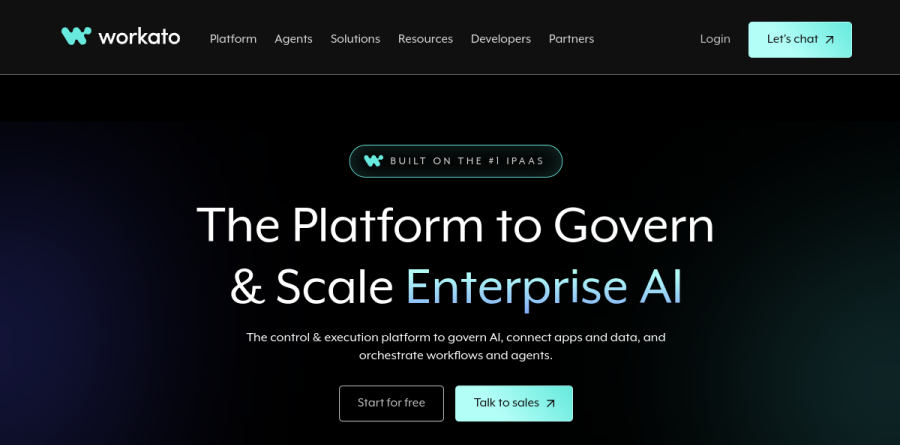
Workato is an enterprise integration platform as a service that connects business applications, moves data between them, and runs the automated processes built on top. The vendor positions it as the platform to govern and scale enterprise AI, delivering the context, trust, and accuracy AI agents need to act across the enterprise. Teams build automations as recipes in a low-code editor rather than maintaining bespoke integration code.
The platform page organizes the product into three layers: Workato Agentic, Workato Enterprise MCP, and Workato Orchestrate (iPaaS+). Governance, security, compliance, and observability sit under Enterprise MCP, and that edition adds enhanced security covering data masking, activity audit, hourly key rotation, and runtime user connections. Workato Orchestrate (iPaaS+) is the orchestration layer, broken out on the platform page into process, apps, data, and API. Workato reports reach across more than 12,000 applications, with 1,200+ pre-built connectors included out-of-the-box for every user.
How teams build automations in Workato
The unit of work is the recipe, and Workato surrounds it with recipe lifecycle management plus separate dev, test, and production environments - the promotion path IT needs before anything touches production. Workato reports a library of more than 750,000 reusable recipes and skills.
Common patterns land squarely in scope. A new hire record provisions accounts across IT tools. A closed opportunity triggers billing updates. An inbound trading partner document arrives as a structured order through B2B / EDI, while Intelligent Document Processing turns PDFs into fields a workflow can act on.
Agent Studio and governed AI agents

Agent Studio is where Workato packages its agentic tooling. Agents built there, which Workato calls Genies, are assembled from Enterprise Skills rather than raw API calls, so an agent invokes a proven business process instead of improvising against an endpoint. The vendor describes this as Deep Action: multi-step execution carrying logic, exceptions, and approvals through to completion.
Governance is the more interesting half. Workato reports that Genies act on behalf of verified users via real-time OAuth 2.0 authorization rather than shared service accounts, keeping audit trails attributable to a person. The MCP Gateway and pre-built MCP servers extend the same controls to third-party agents.
APIs, pipelines, and on-premise systems

API Management is part of the same platform, and the API platform is included from the Business MCP edition up, alongside a log service, dependency graph, and platform APIs. Data Orchestration covers ETL, ELT, and reverse ETL, pushing warehouse insight back into operational apps, while Data Hub / MDM and Event Streams handle master data and streaming.
Hybrid estates are covered. Workato supports on-premises applications and databases through on-premises agents (OPAs), which each edition includes in set quantities - 3 with Business MCP, 10 with Enterprise MCP, and 30 with Workato ONE.
How Workato packages its editions
Four editions appear on the Workato pricing page: Standard, Business MCP, Enterprise MCP, and Workato ONE, each building on the one below. Standard covers application integration and recipe lifecycle basics. Business MCP adds the AI/MCP Gateway, Enterprise Skill builder, and the API platform. Enterprise MCP layers on Data Pipelines, Event Streams, IDP, AI by Workato, and Insights. Workato ONE tops it with Agent Studio, Workato Knowledge Base, and Workato GO.
Every edition is quote-only. Workato says consumption is weighted by capability and tracked in a built-in Usage Dashboard, and add-ons cover RobotiQ RPA, Workflow Apps, Private Link, and Virtual Private Workato.
Who should choose Workato
Workato fits mid-market and large enterprises with real integration sprawl: many SaaS systems, on-premise holdouts, compliance obligations, and a central IT team accountable for what runs. Organizations that want AI agents acting inside core systems, under audit, get the most from Agent Studio and Enterprise MCP. Certifications including SOC 2, ISO 27001, and PCI, plus a stated 99.9% uptime target, matter here.
It is not ideal for solo operators, small teams, or anyone needing a published price before a sales conversation; lighter automation tools cover simple app-to-app tasks at a fraction of the commitment and complexity.
Strengths
- Gartner-leader iPaaS with 10,000+ app and system connectors
- Genuinely free plan ($0, 50K credits, no credit card) to build a first workflow
- Usage-based model plus on-prem agent for hybrid/regulated environments
- Native AI agents and agentic orchestration in the Workato One edition
Watch out for
- No public paid pricing; every edition requires a sales quote
- Real costs are high — median annual contract around $64,500 per Vendr data
- Premium connectors (SAP, Oracle, Workday, ServiceNow) can add $5k–$20k+ each per year
- Overkill and overpriced for simple, low-volume task automation
Key features
| Feature | What it does |
|---|
| 10,000+ connectors | Prebuilt integrations across SaaS, databases, and on-prem systems, plus a community recipe library |
| Recipe-based automation | Low-code trigger-action 'recipes' for building multi-step workflows and orchestrations |
| AI agents (agentic) | Build intelligent, adaptive automations; agent + MCP capabilities highlighted on the free plan and Workato One |
| API management | Create, publish, and manage APIs alongside integrations from one platform |
| On-prem agent (OPA) | Securely connect on-premise apps and databases for hybrid deployments |
| Governance & security | Advanced security, data protection, and governance controls scaling up through Enterprise editions |
How Workato compares
| Alternative | How it differs |
|---|
| MuleSoft | Salesforce-owned, API-led iPaaS; comparable enterprise scope and similarly high, quote-only pricing |
| Boomi | Established enterprise iPaaS; often positioned as a lower-cost alternative with broad connectivity |
| Zapier | Far cheaper (from ~$20/mo) for simple task automation, but lacks Workato's enterprise orchestration and governance |
Frequently asked questions
How much does Workato cost?
Workato doesn't publish paid pricing. Third-party data from Vendr (340 deals) shows a median of about $64,544/year, ranging from roughly $20,000 to $184,000. Small teams often pay $25,000–$45,000, mid-market $50,000–$120,000, and enterprises $150,000–$400,000+. Estimated Standard-edition entry starts near $10,000/year. All paid figures require a sales quote.
Does Workato have a free plan or free trial?
Yes. As of 2026 Workato offers a free plan at $0/month with 50,000 one-time credits, no credit card required, and setup in under 5 minutes. It includes AI agents, workflow orchestration, API management, and 10,000+ integrations. Paid editions add higher usage capacity, premium connectors, and governance but require a custom quote.
Is Workato pricing public?
No. Workato lists no prices on its site; all four paid editions — Standard, Business, Enterprise, and Workato One — are sales-quoted. Its docs describe a usage-based model: a platform edition fee for feature access plus a usage fee that scales with volume. Only the $0 free plan with 50,000 credits is publicly priced.
How does Workato pricing work?
Workato uses usage-based pricing: a platform edition fee for capability access plus a usage fee that scales with volume (historically measured in 'tasks,' now credits on the free plan). Premium connectors like SAP, Oracle, Workday, and ServiceNow can add $5,000–$20,000+ each per year, and professional services run $10,000–$50,000+ one-time.
Is Workato worth it versus Zapier?
Workato targets enterprises, not solo users. Where Zapier starts around $20/month, Workato's median contract is about $64,544/year. You pay for advanced orchestration, on-prem connectivity, governance, and AI agents. It's worth it for IT teams running complex, high-volume integrations, but overkill and overpriced for simple task automation.
Workato ratings on other platforms
Independent user ratings from third-party review sites, linked here for transparency.
These are not our editorial score, are captured on the date shown, and may have changed since.