The full review
What is Sentry?
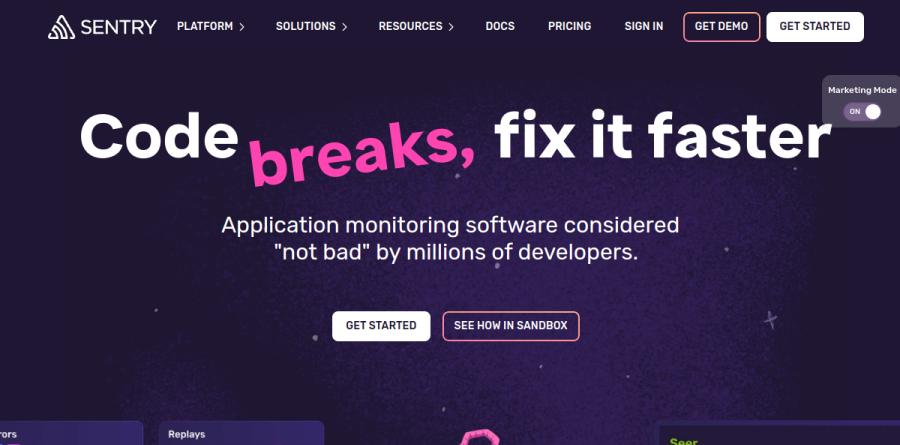
At its core, Sentry is an application monitoring platform built on a straightforward premise: when code breaks, the developer who wrote it should receive a fix, not a dashboard to interpret. The homepage leads with Code breaks, fix it faster, and calls the product application monitoring software considered not bad by millions of developers, which is a fair signal of the engineering-led tone across the entire site.
The surface is broader than the error-tracker reputation suggests. Sentry groups its telemetry into named products: Error Monitoring, Logs, Tracing, Agent Tracing, Metrics, Session Replay, Profiling, Size Analysis, Cron Monitoring, and Uptime Monitoring. SDKs cover JavaScript, Python, Java, Go, Ruby, PHP, Swift, .NET and Android, plus framework-specific builds for React, Vue, Angular, Svelte, Solid, Astro, Next.js, Laravel, ASP.NET Core and Spring Boot. The vendor pitches instrumentation as a five-line addition to an existing codebase.
Error monitoring with code-level context
Error Monitoring is the product Sentry lists first on both the homepage and the product index, and it earns its keep through detail rather than volume. Each issue arrives with a full stacktrace including local variables, breadcrumbs showing the sequence of events that preceded the failure, frequency data, and user impact so triage is not guesswork. Sentry pairs that with alerting and Release Health, which ties crash-free rates back to specific deploys.
Session Replay and the wider telemetry stack

Session Replay is the strongest argument for consolidating on Sentry rather than stitching several vendors together. A replay plays back user actions next to a stream of context that Sentry lists as web vitals, console output, logs, network calls, errors and traces, so a bug report becomes reproducible without a back-and-forth thread. The vendor reports that privacy masking happens before data leaves the browser, and that each replay ships with an AI summary. Rage Click and Dead Click detection surface the unresponsive elements frustrating users as trackable issues, a hydration error diff tool shows side-by-side and slider comparisons of what is not loading in React, and mobile replays carry device context including battery level, device orientation and connectivity. Tracing and Profiling extend the same issue-first model to latency, while Cron Monitoring and Uptime Monitoring cover the background jobs and endpoints that silently stop working.
Seer and AI-assisted debugging

Seer is Sentry's debugging agent, and it is a genuinely separate product line rather than a chatbot bolted onto search. It splits into Seer Agent for open-ended questions against your telemetry, Seer Autofix for automated root-cause analysis that proposes a change, and AI Code Review for catching regressions during pull request review. The vendor reports that Seer works wherever developers already are, including Claude, Copilot, Cursor and Slack. Seer carries its own subscription on top of a plan, which is worth flagging during budgeting.
How the plans differ
Developer is a single-user tier with modest quotas and MCP access, useful for side projects and evaluation. Team removes the seat limit and adds API and third-party integrations. Business is the compliance and scale tier, bringing unlimited custom dashboards, anomaly detection on metric monitors, advanced quota management, and SAML with SCIM provisioning. Enterprise layers on a technical account manager and dedicated support. Every paid tier sits on usage-based billing, so errors, spans, replays, logs, metrics and profiling hours all meter independently.
Who should choose Sentry
The platform fits product engineering teams shipping web or mobile applications who want debugging context first and charts second, particularly organizations already living in GitHub and Slack. Business is the realistic floor for anyone needing SSO or granular quota controls. It is less ideal for infrastructure-centric teams whose primary need is host metrics and log aggregation, or for finance-sensitive buyers who want a flat predictable invoice, since usage-based metering across many telemetry types can be difficult to forecast in a high-traffic month.
Strengths
- Best-in-class error tracking with deep stack traces, breadcrumbs, and release/commit context
- Free Developer tier and unlimited users on all paid plans keep seat costs at zero
- 100+ language and framework SDKs — deepest coverage in the category
- Focused, low-overhead (<5ms) agent that's fast to instrument and alert
Watch out for
- Usage-based billing on errors/spans/replays makes monthly bills hard to forecast
- A single noisy exception can burn quota and spike costs unexpectedly
- Base $26/$80 quotas (50K errors, 5M spans) are small — real usage pushes you into overages
- Not a full-stack observability suite; lacks Datadog-level infra/log monitoring
Key features
| Feature | What it does |
|---|
| Error monitoring | Real-time error tracking with full stack traces, breadcrumbs, and source maps; groups duplicate issues and links to the offending release and commit. |
| Tracing / performance | Distributed tracing measured in spans (5M included on all paid tiers) to find slow endpoints, N+1 queries, and latency bottlenecks. |
| Session Replay | Video-like reproduction of user sessions tied to errors (50 replays included); overages billed per replay. |
| Seer AI debugging agent | AI agent that analyzes issues, suggests root causes and fixes; available on Team and Business plans. |
| Cron & uptime monitoring | Scheduled job and uptime checks; 1 of each included, additional cron monitors ~$0.78 each and uptime alerts ~$1.00 each. |
| Alerting & dashboards | Configurable alert rules with integrations (Slack, PagerDuty, Jira); 20 dashboards on Team, unlimited plus anomaly detection on Business. |
How Sentry compares
| Alternative | How it differs |
|---|
| Datadog | Full-stack observability (infra, logs, APM, security) with 400+ integrations; more comprehensive but pricier and more complex than Sentry's focused error tracking. |
| New Relic | APM pioneer with usage-based data pricing (100GB free, then $0.40/GB) but per-user fees ($99+); broader platform, Sentry is simpler for pure error triage. |
| Rollbar | Direct error-monitoring competitor with similar event-based pricing; smaller SDK ecosystem and no built-in tracing/replay depth. |
Frequently asked questions
How much does Sentry cost?
Sentry has four tiers: a free Developer plan ($0), Team at $26/mo (or $29 billed monthly), Business at $80/mo (or $89 monthly), and custom Enterprise pricing. Paid plans include 50K errors, 5M spans, and 50 replays per month; extra usage is billed per event, so real bills often exceed the base price.
Is Sentry free?
Yes. The Developer plan is free forever and includes 5,000 errors, 5 million tracing spans, 50 session replays, one user, and one cron and one uptime monitor per month. It's suited to solo developers and small projects, but caps at a single user and offers email alerts only — no SSO or team integrations.
How does Sentry usage-based pricing work?
Each paid plan bundles a base quota (50K errors, 5M spans, 50 replays), then charges for overages per event. Roughly, Team errors run about $0.00029 each reserved (~$0.00036 pay-as-you-go); replays about $0.003 each. Because a noisy exception can generate millions of events, costs scale with volume and can be hard to predict.
Sentry vs Datadog: which is better?
Sentry is the fastest path to actionable application errors with a developer-centric focus and free tier. Datadog is a broader observability platform covering infrastructure, logs, and APM with 400+ integrations, but it's costlier and more complex. Many teams run both: Sentry for error triage, Datadog for full-stack correlation.
What is the difference between Team and Business plans?
Both include the same base quotas (50K errors, 5M spans, 50 replays) and unlimited users. Business ($80/mo vs $26/mo) adds SSO/SAML, SCIM provisioning, anomaly detection, advanced quota management, and unlimited dashboards. Team caps at 20 dashboards and lacks SSO. Overage rates are also higher on Business.
Sentry ratings on other platforms
Independent user ratings from third-party review sites, linked here for transparency.
These are not our editorial score, are captured on the date shown, and may have changed since.