The full review
What is Pipedream?
Pipedream is a developer-first automation platform for connecting APIs, AI models, and databases. Its documentation defines a workflow as a sequence of steps triggered by an event, such as an HTTP request or a new row in a Google sheet, with no servers or infrastructure to manage. Once you save a workflow, Pipedream deploys it and runs it on every event, whether or not the editor is open in your browser.
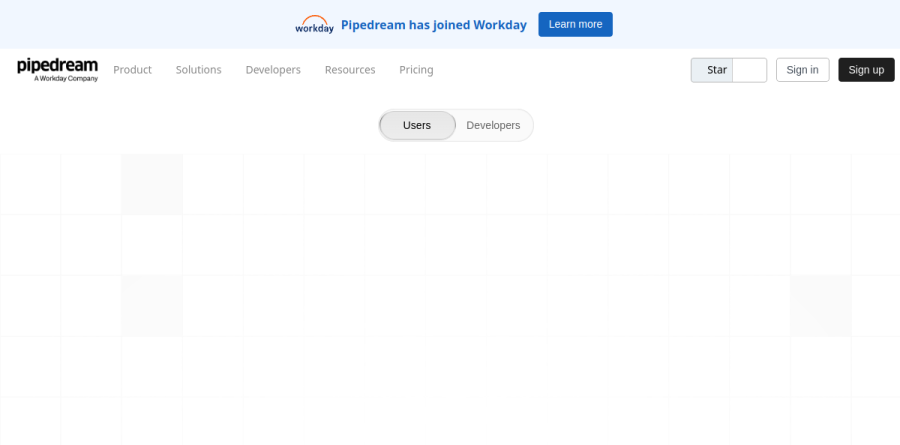
Alongside an AI Agent Builder and MCP servers, the homepage foregrounds two more surfaces. The Pipedream workflow builder is where you automate your own processes across a catalog of more than 3,000 integrated apps. Pipedream Connect is the developer toolkit for putting those same integrations inside your product or agent. The vendor reports over a million developers on the platform, and a site-wide banner announces that Pipedream has joined Workday.
Prebuilt actions and custom code together
Inside the Pipedream builder, every workflow opens with a trigger step, and you can attach several triggers so a single workflow answers distinct events. From there you mix prebuilt actions, which cover common API operations without writing anything, alongside code steps in Node.js, Python, Golang, or Bash that can pull in most npm and PyPI packages. Data moves downstream through the steps object and step exports, which must be JSON serializable. Props turn a step into a reusable form-driven component, though the docs flag this as a Node.js-only capability for now.

Pipedream Connect is presented as one SDK for thousands of API integrations, and managed authentication is its core promise. Pipedream handles the authorization flow, secure token storage and refresh, and OAuth client management across roughly 3,000 apps, removing a large slice of custom auth plumbing. Layered on top are more than 10,000 prebuilt tools, meaning triggers and actions you can embed in your app or expose to an AI agent.
Connect also deploys production-ready MCP servers, self-hosted or remote, and includes a proxy for sending arbitrary requests to any API while keeping managed auth intact. A REST API plus TypeScript and Python SDKs drive the whole surface, and teams can ship custom tools when no prebuilt one fits.
Billing by compute rather than task count
Pipedream meters usage in credits, and its pricing FAQ states plainly that the company does not charge by number of steps. Cost derives from compute usage per workflow segment, a linear run of steps bounded by control flow operators such as delays or branching. One credit represents 30 seconds of compute at 256MB of memory, with a one-credit minimum per segment. Testing steps in the editor stays free on every plan, the first 30 seconds of compute for event source triggers is not counted, and daily or monthly credit caps live in workspace settings.
Controls for production workloads
The plan comparison table shows how Pipedream scales. Error handling covers email and Slack notifications plus auto-retry, backed by a real-time event inspector and event history retention that runs longer on higher tiers. Memory reaches up to 10 GB on every plan, execution duration ceilings rise once you leave Free, and concurrency, execution rate, and queue controls keep busy workspaces in check. Bi-directional GitHub Sync brings branches, diffs, and pull requests to workflow code, while the security rows list single sign-on, virtual private clouds, SCIM user provisioning, and data retention controls alongside SOC 2 Type II, HIPAA, and GDPR compliance.
Who should choose Pipedream
Pipedream suits developers and technical operations teams who are comfortable dropping into a code step and who would rather pay for compute than per task. It is a strong pick for product teams embedding third-party integrations into their own software, and for anyone building AI agents that need managed auth across a broad tool catalog.
It is not ideal for non-technical business users who want a purely point-and-click builder, since most of the leverage assumes someone can read and write code. Start on Free, graduate to Basic or Advanced as workflows reach production, and evaluate Connect or Business when integrations become part of the product you ship.
Strengths
- Generous free tier: 100 credits/mo, 3 workflows and 3,000+ app integrations with no credit card
- Compute-based pricing (1 credit = 30s at 256MB) stays cheap for complex, fast multi-step workflows vs per-task tools
- Full code support: write Node.js, Python, Go or Bash steps and use most npm, PyPi and Go packages
- Advanced plan at $49/mo unlocks unlimited workflows and unlimited connected accounts
Watch out for
- Credits don't roll over and idle time waiting on slow APIs still burns credits, so costs can surprise
- Steeper learning curve than pure no-code tools; real power expects developer knowledge
- Free plan is hard-capped at 100 credits/mo with only 7-day event history, easy to outgrow
- Business tier (SSO, HIPAA, SLAs, VPC, SCIM) is custom-quoted with no public price
Key features
| Feature | What it does |
|---|
| Credit-based compute billing | You pay for execution time, not tasks: 1 credit = 30 seconds of compute at 256MB memory; heavier memory scales proportionally. |
| 3,000+ integrated apps | Pre-built triggers and actions across 3,000+ APIs, plus the ability to publish custom triggers/actions and use custom OAuth clients. |
| Code steps in any workflow | Drop in Node.js, Python, Go or Bash steps with access to most npm, PyPi and Go packages alongside no-code building blocks. |
| Pipedream Connect | Embed managed authentication, 10k pre-built tools, an API proxy and MCP servers to run integrations for your own end users. |
| Control flow & orchestration | If/else, switch and parallel branching, filters, delays and multiple triggers per workflow (control flow operators on Advanced+). |
| GitHub Sync & versioning | Bi-directional GitHub sync, branches, diffs, pull requests and local editing for version-controlled workflow development (Advanced+). |
How Pipedream compares
| Alternative | How it differs |
|---|
| Zapier | Easier no-code UX and huge app catalog, but per-task billing gets expensive for high-volume, multi-step automations. |
| Make | Visual scenario builder with operation-based pricing; cheaper than Zapier but less code-first flexibility than Pipedream. |
| n8n | Open-source, self-hostable workflow automation with code nodes; more DIY hosting but strong for developers avoiding usage credits. |
Frequently asked questions
Does Pipedream have a free plan?
Yes. Pipedream's Free plan is $0/mo with no credit card required. It includes up to 100 credits per month (a hard cap), 3 active workflows, 3 connected accounts, 1 million AI tokens, unlimited workflow testing and access to 3,000+ integrated apps. Event history is retained for 7 days, and workflows halt once you hit 100 credits.
How much does Pipedream cost per month?
Beyond the free tier, Basic is $29/mo, Advanced (the most popular plan) is $49/mo, and Connect is $99/mo, while Business is custom-quoted. Annual billing costs the same per month ($348, $588 and $1,188 per year). Basic includes 2,000 credits, Advanced 2,000 credits plus unlimited workflows, and Connect 10,000 credits monthly.
What is a credit in Pipedream?
A Pipedream credit measures compute, not tasks. One credit equals 30 seconds of execution at 256MB of memory (the default). Doubling memory to 512MB doubles credit use for the same runtime. Because you pay for time not steps, a 20-step workflow finishing in 5 seconds costs the same as a 2-step one.
Is Pipedream cheaper than Zapier?
Often, for developers. Pipedream bills by compute time, so multi-step workflows avoid the per-task charges Zapier applies. Advanced is $49/mo with unlimited workflows and 2,000 credits (one credit = 30 seconds of compute). The caveat: long-running or memory-heavy steps burn credits faster, and idle time waiting on slow APIs still counts against you.
Do Pipedream credits roll over each month?
No. Unused Pipedream credits do not roll over; allotments reset each billing period. Free accounts are hard-capped at 100 credits per month, halting workflows once reached. Paid plans (Basic and above) have no hard cap—you keep running past your included credits and pay for overage usage at the plan's rate rather than stopping.
Pipedream ratings on other platforms
Independent user ratings from third-party review sites, linked here for transparency.
These are not our editorial score, are captured on the date shown, and may have changed since.