The full review
What is Obsidian?
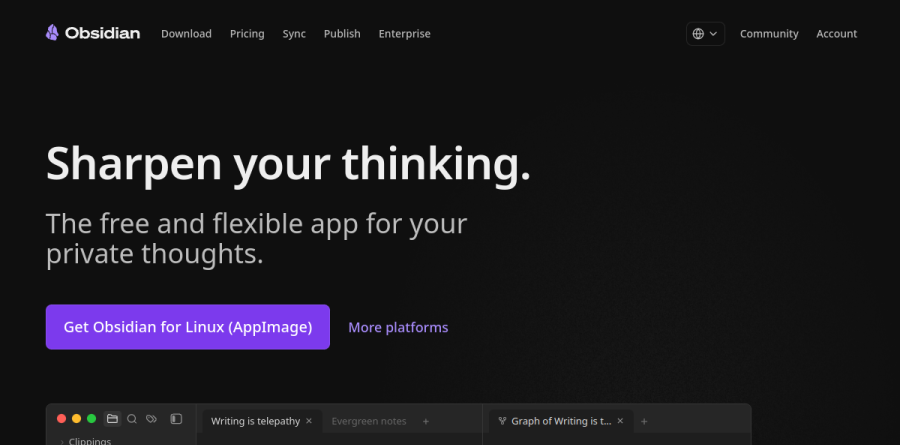
Obsidian is a local-first Markdown note app that stores everything you write as plain files in a folder on your own disk, called a vault. It bills itself as the free and flexible app for your private thoughts, and the privacy is structural: Obsidian says it stores notes privately on your device, so you can access them quickly, even offline.
What lifts Obsidian above a folder of text files is the layer built on top. Links join notes into a personal web, the Graph renders those relationships visually, and Canvas gives you an infinite surface for arranging ideas spatially. Because the storage uses open file formats, you can walk away with your notes intact.
Links, Graph, and Canvas

The linking model is the heart of Obsidian. You connect ideas, people, places, and books until the vault behaves like a personal Wikipedia, and the Graph view surfaces patterns you never planned. Canvas is the spatial counterpart, and it ships free with Obsidian.
On one Canvas board you can place text cards, Markdown embeds, images, PDFs, video, audio, and fully interactive web pages, then group them, color them, label the connections, and nest a canvas inside another. Canvas files use the open JSON Canvas format Obsidian designed so other tools can read the same boards.
Plugins shape the workspace
Obsidian ships deliberately lean and expects you to extend it. Thousands of plugins and themes hook into Obsidian's open API, and the ones featured on the homepage show the range: Calendar for a calendar view of your daily notes, Kanban for Markdown-backed kanban boards, Dataview for advanced queries, Outliner for working with your lists, and Tasks for tracking tasks across your entire vault. A researcher, a developer, and a project manager can run the same application three completely different ways.
What Obsidian Sync adds

Sync is the add-on most people reach for first. It keeps vaults current across Mac, Windows, Linux, iOS, and Android, and the vendor reports data is automatically secured using AES-256, which it calls the strongest encryption standard, leaving you in total control of your notes. Version history tracks changes between revisions, and file recovery restores deleted notes.
Fine-grained control is the underrated part. You decide which files and preferences travel to which devices, toggling images, audio, video, and PDFs off to reduce transfer while syncing hotkeys, themes, and enabled plugins separately. Sync Standard covers one vault with a shorter history window; Sync Plus raises the vault count, storage ceiling, maximum file size, and retention. Shared vaults let a team work on the same notes.
Publishing a vault to the web
Obsidian Publish turns selected notes into an online wiki, knowledge base, documentation set, or digital garden without touching a static site generator. Readers get hover previews, a graph view, stacked pages that open in horizontal panes, and automatic backlinks, so the connected texture of the source vault survives the trip. Sites support custom domains, themes, and password protection, and the vendor reports they arrive optimized for SEO and mobile with a perfect Lighthouse accessibility score.
Licensing stays out of the way
The free tier carries no feature limits and requires no sign-up, and Obsidian confirms in its pricing FAQ that a commercial license is not required for work use, though it encourages organizations to buy one to keep the project user-supported. Catalyst is a one-time supporter license granting early access to beta versions, community badges, and exclusive channels. Students, faculty, and nonprofit employees qualify for a discount on Sync and Publish.
Who should choose Obsidian
Obsidian fits people who write constantly and want to own the output: researchers, engineers, writers, students, and consultants building a knowledge base meant to outlive any single app. It rewards anyone who values offline access, plain files, and the freedom to reshape a tool around a personal workflow instead of bending that workflow to fit a vendor.
It is a harder fit for groups that need granular permissions and a browser-first workspace on day one; the only collaboration the vendor describes is Sync's shared vaults, where invited teammates see notes update in real time. Obsidian is fundamentally a desktop and mobile app built around local files, and its collaboration story stays lighter than a purpose-built team wiki.
Strengths
- Core app is genuinely free with no feature caps — including for business/commercial use
- Local-first plain-text Markdown means no lock-in and full offline access
- Huge plugin and theme ecosystem (2,000+ community plugins) for deep customization
- Add-ons are cheap and modular — pay only for Sync ($4/mo) or Publish ($8/mo) if you need them
Watch out for
- Steep learning curve; a blank, unopinionated setup can overwhelm new users
- Real-time multiplayer collaboration is limited compared to Notion or Google Docs
- Cross-device sync and web publishing are paid add-ons, not part of the free tier
- Heavy reliance on community plugins can create maintenance and stability overhead
Key features
| Feature | What it does |
|---|
| Local-first Markdown vault | Notes are stored as plain .md files on your own device — portable, future-proof, and fully usable offline with no account required. |
| Community plugins & themes | 2,000+ community plugins plus core plugins extend Obsidian into a task manager, kanban, spaced-repetition tool, and more; themes fully restyle the app. |
| Bidirectional links & graph view | [[Wiki-style]] links, backlinks, and an interactive graph reveal connections across your notes, supporting a Zettelkasten/PKM workflow. |
| Canvas | An infinite spatial whiteboard for arranging notes, media, and cards visually alongside your Markdown vault. |
| Obsidian Sync (add-on) | Optional end-to-end encrypted sync across unlimited devices with version history; Standard (1 GB) or Plus (10 GB, up to 100 GB). |
| Obsidian Publish (add-on) | Optional one-click hosting that turns a vault into a searchable website with graph view and custom themes, billed per site. |
How Obsidian compares
| Alternative | How it differs |
|---|
| Notion | Cloud database with superior real-time collaboration and databases, but not local-first; free tier plus paid plans around $10-12/user/mo. |
| Logseq | Open-source, local-first outliner with strong block-based/daily-notes workflow; free and a closer privacy-minded alternative to Obsidian. |
| Roam Research | Pioneered bidirectional linking and networked thought, but cloud-based and pricey (~$15/mo) with a smaller ecosystem than Obsidian. |
Frequently asked questions
Is Obsidian free?
Yes. The core Obsidian app is free without limits — no sign-up, no feature caps — for both personal and commercial use. You only pay if you want optional add-on services: Sync (cross-device, from $4/month) or Publish (web hosting, from $8/month). Support licenses like Catalyst ($25 one-time) are entirely voluntary.
How much does Obsidian cost?
The app itself costs $0. Sync Standard is $4/month billed annually ($5 monthly) and Sync Plus is $8/month annually ($10 monthly). Publish is $8/month annually ($10 monthly) per site. A Catalyst supporter license is $25 one-time, and an optional Commercial license is $50 per user per year.
Is Obsidian free for commercial use?
Yes. Since February 2025 Obsidian is free for work of any size. The Commercial license ($50/user/year) that businesses with two or more employees once needed is now optional — organizations buy it only to support development and gain Enterprise-page recognition, not because it is required.
What are the best Obsidian alternatives?
Notion is the top choice for team collaboration and databases; Logseq is the closest free, local-first, open-source alternative; and Roam Research suits people who want networked outlining. For simple sync, Apple Notes or Google Keep work, but none match Obsidian's local Markdown plus plugin ecosystem.
Obsidian vs Notion — which is better?
Obsidian stores plain Markdown files locally, so it wins on privacy, offline use, speed, and no lock-in, and its core is free. Notion is cloud-based and excels at real-time collaboration, structured databases, and sharing. Choose Obsidian for a personal knowledge base; choose Notion for team wikis and databases.
Obsidian ratings on other platforms
Independent user ratings from third-party review sites, linked here for transparency.
These are not our editorial score, are captured on the date shown, and may have changed since.