The full review
What is Modal?
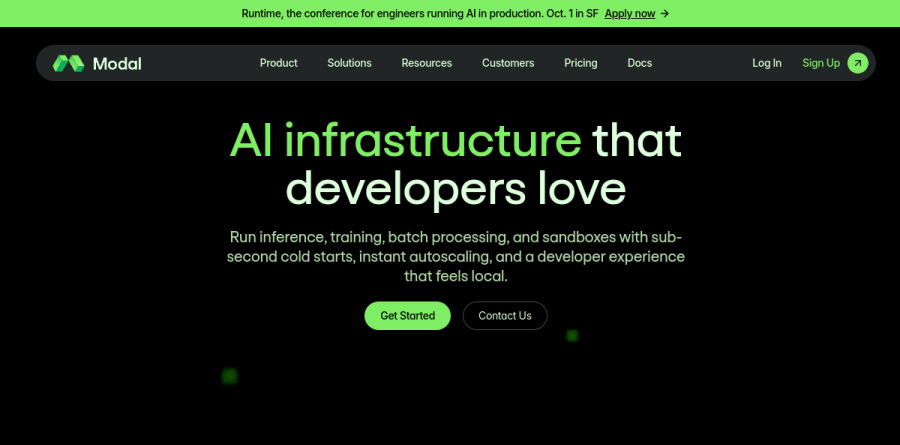
Modal is a serverless cloud built for AI workloads, pitched on the homepage as AI infrastructure that developers love and, further down the page, as the production cloud for AI. Instead of provisioning a GPU instance and keeping it alive, you write ordinary Python, wrap it with the Modal SDK, and let the platform handle containers, scheduling, and scaling. The vendor describes the goal as running inference, training, batch processing, and sandboxes with sub-second cold starts, instant autoscaling, and a developer experience that feels local.
The billing model follows the same logic. Compute is metered per second across GPU, CPU, and memory, with storage billed at $0.09 per GiB per month, and the pricing page's framing is that you never pay for idle resources — just actual compute time. That pairing of code-first deployment with second-level metering is what separates Modal from renting a GPU box by the hour.
Inference that scales itself
Modal organizes its homepage around three workloads — inference, training, and sandboxes — and the inference section, headed Engineered for inference, covers LLM Inference, Multi-modal Inference, Batch and Async Inference, and Online inference. The practical shape of this is a function that becomes an autoscaling endpoint, where replicas spin up as requests arrive and disappear when traffic stops, with no cluster to size in advance.
What you tune is not machine count but ceilings. The published plans set container limits and GPU concurrency caps — Starter at 100 containers and 10 GPU concurrency, Team at 5000 containers and 50, and Enterprise simply listed as higher — which turns capacity planning into raising a number rather than rebuilding infrastructure.
From fine-tuning to multi-node training

Modal Training carries the line Train more, configure less, and the page leans on three ideas — Define in Code, Native Storage, and Sub-second Startup — alongside a promise of spinning up a cluster with no minimum commitments. Jobs scale from a single GPU up to sixty-four across nodes, and the vendor lists B200, H200, and H100 options with Infiniband for multi-node runs.
Framework support is where this gets concrete for practitioners. Modal documents compatibility with PyTorch, Axolotl, Unsloth, and Hugging Face TRL, plus experiment tracking through Weights and Biases and TensorBoard. Base models named on the page include Qwen, Flux, and Whisper alongside custom checkpoints, and the site is explicit that you keep control of the training logic rather than handing it to a black box.
Sandboxes for agent workloads

The Sandboxes product, headlined Run production Sandboxes at scale, targets a newer job: giving coding agents and reinforcement learning rollouts somewhere safe to execute untrusted code. Modal describes it as built for concurrency, with granular snapshotting on any image and sub-second scheduling.
Around the sandbox itself sit the pieces that make a fleet operable. There is modal.Volume for distributed storage shared across runs, a shared memory layer for coordinating context between sandboxes, port exposure and credential injection for networking, plus automated health checks and readiness probes so work only reaches containers that are genuinely ready to take it.
Plan tiers and team controls
The Starter plan is the on-ramp: monthly credits, a small pool of workspace seats, and modest container and GPU concurrency ceilings, which suits solo builders and prototypes. Team lifts those caps considerably and adds the operational pieces shared codebases need, including unlimited seats, unlimited scheduled functions, custom domains, a static IP proxy, deployment rollbacks, and environment-level budgets.
Enterprise is where governance lands. The vendor lists Okta SSO, audit logs, HIPAA compatibility, private Slack support, volume-based discounts, and what it calls embedded ML engineering services.
Who should choose Modal
Modal fits teams who write Python and want GPU capacity without owning a cluster: inference APIs with spiky traffic, fine-tuning runs that happen weekly rather than continuously, batch pipelines, and agent platforms that need throwaway execution environments. Per-second billing rewards exactly that pattern, because bursty work stops costing anything between bursts.
It is a weaker fit for steady, around-the-clock training at large scale, where a reserved or committed GPU contract usually beats on-demand metering, and for teams whose stack is not Python-centric, since the SDK is the primary interface. Anyone who needs SSO, audit logs, or compliance guarantees should plan on Enterprise rather than expecting those controls further down the range.
Strengths
- True per-second billing across GPU, CPU, and memory — pay only while containers actively run
- No infrastructure to manage; Python-native SDK with fast autoscaling from zero
- $30/mo free compute credits on Starter with no payment method required to begin
- Broad on-demand GPU fleet from T4 (~$0.59/hr) up to B200 (~$6.25/hr)
Watch out for
- Costs stack: region multiplier 1.5–1.75x, 3x non-preemptible, 3x Sandbox CPU rate
- Team plan carries a $250/mo platform fee before any committed-use savings
- On-demand H100 ~$3.95/hr is pricier than reserved or spot GPUs on RunPod/Lambda
- Starter log retention is only 1 day; steady 24/7 GPU load gets expensive fast
Key features
| Feature | What it does |
|---|
| Per-second billing | GPU, CPU, and memory each metered per second — the finest granularity among major GPU clouds. |
| Serverless GPU autoscaling | Scales from zero to hundreds of containers on demand; no cluster or nodes to manage. |
| Python-native SDK | Define images, hardware, and functions in Python and deploy with one command. |
| Broad GPU fleet | T4, L4, A10, A100 40/80GB, L40S, H100, H200, B200/B300 all available on demand. |
| Storage volumes | Persistent volumes at $0.09/GiB/month, with 1 TiB of storage free every month. |
| Sandboxes | Run untrusted or agent-generated code in isolated containers (CPU billed at 3x). |
How Modal compares
| Alternative | How it differs |
|---|
| Replicate | Per-second, per-model API; simpler for off-the-shelf models but costlier at volume. |
| RunPod | Cheaper reserved and spot GPU pods; better economics for steady 24/7 GPU load. |
| Beam | Similar serverless GPU with per-second billing; markets lower cold-start cost. |
Frequently asked questions
How much does Modal cost?
Modal uses usage-based, per-second billing. The Starter plan is $0/month plus compute with $30/month in free credits; Team is $250/month plus compute with $100 in credits; Enterprise is custom. GPU rates run from about $0.59/hr (T4) to $3.95/hr (H100) and $6.25/hr (B200), all billed per second.
Is Modal free?
Not fully, but there is a real free allowance. Modal's Starter plan costs $0/month, needs no payment method to begin, and includes $30/month in compute credits — enough to run small models, batch jobs, or prototypes. Beyond the credits you pay per-second usage, and early-stage startups can apply for larger free credits.
How much does an H100 cost on Modal?
Modal charges $0.001097 per second for an Nvidia H100, roughly $3.95 per hour of active GPU time, billed per second so you pay only while the container runs. Note that region multipliers (1.5–1.75x) and a 3x non-preemptible option can raise the effective rate substantially above the base.
Modal vs Replicate — which is cheaper?
It depends on the workload. Modal bills raw per-second compute (H100 ~$3.95/hr) and suits custom code with steady or bursty jobs. Replicate charges per-second per-model and is simpler for ready-made models but costs more at volume. For heavy custom pipelines Modal usually wins; for quick model API calls Replicate is easier.
What GPUs does Modal offer and what do they cost?
Modal offers a broad GPU fleet, all billed per second. Approximate hourly rates: T4 ~$0.59, L4 ~$0.80, A10 ~$1.10, A100 40GB ~$2.10, A100 80GB ~$2.50, L40S ~$1.95, H100 ~$3.95, H200 ~$4.54, and B200 ~$6.25. CPU is $0.0000131/core/sec and memory $0.00000222/GiB/sec, with 1 TiB storage free monthly.
Modal ratings on other platforms
Independent user ratings from third-party review sites, linked here for transparency.
These are not our editorial score, are captured on the date shown, and may have changed since.