The full review
What is Microsoft Power Automate?
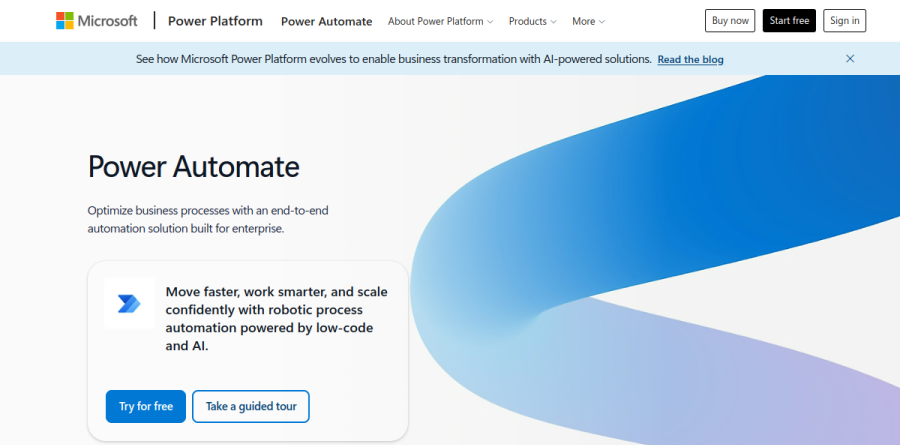
Microsoft Power Automate is the automation layer of Microsoft Power Platform, framed on the product page as an end-to-end automation solution built for enterprise. It spans digital process automation through cloud flows, robotic process automation through desktop flows, and the discovery work that decides which processes deserve automating at all. Microsoft organizes the overview around four verbs: Discover, Automate, Orchestrate, and Extend.
What separates Power Automate from standalone workflow builders is where it sits. Flows run against Microsoft 365 surfaces such as Teams, Excel, and SharePoint without pulling anyone out of those apps, store data in Microsoft Dataverse, and inherit tenant-level admin controls.
Cloud flows and the connector library

Cloud flows are the digital process automation half of Power Automate, covering apps, data, and services in the cloud or on-premises. Microsoft states that more than 1,400 prebuilt, certified connectors are available for Power Automate, including Dynamics 365, SAP, and Salesforce, and that you can build a custom connector to any cloud application and have it certified.
The everyday shape is mundane and useful: a SharePoint list item triggers an approval, the outcome writes back to Dataverse, and a Teams message closes the loop with the requester. The site also highlights streamlined approval processes, an SAP procurement solution template, and Power BI triggers that launch downstream workflows when a KPI crosses a critical threshold.
Desktop flows for systems with no API
Desktop flows are the RPA arm of Power Automate, built for software exposing no interface a script can call. Microsoft describes automating legacy systems with prebuilt or custom user-interface actions, running attended with a person present or unattended in the background. Hosted RPA adds infrastructure the vendor reports will automatically scale and balance loads through demand peaks.
Licensing follows that split, which matters when scoping. Attended desktop flows sit inside Power Automate Premium beside cloud flows, unattended bots come from Power Automate Process, and Power Automate Hosted Process supplies a Microsoft-managed virtual machine on Azure.
Copilot and the built-in AI features
Copilot in Power Automate reaches both authoring and operations. Microsoft sorts the AI story into AI authoring, which creates and edits automation from natural language; AI insights, which recommends what to optimize next; AI processing, which applies built-in models to documents, images, prediction, and analysis; and AI generation, which turns raw data into content with GPT support.
Customer stories on the product page add figures. The vendor reports that Nsure saw 60 percent time savings with Copilot in Power Automate, and Uber credits the platform with 3,400 hours saved yearly. Read those as Microsoft-published results, not independent benchmarks.
Process mining, orchestration, and governance

Task and process mining is the Discover step in Microsoft's four-part overview. You define and measure the process you want to improve, apply prebuilt templates spanning data ingestion to custom reports, then use opportunity identification to prioritize with data and AI guidance. The standalone Power Automate Process Mining add-on scales storage well past the per-user slice bundled with Premium.
Operations get Managed Environments, data loss prevention, work queues, exception handling, and what Microsoft calls 360-degree live monitoring. Microsoft pairs those controls with centralized governance and elastic scaling, positioning the layer as the way to confidently scale automation across an organization.
Who should choose Microsoft Power Automate
Power Automate is the obvious pick for organizations already standardized on Microsoft 365, Dataverse, and the wider Power Platform, especially those needing cloud workflow automation and desktop RPA under one governance model instead of two vendor contracts. Automation teams get discovery, orchestration, and admin tooling to run this as a managed program; individual analysts get the low-code authoring Microsoft emphasizes, starting from scratch, from a prebuilt template, or by asking Copilot to build the flow.
It is not ideal for small teams outside the Microsoft ecosystem wanting a handful of SaaS-to-SaaS integrations, since the licensing model, Dataverse capacity rules, and premium connector tiers add overhead lighter tools avoid. Start with the free trial, confirm your must-have connectors are standard rather than premium, and count concurrent unattended runs before committing, because bots are licensed individually.
Strengths
- Deep native integration with Microsoft 365, Dynamics 365, Azure, and Dataverse that no third-party tool matches
- Combines cloud flows with genuine desktop RPA — attended and unattended — in a single platform
- A usable free tier is bundled into most Microsoft 365 business subscriptions, lowering the barrier to entry
- Copilot can generate flows from natural-language prompts and now builds autonomous agents via Copilot Studio
Watch out for
- Licensing is notoriously confusing — per-user, per-bot, hosted, Process Mining, and a shifting Copilot Credit model that changes again in late 2026
- Premium connectors and all RPA are gated behind paid tiers, and per-bot costs escalate quickly at scale
- Desktop RPA (UI automation) can be brittle and maintenance-heavy when target apps change
- Steeper learning curve and clunkier UX than Zapier or Make for non-technical builders outside the Microsoft stack
Key features
| Feature | What it does |
|---|
| Cloud flows | Trigger-and-action workflows across 1,000+ connectors (standard and premium) for SaaS-to-SaaS and Microsoft app automation. |
| Desktop RPA (Power Automate Desktop) | Low-code UI automation for legacy and desktop apps, running attended (with a user) or unattended (per-bot license). |
| Copilot AI & agents | Natural-language flow authoring plus Copilot Studio for building autonomous agents, metered in Copilot Credits. |
| Process & task mining | Analyzes how work actually happens to surface automation opportunities before you build flows. |
How Microsoft Power Automate compares
| Alternative | How it differs |
|---|
| Zapier | Far easier for SaaS-to-SaaS automation and non-technical users, but has no desktop RPA and weaker enterprise governance. |
| Make | Cheaper, highly visual scenario builder with strong branching logic; lacks native RPA and Microsoft-grade ecosystem depth. |
| UiPath | A more mature, dedicated RPA and AI-agent platform for complex enterprise automation, but pricier and heavier to adopt. |
Frequently asked questions
Is Microsoft Power Automate free?
Yes, a limited free tier is included with most Microsoft 365 business plans — it covers cloud flows using standard connectors only. Premium connectors, desktop RPA, and AI features require paid plans, starting at $15/user/month for Premium (a 30-day free trial is available).
Does Power Automate do RPA and AI agents?
Yes. Power Automate Desktop provides attended and unattended robotic process automation (RPA), while Copilot and Copilot Studio add natural-language flow building and autonomous AI agents, billed via Copilot Credits.
Microsoft Power Automate ratings on other platforms
Independent user ratings from third-party review sites, linked here for transparency.
These are not our editorial score, are captured on the date shown, and may have changed since.