The full review
What is Lindy?
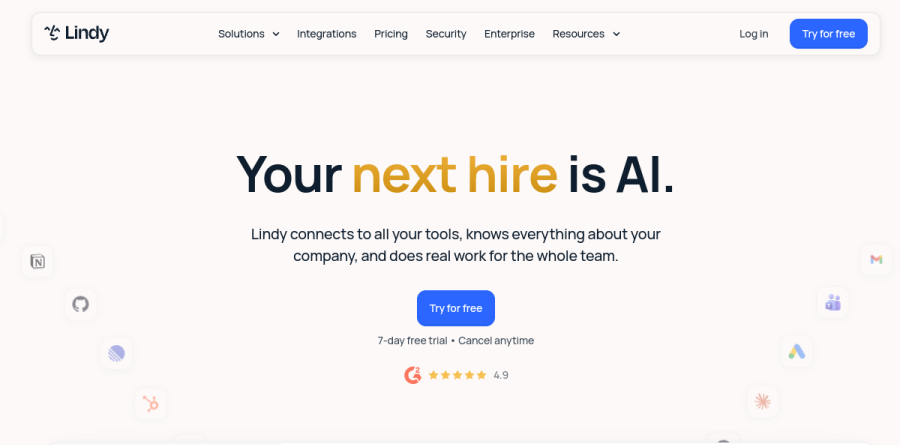
At its core, Lindy is an AI teammate that works inside the tools a company already runs on, rather than in a separate chat window you must remember to visit. The vendor positions it as a colleague that connects to all your tools, knows everything about your company, and does real work for the whole team. Setup matches that framing: an admin connects Slack, and the vendor puts the setup time at minutes.
From there, in the vendor's words, anyone can @mention it in an approved channel and it gets to work. The homepage frames one example as asking why ad spend doubled and getting back a teardown you can open, with monitoring ad spend listed among the marketing use cases. The same assistant answers inside Gmail and over iMessage.
Where Lindy shows up in your day
Three surfaces carry the product. In Slack, Lindy replies in thread inside whichever channel you asked, so the answer stays beside the conversation that prompted it. In Gmail, Lindy drafts, schedules, and replies without pulling you elsewhere; inbox management, drafting replies in your voice, and connecting up to five inboxes are standard across plans. The iMessage channel handles mobile, described on the site as the same Lindy, in your pocket.
Skills, routines, and editable memory
Skills are packaged capabilities, and Lindy ships with more than forty, including research, data analysis, slide decks, dashboards, and Slack catch-ups, with the system choosing the right one on its own. Show Lindy how you handle something once and it saves that as a skill the rest of the team inherits, a genuinely useful way to spread internal know-how.
Routines cover the scheduled half: a daily brief each morning, meeting notes after every call, a Friday marketing report. Lindy claims a single sentence is enough to create one. Memory is the most unusual piece, because everything Lindy learns lives in plain files across personal and workspace folders that you can open, read, and edit like a document.
A shared meeting library your team can query
Lindy records calls and files them automatically into shared folders such as Marketing, Sales, and UXR calls, so one person attending a meeting gives colleagues the context afterwards. The payoff is retrieval: the site's example is asking what customers said about pricing and getting an answer drawn from every relevant call. Recording, notes, scheduling, prep, and follow-up all sit in the base feature set.
Integrations and the credit model

Connector depth is the practical test here, and Lindy scores well. The directory advertises over a thousand integrations and the filter counts more than fourteen hundred, spanning Gmail, Outlook, Salesforce, HubSpot, Notion, GitHub, Stripe, Shopify, QuickBooks, Xero, Linear, and Zendesk, sorted into categories such as Sales and CRM or Operations and Finance. Any MCP server can be attached too.
Usage is metered in credits rather than task counts. The vendor groups work into everyday asks, deep work, and big builds at rising credit costs, pools every seat allowance into one team balance, and says Lindy pauses and tells you when that balance runs low. Admins can set allocations per seat, and model choice is yours on each task.
Security posture and approval gates
The vendor makes three commitments: SOC 2 Type II, GDPR, HIPAA, and PIPEDA compliance with encryption in transit and at rest, a promise that customer data is never sold and never used for training, and a rule that nothing irreversible happens without approval. The site scopes that to irreversible actions such as sending emails, updating tickets, and posting, each of which waits on a named approver. The Enterprise tier adds HIPAA compliance with a signed BAA, audit logs, and dedicated support.
Who should choose Lindy
Teams already anchored in Slack are the natural buyers, especially operations, marketing, and sales groups drowning in inbox triage, meeting follow-up, and recurring reports. The pricing page frames Plus as enough for everyday usage at 3,000 credits per user each month, Pro as more usage and more power at 15,000, Max for the heaviest workloads at 35,000, and Enterprise as everything in Max plus the controls a security review will ask about. Lindy fits less well for teams needing deterministic, visually mapped pipelines with strict branching logic, because it leans on judgement over rigid flowcharts. New teammates who join through Slack get a seven-day free trial before the seat is billed, while direct signups are billed right away.
Strengths
- Unusually broad scope: email, calendar, meetings, phone/SMS, and custom autonomous agents in one product
- Top-rated on G2 (4.9/5 across ~170 reviews) with consistently praised no-code setup
- Agent swarms run hundreds of parallel tasks, and computer use lets agents operate apps without native integrations
- 7-day free trial with no credit card required
Watch out for
- Free plan (400 credits/mo) was eliminated in the early-2026 repricing; entry cost is now $49.99/mo
- Usage quotas are opaque: tiers list only 'standard/3x/7x usage' with no published credit numbers
- Trustpilot rating of 1.7/5, dominated by complaints about surprise charges, trial-to-paid billing, and slow support
- Credit burn is hard to predict — complex agents, large models (~10 credits/task), and premium actions drain quotas fast
Key features
| Feature | What it does |
|---|
| AI email and calendar assistant | Triages your inbox, drafts replies in your voice, and handles scheduling, rescheduling, and meeting prep across Gmail and Outlook. |
| Meeting recorder and notetaker | Joins Zoom, Meet, and Teams calls; produces notes and action items, sends follow-up emails, and updates HubSpot or Salesforce. |
| Custom AI agents (Lindies) | No-code builder for autonomous agents triggered by email, Slack, webhooks, or schedules; each task is metered in credits (1-3 on basic models, ~10 on large models). |
| Agent swarms | Agents duplicate themselves to process hundreds of tasks in parallel, such as working through lead lists or bulk outreach. |
| Computer use (Pro and Max) | Agents can operate a web browser directly to complete work in apps that lack a native integration. |
| Integrations via Pipedream | Thousands of app connections through the Pipedream partnership (Lindy markets 5,000+; the pricing page cites 100+ core apps). |
How Lindy compares
| Alternative | How it differs |
|---|
| Zapier (incl. Zapier Agents) | Far larger integration catalog with transparent task-based pricing and a free tier; better for pure app-to-app automation, weaker as a day-to-day assistant. |
| Relay.app | AI workflow builder with human-in-the-loop approvals and clearer per-step pricing; less capable at inbox/meeting assistant duties. |
| Fyxer AI | Narrower email-and-meeting-notes assistant that is simpler to adopt if you only need inbox help, without a custom agent builder. |
Frequently asked questions
Is Lindy free?
No. Lindy discontinued its free plan (previously 400 credits/month) during its early-2026 repricing. Paid plans now start at $49.99/month for Plus. There is a 7-day free trial with no credit card required, which lets you test inbox management, scheduling, and meeting notes before you are billed.
How much does Lindy cost?
Lindy costs $49.99/month for Plus (standard usage, 2 inboxes), $99.99/month for Pro (3x the usage, 3 inboxes, computer use), and $199.99/month for Max (7x the usage, 5 inboxes). Enterprise pricing is custom and adds SSO, SCIM, HIPAA compliance, and audit logs. All individual plans include a 7-day free trial.
Lindy vs Zapier: which is better?
Zapier is better for pure app-to-app automation, with a larger catalog, transparent task pricing, and a free tier. Lindy is better if you want an AI that does the work itself: triaging email, drafting replies, joining meetings, taking notes, plus no-code autonomous agents. Lindy starts at $49.99/month; many teams run both.
How do Lindy credits work?
Credits are consumed whenever a custom agent runs a task: most tasks cost 1-3 credits on basic AI models and about 10 on large models, with a 1-credit minimum. Premium actions cost more, and agents pause when credits run out. The current Plus/Pro/Max tiers no longer publish exact quotas, only 'standard,' '3x,' and '7x' usage.
Is Lindy AI legit?
Yes. Lindy claims 400K+ professional users and holds a 4.9/5 rating across roughly 170 G2 reviews. However, its Trustpilot score is just 1.7/5, driven by complaints about surprise charges, unclear credit consumption, and slow support. The product is real and capable — just watch your usage meter and billing settings closely.
Lindy ratings on other platforms
Independent user ratings from third-party review sites, linked here for transparency.
These are not our editorial score, are captured on the date shown, and may have changed since.