The full review
What is Keeper?
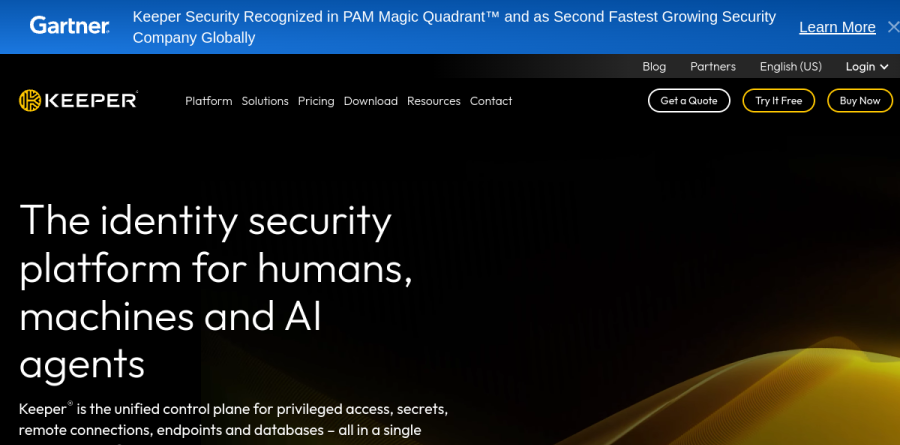
Keeper is a zero-knowledge password and secrets manager from Keeper Security, and the current homepage positions the product well beyond the consumer vault category. The vendor describes it as the identity security platform for humans, machines and AI agents, and calls Keeper the unified control plane for privileged access, secrets, remote connections, endpoints and databases, all in a single zero-trust platform.
Underneath that framing sits a conventional encrypted vault with a browser extension, native desktop app, iOS and Android clients, and a web vault. Keeper states that encryption and decryption always occur locally on the user device, which is what zero knowledge means in practice. Consumer plans run from a limited free tier through Keeper Unlimited and Keeper Family, while organizations choose between Business Starter, Business and Enterprise.
How the Keeper vault handles daily credential work

Day to day, Keeper behaves like a well-built vault: unlimited password and passkey storage, autofill across every device, folders and subfolders, a password and passphrase generator, biometric login with passkeys, and instant account switching between vaults. Sharing is where Keeper pulls ahead of a browser password store. Alongside secure record sharing and shared team folders, One-Time Share generates a secure, time-limited link to a specific record that can be sent to someone without permanently adding them as a shared user. Emergency access lets a designated contact reach the vault if something happens to the owner, and Keeper Family layers on five private vaults plus 10GB of secure file storage.
Administration and provisioning for growing teams
The encrypted vault and Admin Console anchor every business tier, with the policy engine and enforcements, team management and advanced admin controls arriving at the Business plan. Business Starter targets sole proprietors and small groups of roughly five to ten users. Keeper Business adds shared team folders, delegated administration, advanced organizational structure and integrations, plus a free Family Plan for every user. Enterprise is the identity-integration tier: SCIM provisioning, Active Directory and LDAP sync, connections to Entra ID, Okta and Ping, SAML 2.0 single sign-on through SSO Connect, DUO and RSA two-factor options, role-based access control, and developer SDKs with a REST API.
Breach monitoring and reporting

BreachWatch continuously scans stored passwords against known breach data and alerts users the moment a match appears; the vendor reports it does so while preserving the zero-knowledge architecture. Those alerts can feed a SIEM or become tickets in Jira and ServiceNow. Admins get a Risk Management Dashboard and a Security Audit that monitors password strength and reuse across the organization, while Advanced Reporting & Alerts and Compliance Reporting, both sold as add-ons, cover the paper trail auditors ask for. Keeper also markets KeeperAI, which the homepage says analyzes privileged activity and classifies risk in real time, automatically terminating high-risk sessions and generating encrypted, forensic-ready summaries.
Secrets, sessions and privileged access
These capabilities sit outside the password vault, and the pricing page lists them as add-ons rather than plan inclusions. Secrets Manager stores machine credentials with automated rotation, CLI and SDK access, plugins for VSCode, Cursor and JetBrains, and integration with AI agents over MCP. On the remote access side, Keeper offers privileged session management with recording and playback, Remote Browser Isolation, KeeperDB with a passwordless database proxy, and Endpoint Privilege Manager for just-in-time elevation with approvals routed through Slack, Teams or ServiceNow. The certification list is long: SOC 2 Type 2 and SOC 3, ISO 27001, 27017 and 27018, plus FedRAMP High and GovRAMP Authorized. Listed separately under security is Forcefield memory attack protection.
Who should choose Keeper
Keeper suits regulated and security-conscious organizations best: teams that need FedRAMP or SOC evidence, IT departments consolidating password management with privileged access rather than buying both separately, and MSPs serving many tenants through KeeperMSP. Individuals get a genuinely capable vault too, and the free Family Plan bundled with Keeper Business is a real perk. It is less ideal for a small team that simply wants a shared vault and nothing else, since much of Keeper's privileged access, secrets, session and endpoint capability is sold as add-ons layered on top of the business plans. Try the free trial on Business or Enterprise before committing, and check which capabilities are add-ons rather than included.
Strengths
- Best-in-class compliance: SOC 2 Type 2, ISO 27001, FedRAMP High, StateRAMP and FIPS 140 (NIST CMVP) validation, with no breach of its vaults or infrastructure since 2011
- AES-256 with zero-knowledge, zero-trust architecture verified by annual third-party pen tests, a bug bounty and a public vulnerability disclosure program
- Broad platform coverage (Windows, macOS, Linux, iOS, Android, all major browsers) plus 24/7 support, which many rivals lack
- Genuine free tier and a 30-day premium trial, plus strong family/business admin controls (shared folders, emergency access, delegated administration)
Watch out for
- Free tier is very restrictive: only 1 mobile device and 10 records, far behind Bitwarden's unlimited-passwords free plan
- Dark web monitoring (BreachWatch, ~$26.99/yr) and extra secure file storage are paid add-ons, not bundled into the base Personal plan
- More expensive than Bitwarden, and consumer list prices have risen (Personal now $42.99/yr, Family $91.99/yr)
- Historic trust dent: a 2017 browser-extension vulnerability (found by Google Project Zero, quickly patched) and a since-dropped lawsuit against a journalist who reported it
Key features
| Feature | What it does |
|---|
| Zero-knowledge encryption | AES-256 with PBKDF2 key derivation and elliptic-curve cryptography; encryption/decryption happen on-device so Keeper can never read your vault |
| BreachWatch dark web monitoring | Scans the dark web for exposed credentials and alerts you; paid add-on (~$26.99/yr) for Personal, available across plans |
| KeeperFill autofill | Auto-fills logins, payment cards and identities across browsers and mobile apps |
| Secure file storage | Encrypted vault for documents and photos; 10GB included with Family, add-on tiers up to 100GB for individuals |
| Admin console & compliance | Business/Enterprise tiers add delegated admin, RBAC, SSO/SAML, SCIM and AD/LDAP provisioning with audit and event logging |
| Secure sharing & emergency access | Granular record and folder sharing with permissions, plus emergency access for estate planning on Family plans |
How Keeper compares
| Alternative | How it differs |
|---|
| 1Password | More polished UX and Travel Mode, but no free tier (14-day trial only) and comparable-to-higher pricing |
| Bitwarden | Cheaper and open-source with a genuinely generous free tier (unlimited passwords/devices); fewer enterprise compliance certifications |
| Dashlane | Bundles a VPN and slick UI, but costs more and has a smaller free tier and platform footprint |
Frequently asked questions
Is Keeper free?
Keeper has a free tier, but it is limited to one mobile device and 10 stored records, with no desktop or browser vault. There is also a 30-day free trial of premium features. For unlimited passwords, devices and sharing you need the Personal plan at $42.99/yr or Family at $91.99/yr.
How much is Keeper?
Consumer list prices are $42.99/yr for Personal (Unlimited) and $91.99/yr for Family (up to 5 users). Business plans are billed annually at roughly $2/user/mo (Business Starter, 5-10 seats), $4/user/mo (Business) and $6/user/mo (Enterprise). New users can often get 50% off Personal and Family.
Is Keeper safe?
Yes. Keeper uses AES-256 with a zero-knowledge, zero-trust architecture and holds SOC 2 Type 2, ISO 27001, FedRAMP High and FIPS 140 validation. It has had no breach of its vaults or infrastructure since 2011. Note a 2017 browser-extension bug that was found by researchers and quickly patched.
Keeper vs 1Password: which is better?
Both offer strong AES-256 zero-knowledge security. Keeper adds a free tier, 24/7 support and deeper compliance (FedRAMP High), making it stronger for regulated businesses. 1Password has a more polished interface and Travel Mode but no free plan (14-day trial only). Pricing is broadly similar, around $42-$60/yr for individuals.
Does Keeper include dark web monitoring?
Not by default. BreachWatch is Keeper's dark web monitoring tool, sold as a paid add-on for about $26.99/yr on Personal plans, and is available across Family and business tiers. It continuously scans breach databases for your exposed credentials and alerts you so you can change at-risk passwords.
Keeper ratings on other platforms
Independent user ratings from third-party review sites, linked here for transparency.
These are not our editorial score, are captured on the date shown, and may have changed since.