The full review
What is Claude Code?
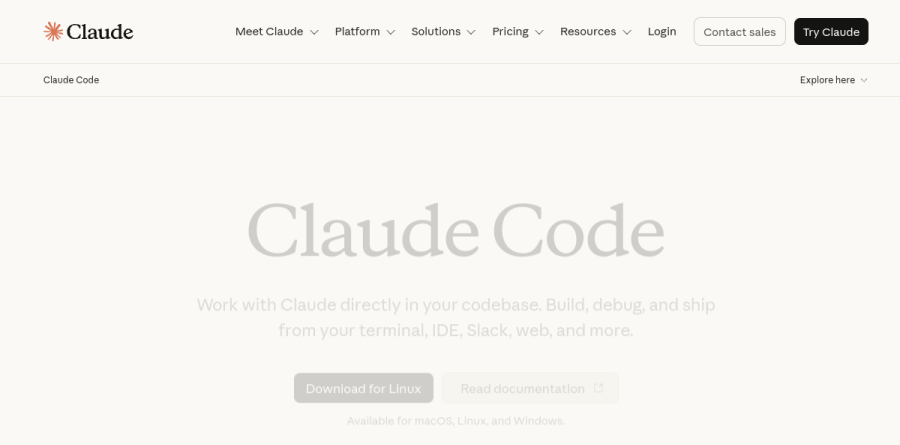
Claude Code is Anthropic's agentic coding tool, and the product page frames it plainly: work with Claude directly in your codebase, then build, debug, and ship from your terminal, IDE, Slack, web, and more. That is a different proposition from autocomplete. You describe an outcome, and Claude Code uses agentic search to understand project structure and dependencies, makes multi-file edits, and runs tests, asking permission before it changes your files or runs commands.
Installation is a single curl command, and Anthropic lists support for macOS, Linux, and Windows. The vendor also makes a security argument worth noting: Claude Code runs locally in your terminal and talks directly to model APIs without a backend server or a remote code index, and it asks permission before editing files or running commands.
Claude Code meets you where you already work
Anthropic files this under the heading Meets you where you code, and the surface list is genuinely broad. Terminal integration is the flagship, with native extensions for VS Code (which also covers Cursor and Devin Desktop) and for JetBrains IDEs. Beyond the desktop there is Claude Code on the web, iOS and Android apps, the Claude desktop app, GitHub, and a Slack integration to kick off coding tasks in Slack. Agent view gives one place to manage all your Claude Code sessions, which starts to matter once several are running at once.
Onboarding, issues, and multi-file edits
Three workflows get top billing. Code onboarding uses agentic search to map and explain an entire codebase, picking up project structure and dependencies without you hand-selecting context files, which is exactly the problem of a first week in an unfamiliar repository.
Turning issues into PRs is the one that reshapes daily habits: Anthropic says Claude Code works with GitHub, GitLab, and your command line tools to read an issue, write the code, run tests, and submit a pull request. The third pitch, powerful multi-file edits, is where codebase understanding pays off, since real refactors rarely stay inside one file.
Routines, subagents, and computer use
Recent announcements show where Claude Code is heading. Routines let you configure a task once and then run it on a schedule, from an API call, or in response to an event; the demo shows a weekly dependency audit. Dynamic workflows push further, with the vendor reporting execution across tens to hundreds of parallel subagents and a self-check before anything reaches you. Computer use lets Claude Code open your apps, navigate a browser, and run dev tools. Underneath, Claude Code can also use command line tools like Git and MCP servers like GitHub to extend its own capabilities using your tools.
Models, modes, and plan choices
Claude Code is not welded to one model. The plan comparison lists Fable, Opus, Sonnet, and Haiku, with a 200k context window on Free, Pro, both Max tiers, and Team, while both Enterprise tiers show 500k on the default model. Fast mode sits in research preview, described by Anthropic as a high-speed configuration for Opus 5 that the vendor reports runs 2.5x faster at a higher cost per token. Commercially, Claude Code comes bundled with Pro, both Max tiers, Team standard and premium seats, and Enterprise, or metered through a Claude Console account at standard API pricing.
Who should choose Claude Code
Claude Code suits engineers who already live in a terminal and maintain codebases too large to paste into a chat window. If your team ships through GitHub or GitLab, the issue-to-PR loop alone justifies a trial, and the Team plan lets you hand heavy users a premium seat without upgrading everyone. Solo developers on Pro get Claude Code included, but the pricing FAQ notes it shares the same usage limits as the rest of the plan, so terminal work and chats draw from one pool; for heavy coding sessions Anthropic points to pay-as-you-go API credits through a Console account.
It is the wrong pick if you want a graphical editor with inline tab completion as your main interaction, where a conventional AI IDE serves better. It also asks something of newcomers: permission prompts, CLAUDE.md conventions, and dense terminal output assume a degree of command line fluency.
Strengths
- Consistently ranked the most capable autonomous coding agent in 2026 third-party comparisons, especially for large multi-file refactors and whole-codebase understanding
- Runs everywhere you already work: terminal CLI, VS Code/Cursor/JetBrains extensions, desktop apps (macOS/Windows/Linux), web (claude.ai/code), iOS/Android, Slack, and GitHub Actions
- Included in the $20/mo Pro plan alongside Claude chat and Cowork — no separate coding-tool subscription, with API pay-as-you-go for teams that prefer metering
- Deeply extensible and privacy-conscious: MCP servers, hooks, skills, subagents, and Routines, with code processed locally (no remote code indexing) and permission prompts before file changes
Watch out for
- Two overlapping usage limits (5-hour rolling window plus an invisible weekly cap) are shared with claude.ai chat and Cowork — heavy Pro users hit walls mid-task and often misread which limit they hit
- No free tier and no standing free trial: the free Claude plan excludes Claude Code entirely, so there is no way to test it without paying or funding API credits
- Token-hungry at scale: API usage averages ~$13 per developer per active day ($150–250/month), and Anthropic's own docs say agent teams consume roughly 7x normal tokens
- Terminal-first workflow has a genuine learning curve; developers who want a visual, in-editor experience will find Cursor or Copilot more approachable out of the box
Key features
| Feature | What it does |
|---|
| Agentic codebase search | Maps and explains entire codebases quickly without remote indexing — everything runs locally against the model API |
| Multi-file agentic edits | Plans and executes coordinated changes across many files, runs tests, and iterates until they pass |
| Issue-to-PR workflow | Reads an issue, writes the code, runs tests, and submits the pull request — triggerable from GitHub Actions or Slack |
| Parallel subagents and Agent view | Fans work out across tens to hundreds of parallel subagents, with centralized session management |
| MCP, hooks, and skills | Connects external tools and data via Model Context Protocol, with hooks and reusable skills for custom workflows |
| Routines | Schedules coding tasks to run on timers, API calls, or event triggers without a human in the loop |
How Claude Code compares
| Alternative | How it differs |
|---|
| GitHub Copilot | Cheaper at $10/month and works inside virtually any IDE, but is autocomplete-first and less capable on large autonomous multi-file tasks. |
| Cursor | An AI-native IDE at the same $20/month entry price, focused on visual in-editor editing rather than a terminal-first agent — many developers run both. |
| OpenAI Codex | OpenAI's coding agent bundled with paid ChatGPT plans; Claude Code's closest direct rival for autonomous cloud and terminal coding. |
Frequently asked questions
Is Claude Code free?
No. Claude's free plan does not include Claude Code, and there is no standing free trial. The cheapest entry is the Pro plan at $20/month ($17/month billed annually), which bundles Claude Code with Claude chat and Cowork. Alternatively you can pay per token via the Claude API, which Anthropic says averages about $13 per developer per active day.
How much does Claude Code cost?
Claude Code comes with Pro ($20/month, $17 annual), Max 5x ($100/month), Max 20x ($200/month), Team Standard ($25/seat monthly, $20 annual), and Team Premium ($125/seat monthly, $100 annual). On API pay-as-you-go, Anthropic reports typical costs of $150–250 per developer per month, with 90% of users staying under $30 per active day.
Claude Code vs Cursor: which is better?
They solve different problems at the same $20/month entry price. Cursor is an AI-native IDE built around visual in-editor editing; Claude Code is a terminal-first autonomous agent that also plugs into VS Code, Cursor, and JetBrains. Claude Code generally wins on large multi-file refactors and automation, and many professional developers simply run both together.
What are Claude Code's usage limits?
Subscription plans enforce two limits: a 5-hour rolling session window and a weekly cap, shared across Claude Code, claude.ai chat, and Cowork. Anthropic doubled the 5-hour limits for all paid plans on May 6, 2026. Max 5x and Max 20x offer roughly 5x and 20x Pro's capacity, while API use is metered per token instead.
Does Claude Code work with VS Code?
Yes. Claude Code ships official extensions for VS Code, Cursor, and JetBrains IDEs alongside its native terminal CLI. It also runs as a desktop app on macOS, Windows, and Linux, on the web at claude.ai/code, on iOS and Android, in Slack, and inside GitHub Actions — all included from the $20/month Pro plan upward.
Claude Code ratings on other platforms
Independent user ratings from third-party review sites, linked here for transparency.
These are not our editorial score, are captured on the date shown, and may have changed since.