The full review
What is Teachable?
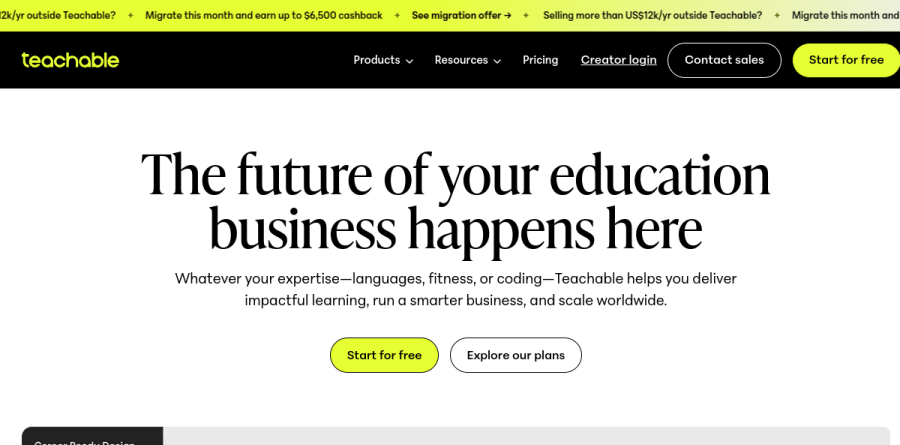
Teachable is a hosted platform for turning expertise into a product people can buy. Instead of assembling a video host, a checkout, a membership gate, and an email tool separately, you build the storefront and the learning experience inside one account. The site organizes what you can sell into four types — Online Courses, Digital Downloads, Memberships, and Coaching — so a single account can carry a flagship program, a library of downloadable templates, and a recurring community.
The framing on Teachable's homepage is about running an education business, not just publishing lessons, and the feature set follows: the homepage groups its capabilities into Site Builder, Student Experience, Teachable Payments, Sales and Marketing, AI Features, and Analytics and Reporting. The vendor reports serving over 100 million students across 180 countries.
Course building without a developer
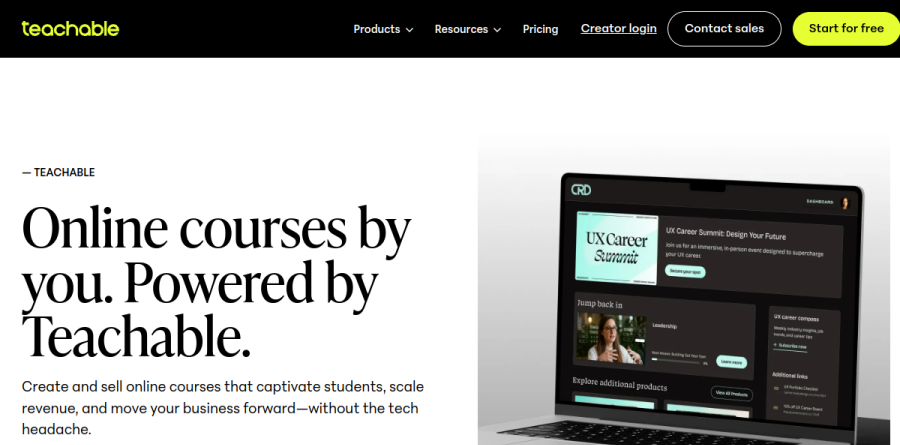
Course construction runs on a drag-and-drop builder that accepts video, audio, text, and downloadable files in the same curriculum. The engagement layer is where Teachable earns its keep for serious instructors: graded quizzes, completion certificates, and drip-fed content release let you pace a cohort rather than dumping a folder of videos on someone. Progress tracking and compliance reporting sit alongside, which matters if you sell training that an employer needs to evidence. The Teachable mobile app gives students offline access, so commuters and travelers stay enrolled rather than stalling.
Payments and global reach
Teachable Payments is the strongest argument for the platform over a self-assembled stack. The vendor states that it processes in 120 currencies across more than 200 countries and supports over 35 local payment methods, with PayPal, Apple Pay, Google Pay, Afterpay, and Klarna named on the product pages. Sales tax, VAT, and GST handling is automated for 45-plus countries, which removes a genuinely miserable piece of admin from anyone selling internationally. Worth noting: the entry-level Starter plan carries a transaction fee on top of card processing, while Builder, Growth, and Custom remove it entirely — a detail that reshapes the real cost as volume grows.
Where the AI features earn attention
Teachable's AI Features are practical rather than gimmicky. Course Starter drafts an outline and initial content so a blank curriculum is not the thing stopping you. Quiz Generator produces assessment questions from material you have already uploaded. Automatic Subtitles and Translations transcribes video and, the vendor says, generates subtitles and translations in up to 70 languages — the most commercially interesting of the three, since it turns one recording into a catalog several markets can actually use.
The Sales and Marketing tools cover coupons, upsells, and a student referral program, with a Site Builder that supports custom domains and white-label presentation so the storefront reads as your brand rather than a Teachable subdomain. Integrations reach Zapier, Mailchimp, and Google Analytics, which is enough to push signups into whatever email platform you already run. The plan ladder is built around product count, admin seats, and active students: Starter is a single-operator tier with tight caps, Builder lifts the student ceiling, Growth adds multiple admin seats and a much larger roster, and Custom brings migration assistance and a dedicated success manager for teams moving an existing catalog across.
Who should choose Teachable
Teachable suits the solo expert or small team that wants to sell knowledge products without hiring anyone to maintain infrastructure — coaches, consultants, fitness instructors, language teachers, and technical trainers who value shipping over configuring. The global payments and tax automation make it a particularly strong pick if your audience is spread across borders, since that is the part of the job most creators underestimate. A seven-day free trial and a 30-day guarantee let you build a real product before committing. It is a weaker fit for anyone who needs deep control over the learning platform itself — complex enterprise LMS logic, unusual custom checkout flows, or heavy theming beyond the Site Builder — where a self-hosted stack or a dedicated LMS gives you room Teachable deliberately does not.
Strengths
- Builder plan and up remove the platform transaction fee
- Native mobile app for students on all paid plans
- Built-in affiliate marketing from the Builder plan
- 7-day free trial and 30-day money-back guarantee
Watch out for
- Starter charges a 7.5% transaction fee and caps products/students
- No free plan (Teachable removed it)
- Noticeable price jumps between tiers
Key features
| Feature | What it does |
|---|
| Course builder | Create and host courses with video, quizzes and drip content. |
| Checkout & payments | Sell courses and digital products with built-in checkout. |
| Affiliates | Recruit affiliates to promote your courses (Builder+). |
| Native mobile app | Students learn in a dedicated Teachable app. |
How Teachable compares
| Alternative | How it differs |
|---|
| Thinkific | Similar course platform; Thinkific has a free plan. |
| Kajabi | All-in-one creator suite; pricier and broader than Teachable. |
| Podia | Simpler creator storefront; compare fees and features. |
Head-to-head: Teachable vs Coursera
Frequently asked questions
How much does Teachable cost?
On annual billing, Teachable is $29/mo (Starter), $69/mo (Builder), $139/mo (Growth) and $309/mo (Advanced). Starter adds a 7.5% transaction fee; Builder and up charge 0% platform fees.
Does Teachable have a free plan?
No — Teachable removed its free plan, but every paid plan includes a 7-day free trial and a 30-day money-back guarantee.
Teachable ratings on other platforms
Independent user ratings from third-party review sites, linked here for transparency.
These are not our editorial score, are captured on the date shown, and may have changed since.