The full review
What is Skillshare?
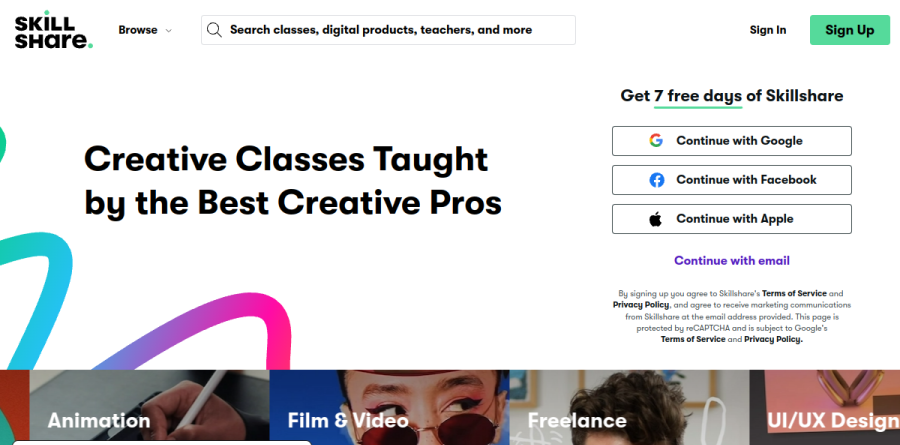
At its core, Skillshare is a subscription learning community built almost entirely around creative work. Instead of selling courses one at a time, it bundles a single membership that unlocks the whole catalogue, described on the pricing page as thousands of top-rated classes in design, art and entrepreneurship, with no ads. The homepage counts over 30,000 classes and more than 9,000 teachers, while the Skillshare for Teams pages put the library above 32,000 with roughly 300 additions monthly.
The format is short and hands-on. Listed classes range from about half an hour to well over ten hours, and every class is designed around a class project so learners practise and get feedback rather than just take notes. Skillshare positions its teachers as practising professionals; the homepage spotlights graphic designer Aaron Draplin, illustrator Lisa Bardot and motion graphics artist Emonee LaRussa.
What you can learn on Skillshare
Coverage skews visual and entrepreneurial. Graphic Design, Illustration, Animation, Film and Video, UI/UX Design, Photography, Marketing and Freelance all get top-level billing. Beneath that, Skillshare organises much of the catalogue by software, with dedicated hubs for Procreate, Adobe Illustrator, Canva, Blender and ChatGPT.
That software-first structure is one of the platform's most practical touches. Someone who has just picked up an iPad can go straight to Procreate classes, a marketer can work through Social Media Content Creation in Canva, and a product designer can take Figma UI UX Design Advanced. AI coverage is a stated priority, with a dedicated AI Classes section in the Teams navigation and more than 400 classes on AI for creatives advertised.
Learning Paths, class projects and the Creative Feed
For anyone who finds an open catalogue paralysing, Skillshare offers Learning Paths: curated sequences of classes aimed at a specific goal or skill, giving you a route rather than a search box. Finishing work earns certificates and badges, which are useful motivators but stop short of accredited or industry-recognised credentials.
Around the classes sits the Creative Feed, where members follow teachers and peers, post work in progress and trade feedback, the loop class projects feed into. Skillshare also sells optional extras alongside the membership, including Live Sessions, 1-on-1 Sessions with teachers and Digital Products.
Skillshare for Teams

Skillshare for Teams repackages the same library for organisations, and it is a more considered product than the consumer tier might suggest. Administrators buy seats, add or remove members at will, reassign a seat when someone leaves, and follow usage through a dashboard with reporting and analytics. Casting, offline viewing and mobile access carry over intact.
The vendor's testimonials quote Paul Johnston, global manager of design at Dentons, who says his team tried everything from face-to-face training to LinkedIn Learning before Skillshare produced immediate results, alongside a program lead at the Ontario Trillium Foundation. Two constraints matter before you budget: every Teams membership runs on an annual contract with no monthly option, and seats can be added mid-contract at a prorated cost but cannot be reduced. Groups of thirty or more are pointed to Sales for discounted rates.
Trials, billing and gifting

Skillshare leads with a seven-day free trial that asks for payment details up front and rolls into the annual membership unless you cancel first. Annual is the default and the only plan sold on the website; a month-to-month option exists solely inside the Skillshare mobile app, where your app store handles billing. Gift Memberships come in three-, six- and twelve-month terms, currently US-only, alongside a Corporate Gifting route. Skillshare also notes that subscription costs vary by region.
Who should choose Skillshare
Hobbyists, career-switchers and working creatives who want breadth and momentum more than formal proof are the natural fit. If your goal is to stay current with Procreate, Blender or the latest AI tooling, sample a discipline before committing, or keep a small design team learning without managing individual course purchases, the Skillshare model earns its keep.
It is not ideal for anyone who needs a recognised qualification. Skillshare issues certificates and badges rather than accredited credentials, so job seekers in regulated or degree-gated fields should look elsewhere, and buyers who want a flexible monthly plan on the web will be nudged toward the app.
Strengths
- Large, well-curated creative library (30,000+ project-based classes) for a single flat fee
- Annual price is genuinely good value for anyone who takes more than a couple of classes
- Polished, highly rated mobile apps with offline downloads for on-the-go learning
- Class projects plus community feedback push you to actually make something, not just watch
Watch out for
- No accredited certificates or credentials — little value on a resume or for formal career advancement
- Open publishing model means teacher quality is inconsistent and largely unvetted
- Thin on advanced, technical, and hard-skill content; pros exhaust relevant material quickly
- Recurring complaints about auto-renewal and cancellation, and the monthly plan is hard to find outside the apps
Key features
| Feature | What it does |
|---|
| Project-based classes | Short, hands-on video classes centered on a completable project rather than long lectures or exams. |
| Offline mobile viewing | iOS and Android apps let you download classes and watch without a connection. |
| Class projects & community | Each class has a project gallery where students post work and get peer and instructor feedback. |
| Skillshare for Teams | Multi-seat plan with admin dashboard and engagement analytics for small teams. |
How Skillshare compares
| Alternative | How it differs |
|---|
| Domestika | Closest creative-courses rival; buy-to-own classes with high production values instead of a subscription. |
| Udemy | Pay-per-course marketplace with a far broader (including technical) catalog and frequent deep discounts. |
| Coursera | University- and industry-backed courses with accredited certificates and degrees for genuine career credentials. |
Frequently asked questions
Does Skillshare have a permanent free plan?
No. There's a free trial (usually 7 days, occasionally a 30-day app promo) that requires a card and auto-renews into the paid annual membership; there's no ongoing free tier.
Do you get a certificate from Skillshare classes?
No accredited certificate. Skillshare is built around learning by doing and community projects, so it's better for skill-building and portfolios than for formal credentials.
Skillshare ratings on other platforms
Independent user ratings from third-party review sites, linked here for transparency.
These are not our editorial score, are captured on the date shown, and may have changed since.