The full review
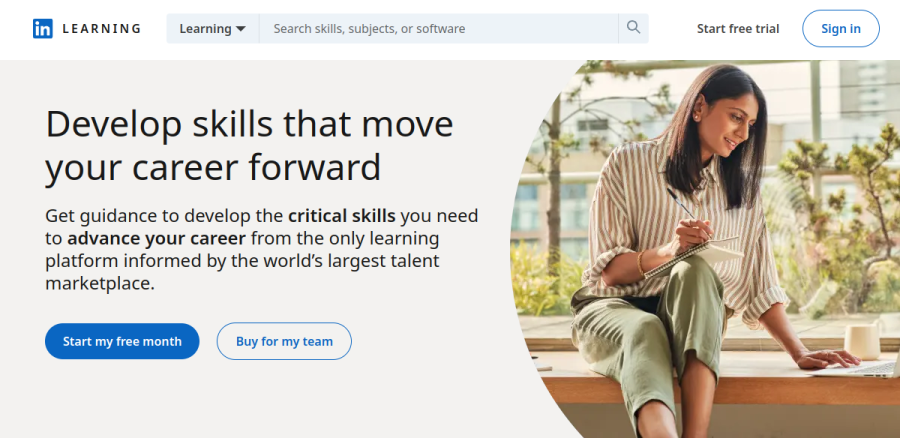
What is LinkedIn Learning?
LinkedIn Learning is the on-demand course library that LinkedIn runs inside its own network. The guest homepage advertises more than 26,000 courses and over 3,900 industry experts and thought leaders, organized into three broad tracks: Business, Technology, and Creative. The catalogue keeps growing — the site notes that dozens of courses and Learning Paths are added each week.
The differentiator is where the learning lands. Because your account is your LinkedIn account, Certificates of Completion and the skills behind them can be attached to your profile, while Skill Evaluations and stated career goals feed back into what LinkedIn Learning recommends next. It is a training catalogue and a credibility layer for a profile recruiters already read.
Role Guides and structured pathways
Browsing a huge library is the failure mode of most course platforms, so LinkedIn Learning leans on structure. Role Guides cover more than 35 roles, and the platform lists over 1,300 hand-curated pathways for guided, deeper skill acquisition — useful when someone knows the job title they want but not the syllabus that gets them there. Format variety helps too: alongside long form video there are audio and text based versions, plus more than 450 Nano Tips videos for quick, actionable answers. Subtitles run in over 20 languages, with seven native language libraries for learners who would rather not work in English.
Practice files and real credentials

LinkedIn Learning has quietly built out the practice side. The vendor reports over 300,000 quiz questions, roughly 10,000 exercise files, and virtual coding environments running on GitHub Codespaces, so a developer course can be followed in a live terminal rather than watched passively. On the credential side there are Professional Certificates from partners including Microsoft, Zendesk, LambdaTest, and BluePrism, dedicated Certification Preparation courses with practice exams, and Continuing Education units recognized by bodies such as NASBA and PMI. The company counts over 2,000 courses that prep for more than 120 different exams.
What teams and enterprises get

The business edition is a different animal from the consumer subscription. LinkedIn Learning for organizations adds LMS and LXP content and reporting integrations, user management, AI-powered coaching with immersive role-play, and AI Skill Pathways built with Microsoft for company-wide AI upskilling. Above that sits LinkedIn Learning Career Hub, which handles internal mobility: intelligent talent architecture customization, Next Role Explorer, AI-powered Learning Plans that tie career goals to personalized skill-building, internal job boards with recommendations and alerts, and Interested Internal Candidates, which lets employees signal interest in internal roles and get noticed faster by internal recruiters. The vendor reports that customer organizations see 5x more engagement and 20% higher internal mobility, figures worth reading as vendor benchmarks rather than guarantees.
Everyday workflows
In practice the platform gets used in bursts rather than semesters. A job seeker works through interview preparation and a generative AI primer before applications go out; an analyst starting a new role runs the data analytics foundations track with the exercise files open in a second window; an L&D manager assigns a certification prep path and watches completion in the reporting dashboard. Trending titles on the LinkedIn Learning homepage — What Is Generative AI, Ethics in the Age of Generative AI, Critical Thinking for Better Judgment and Decision-Making — show where demand currently sits.
Who should choose LinkedIn Learning
LinkedIn Learning suits professionals who already live on LinkedIn and want broad, credible coverage of business, tech, and creative skills without stacking five separate subscriptions, plus HR and L&D teams needing one platform for CEUs, certification prep, and internal mobility. It is not ideal for someone chasing deep specialist mastery: there is no graded instructor feedback, no cohort, and advanced practitioners tend to outgrow the depth of any single track. Worth knowing before you evaluate: no plan prices appear on the LinkedIn Premium or business pages, and team purchases route through a sales conversation — the organization contact page is a "Connect with a Learning Consultant" form with no self-serve option.
Strengths
- Included free with every LinkedIn Premium tier, so many users already have it
- Massive, well-produced catalog (26,000+ courses) across business, creative and tech
- Completion certificates post directly to your LinkedIn profile
- Free access through thousands of public libraries and many employers/universities
Watch out for
- Certificates carry little standalone weight versus accredited or university credentials
- Weak on deep, hands-on technical training compared with Pluralsight or Coursera
- No coding sandboxes, graded assignments or proctored exams
- Standalone monthly price is steep relative to the value if you don't already have Premium
Key features
| Feature | What it does |
|---|
| 26,000+ course library | Broad coverage of business, leadership, marketing, design, and software skills taught by 3,900+ industry experts. |
| LinkedIn profile integration | Course completions and certificates add automatically to your profile's licenses and certifications section. |
| Guided learning paths | 1,300+ curated pathways bundle courses toward a role or skill goal, with progress tracking. |
| Exercise files and quizzes | Downloadable practice files plus 300,000+ quiz questions for hands-on reinforcement, though no graded assessments. |
How LinkedIn Learning compares
| Alternative | How it differs |
|---|
| Coursera | University- and industry-backed courses with accredited certificates and degrees; stronger credential value. |
| Udemy | Larger a-la-carte catalog with lifetime course purchases; more variable quality but deeper niche coverage. |
| Pluralsight | Deeper, hands-on technical and developer training with skill assessments and labs. |
Frequently asked questions
Is LinkedIn Learning free with LinkedIn Premium?
Yes. Full LinkedIn Learning access is bundled with every LinkedIn Premium tier (Career, Business, Sales Navigator, Recruiter) at no extra cost, so Premium subscribers do not need a separate Learning subscription.
Do LinkedIn Learning certificates count for anything?
They post to your LinkedIn profile and show initiative, but they are certificates of completion, not accredited credentials, so they carry limited weight with employers on their own. Some courses map to CPE/PDU continuing-education credits.
LinkedIn Learning ratings on other platforms
Independent user ratings from third-party review sites, linked here for transparency.
These are not our editorial score, are captured on the date shown, and may have changed since.