The full review
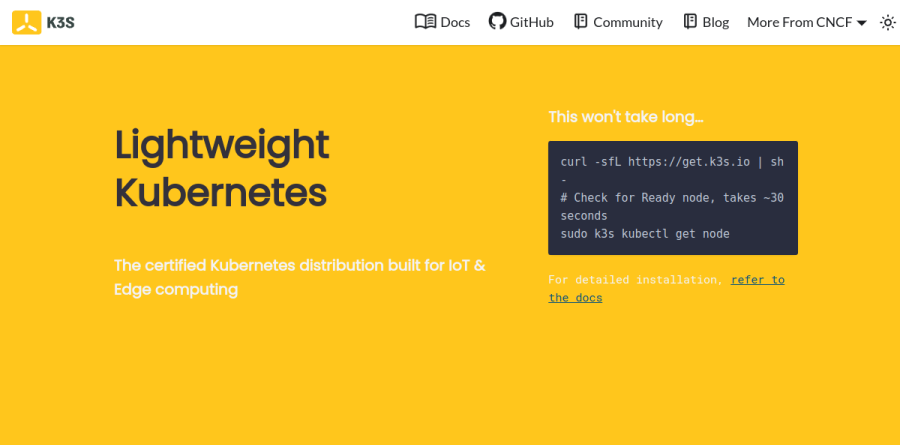
What is K3s?
K3s is a certified Kubernetes distribution that folds an entire cluster into one executable. The project brands it as lightweight Kubernetes built for IoT and edge computing; the packaging backs it up: a single binary under 70MB carries the datastore, control plane, kubelet, and container runtime needed to host workload pods.
The design goal is subtraction. K3s cuts the dependencies and steps needed to install, run, and auto-update a production cluster, defaults to an embedded SQLite datastore instead of a separate etcd deployment, and handles TLS plumbing for you. The documentation reports roughly half the memory footprint of standard Kubernetes. Conformance stays intact, so kubectl and existing manifests behave normally. Originally built at Rancher, K3s is now a CNCF Sandbox project.
One binary with the add-ons already wired
A Kubernetes cluster needs a CNI, an ingress controller, cluster DNS, and a storage provisioner on top of the control plane. K3s ships those pre-integrated: containerd, Flannel, CoreDNS, the Traefik ingress controller, ServiceLB (the Klipper load balancer) so LoadBalancer services work without a cloud provider, a kube-router-based network policy controller, local-path-provisioner for persistent volumes, and Spegel for image mirroring.
None of it is mandatory. Each add-on has a disable flag such as --disable=traefik or --disable-network-policy, so a team that prefers MetalLB can opt out at install time. Traefik is customized by placing a separate HelmChartConfig manifest in the server manifests directory rather than editing the packaged traefik.yaml.
Server nodes, agent nodes, and the datastore choice

K3s splits roles cleanly. A machine running k3s server hosts the control-plane and datastore components; one running k3s agent carries only the kubelet, container runtime, and CNI. Agents join by pointing at the server URL with a join token, then hold a websocket connection back through a client-side load balancer in the agent process.
The datastore is the decision that shapes everything downstream. Embedded SQLite is the default and fits single-server clusters; high availability calls for embedded etcd across three or more servers, or an external MySQL, PostgreSQL, or etcd endpoint. The architecture documentation presents these as distinct cluster topologies: a single server on SQLite, three or more servers with embedded etcd, or two or more servers against an external database.
Edge, IoT, CI, and ARM deployments
The K3s homepage names four sweet spots: edge, IoT, CI, and ARM. The hardware range behind them is wide. x86_64, ARMv7, and ARM64 are all supported, with binaries and multiarch images available for both ARM variants, and the project says K3s runs well on hardware ranging from a Raspberry Pi up to an AWS a1.4xlarge 32GiB server. One distribution therefore spans a shop-floor gateway and a cloud node.
Continuous integration is the fourth use case on that list, and the documentation adds development and homelab clusters alongside it. Air-gapped and embedded installs are documented paths rather than afterthoughts.
Upgrades and commercial support
Day-two work runs through a Kubernetes-native controller. The system-upgrade-controller watches Plan custom resources that declare which nodes to upgrade and to what version, selected by node labels. The recommended pattern is two plans, a server plan for control-plane nodes and an agent plan whose prepare step waits for the servers to finish, so nodes move in order. A plan can pin an exact version or follow a release channel.
Teams that need a contract can buy K3s support from SUSE through SUSE Rancher Prime. The vendor advertises up to five years of K3s support, and its support page describes Standard and Priority levels with published response-time targets, with Priority adding round-the-clock coverage for the most severe issues.
Who should choose K3s
K3s is the right call when you need genuine Kubernetes where a full control plane will not fit: edge sites, IoT appliances, single-board hardware, CI runners, and developer clusters. It also suits platform teams standardizing many small clusters, since the install is one command and upgrades are declarative.
It is a weaker fit for a large centralized cluster in one cloud region, where a managed control plane or a heavier distribution may match the operating model better, and for organizations that want published subscription pricing, since commercial support runs through SUSE sales. Judge K3s on the constraint it was built for: Kubernetes in small, remote, or unattended places.
Strengths
- Completely free and open source (Apache-2.0) with no license cost
- CNCF-certified conformant Kubernetes — not a fork, runs stock workloads
- Single binary under 100MB, ~512MB RAM footprint, installs in minutes
- Native ARM64/ARMv7 support (Raspberry Pi) plus embedded containerd, CoreDNS, Flannel
Watch out for
- Only CNCF Sandbox maturity (not Incubating/Graduated) despite heavy production use
- No official managed/hosted service — you run the control plane yourself
- Enterprise support requires paid SUSE Rancher Prime with custom, opaque pricing
- Defaults (SQLite datastore, Traefik, single-server) need tuning for large HA production
Key features
| Feature | What it does |
|---|
| Single-binary install | Entire Kubernetes control plane and node agent ship in one <100MB binary — API server, scheduler, kubelet, kube-proxy included. |
| Certified Kubernetes | CNCF-conformant distribution that stays close to upstream; standard manifests and Helm charts run unmodified. |
| Low resource footprint | Runs in roughly 512MB RAM, suitable for Raspberry Pi, edge gateways, and IoT appliances. |
| ARM & multi-arch | First-class ARM64 and ARMv7 support alongside x86_64, from Pi boards to full servers. |
| Batteries-included | Bundles containerd, Flannel CNI, CoreDNS, Traefik ingress, local-path storage, and Helm controller by default. |
| Flexible HA datastore | Embedded SQLite for single-node or embedded etcd / external DB (MySQL, Postgres) for high-availability clusters. |
How k3s compares
| Alternative | How it differs |
|---|
| k0s | Another single-binary, zero-dependency lightweight Kubernetes (Mirantis); free and open source, similar edge focus. |
| MicroK8s | Canonical's snap-based lightweight Kubernetes; free, add-on driven, popular on Ubuntu and dev machines. |
| minikube | Local single-node Kubernetes for development/testing only; free, not intended for edge or production like k3s. |
Frequently asked questions
Is k3s free?
Yes. k3s is 100% free and open source under the Apache-2.0 license, with no license, node, or usage fees. You can download and run it in production at any scale for $0. The only paid option is optional enterprise support via SUSE Rancher Prime, which is quote-based and entirely separate from the software.
How much does k3s cost?
The k3s software costs $0 — it is free and open source (Apache-2.0). There is no paid tier for the distribution itself. If you want commercial SLAs, SUSE Rancher Prime adds up to 5 years of support at custom pricing (third-party benchmarks cite roughly $1,200-$1,800 per node/year, unverified as of 2026).
What is the difference between k3s and k8s?
k3s is a certified, stripped-down packaging of Kubernetes (k8s) in one binary under 100MB, using ~512MB RAM. It removes legacy/cloud-provider bloat and bundles containerd, Flannel, and Traefik. It runs stock k8s workloads unchanged, but targets edge, IoT, and small clusters rather than large cloud data centers.
Is k3s production ready?
Yes. SUSE markets k3s as production-ready for unattended, resource-constrained, and edge deployments, and it is a CNCF-certified Kubernetes distribution with an active project (v1.36.2 released June 2026, 33k+ GitHub stars). It is CNCF Sandbox maturity, so review HA setup — embedded etcd and multiple servers — before large-scale use.
k3s vs minikube — which should I use?
Use k3s for edge, IoT, homelab, or lightweight production clusters; it is a real multi-node distribution built to run continuously on low-resource hardware. Use minikube purely for local development and learning on your laptop. Both are free, but minikube is a single-node dev tool, whereas k3s is designed for deployment.
k3s ratings on other platforms
Independent user ratings from third-party review sites, linked here for transparency.
These are not our editorial score, are captured on the date shown, and may have changed since.