The full review
What is Jenkins?
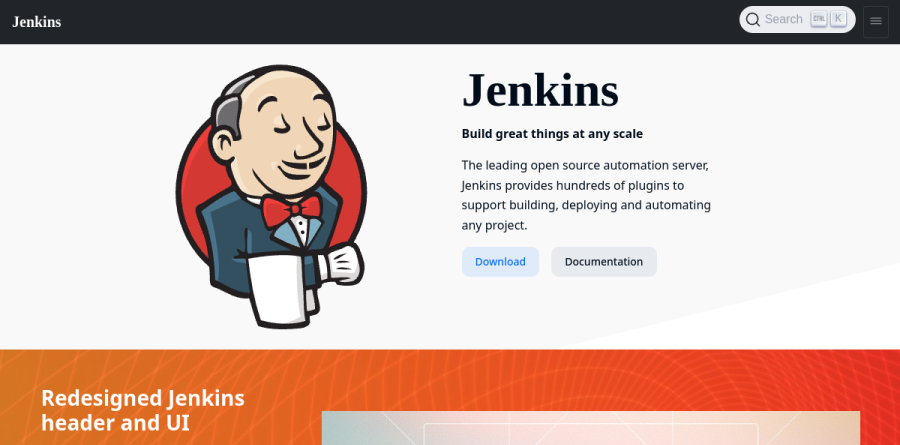
Jenkins is a self-contained, open source automation server that runs the build, test and release steps a software team would otherwise run by hand. The project bills it as the leading open source automation server and headlines the site with Build great things at any scale, backed by plugins for building, deploying and automating any project. In practice Jenkins watches a repository, starts work when code lands, and reports back.
Jenkins can act as a simple CI server or, in the project's own words, be turned into the continuous delivery hub for any project. It is released under the MIT License, and the governance page places the project inside the Continuous Delivery Foundation, affiliated with the Linux Foundation and steered by a five-member board rather than a corporate owner.
Pipeline as code and the Jenkinsfile
Pipeline is the feature that keeps Jenkins current. The handbook defines it as a suite of plugins for implementing continuous delivery pipelines, and the unit of work is a Jenkinsfile committed to the project repository, so delivery is versioned alongside the code it ships. Declarative Pipeline, organized around a pipeline block, is the readable option; Scripted Pipeline, built on node blocks, leaves room for awkward logic. Stages split a run into phases such as Build, Test and Deploy, steps do the work, and agent tells Jenkins where to allocate an executor and workspace. Jenkins documents that pipelines survive planned and unplanned controller restarts.
Controllers, agents and distributed builds
Scale comes from splitting the Jenkins controller from its agents. The controller is the service itself, described as the brain deciding how, when and where to run tasks; nodes are the machines agents run on; an agent is a small Java client process, documented as a single 170KB jar. Executors are the concurrency dial, each a thread on the agent, and Jenkins monitors every attached node for disk space, swap, clock sync and response time. Agents can be allocated dynamically on Kubernetes, OpenShift, Amazon EC2, Google Cloud and Oracle Cloud.
The plugin ecosystem and Update Center

The Update Center is where Jenkins outruns tidier rivals. The plugin site advertises 2000+ community contributed plugins across categories including Platforms, Build management and Source Code Management. Trending entries during our visit included Pipeline: Stage View, Role-based Authorization Strategy, Docker Pipeline and Pipeline Utility Steps, while the Shared Libraries feature lets a team extend the pipeline language with its own steps. That breadth is the practical argument for Jenkins: your odd internal tool probably has an integration already.
Security controls for administrators
Jenkins gives administrators a real hardening surface rather than an on-off switch. The security book documents Access Control for authentication and authorization, Credentials for secret storage, Controller Isolation to keep builds away from the controller, Access Control for Builds to restrict what a build may do, and CSRF protection, which Jenkins applies by default, with Content Security Policy available to administrators from Jenkins 2.539 onward. The documentation is blunt that the setup wizard handles the basics and the remainder must be configured according to the needs of your environment.
Installation options and release lines

Standing Jenkins up is undemanding. It ships as a self-contained Java program for Windows, Linux, macOS and Unix-like systems, distributed as a generic .war, Docker images, a Kubernetes Helm chart, and native packages for Ubuntu, Debian, Red Hat Enterprise Linux, Fedora and openSUSE. Two release lines are offered: Stable LTS, whose baselines are chosen every 12 weeks from the regular release stream, and Weekly for teams that want fixes sooner.
Who should choose Jenkins
Jenkins is the right call when your build refuses to fit a template: polyglot repositories, on-premises or air-gapped hardware, embedded and C/C++ targets, or a compliance rule that keeps artifacts off shared infrastructure. The use-case pages cover Android, Docker, Java, Python, Ruby, PHP, GitHub and Bitbucket Server, a fair map of where it lands. It suits less well a small team that wants CI running within the hour and never wants to think about it again: Jenkins hands you a server to patch, agents to provision and plugins to keep current, and that upkeep is a standing cost someone must own.
Strengths
- Completely free and open source (MIT) - no license, per-seat, or build-minute fees, ever.
- Unrivaled flexibility: 1,800+ plugins and a Groovy pipeline DSL model complex multi-stage logic YAML can't.
- Full self-hosted control - runs on-prem, air-gapped, across any cloud, or against multiple SCMs.
- Mature and battle-tested (15+ years); still powers CI/CD across a large share of the Fortune 500.
Watch out for
- You pay in infrastructure and ops: roughly $200-700/mo compute plus 4-20 hrs/month admin for a mid-size setup.
- Steep maintenance burden - plugin updates, security patching, and upgrades are all your responsibility.
- Dated UX and heavier setup complexity versus managed tools like GitHub Actions.
- No native SaaS; enterprise managed Jenkins (CloudBees) is sales-led with opaque, quote-only pricing.
Key features
| Feature | What it does |
|---|
| Pipeline as Code | Declarative and scripted pipelines defined in a Jenkinsfile using a Groovy DSL for complex, multi-stage workflows with approval gates and parallel branches. |
| 1,800+ plugin ecosystem | Integrates virtually any tool, cloud, SCM, test framework, or notification channel; the largest plugin library in CI/CD. |
| Distributed builds | Controller/agent architecture distributes jobs across many machines and OSes, with dynamic and cloud agent provisioning. |
| Cross-platform, self-hosted | Self-contained Java application runs on Windows, Linux, macOS, and Unix - on-prem, in any cloud, or fully air-gapped. |
| Configuration as Code (JCasC) | Define entire controller setup in YAML for reproducible, version-controlled Jenkins instances; optional Blue Ocean visual editor. |
| Multi-SCM & REST API | Triggers builds from Git, SVN, and multiple source-control systems via webhooks, with a full REST API for external automation. |
How Jenkins compares
| Alternative | How it differs |
|---|
| GitHub Actions | Managed CI/CD built into GitHub. Easiest setup, lowest maintenance; ~1,500 free private minutes/mo then usage-based. Less flexible than Jenkins' DSL. |
| GitLab CI | All-in-one SCM + CI/CD + security + compliance. Strong Kubernetes/Auto DevOps; free tier plus paid seats. Best if standardized on GitLab. |
| CircleCI | Cloud-first managed CI with fast setup and a free build-minute tier, usage-based pricing. Simpler to run than Jenkins but less customizable. |
Frequently asked questions
Is Jenkins free?
Yes. Jenkins is 100% free and open source under the MIT License. There are no per-seat, per-user, or per-build-minute fees for the core software or its 1,800+ plugins. You only pay for the infrastructure you run it on and the staff time to maintain it - the Jenkins software itself costs $0, with no paid tier to unlock features.
How much does Jenkins cost to run?
The software is $0, but self-hosting has real costs. Third-party estimates put a minimal 1-agent AWS setup near $45/month, a 3-agent setup around $210/month, and a typical mid-size deployment at $200-$700/month in compute, plus 4-20 hours/month of admin time. Enterprise CloudBees CI is quoted separately by sales.
What's the catch with free Jenkins?
There is no license catch - 'free' refers only to the software. The real costs are operational: server and compute bills, plus engineering time for plugin updates, security patching, and upgrades. Teams often spend 4-20 hours a month administering it. For heavy usage (50,000+ build minutes/month) Jenkins still typically beats managed CI on total price.
Jenkins vs GitHub Actions - which is better?
GitHub Actions wins on setup speed, maintenance, and developer experience, with roughly 1,500 free minutes/month for private repos. Jenkins wins on flexibility, on-prem/air-gapped control, multi-SCM support, and complex pipeline logic. Choose Actions for simplicity and GitHub-hosted code; choose Jenkins if you need control and have a DevOps team to run it.
Is Jenkins still worth using in 2026?
Yes, for the right team. Jenkins adoption is slipping (roughly -8% year-over-year) as managed tools grow, but it still powers CI/CD across a large share of the Fortune 500. It remains the top pick for air-gapped, on-prem, multi-SCM, or highly complex pipelines - provided you have engineers to maintain it.
Jenkins ratings on other platforms
Independent user ratings from third-party review sites, linked here for transparency.
These are not our editorial score, are captured on the date shown, and may have changed since.