The full review
What is CircleCI?
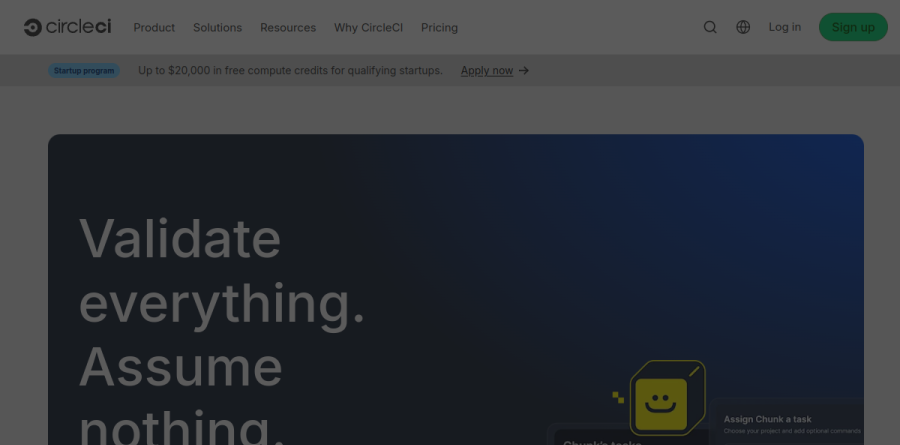
CircleCI is a cloud continuous integration and delivery platform that builds, tests and ships code every time a commit lands. It connects to GitHub, GitLab and Bitbucket, reads a pipeline definition committed alongside your source, and runs the resulting jobs on managed compute. The homepage positioning is unusually blunt for the category: validate everything, assume nothing.
The scope stretches from first commit through to production rollout, covering parallel test jobs, workflow orchestration, deployment, and automatic rollback. CircleCI reports more than two million developers on the platform. Teams can adopt it as a hosted cloud service, as a hybrid setup using self-hosted runners, or on their own hardware with CircleCI Server.
Execution environments for every build target

The CircleCI execution environments lineup is unusually broad. It spans Docker with x86 and Arm support, Linux VM for jobs needing full control over OS resources, Android on clean Linux VMs with the SDK preinstalled, fully managed macOS virtual machines for Apple platform work, Windows, GPU-equipped VMs for heavy computation, and Arm without maintaining a fleet yourself. The self-hosted Runner lets a team decide which jobs execute on internal infrastructure and which stay in CircleCI cloud. That is the practical answer for licensed toolchains, specialist hardware or data residency rules.
Build optimization that shortens feedback loops
Speed is where CircleCI earns its keep on a large repository. Build optimization bundles test splitting, caching and parallel execution, which CircleCI says cuts pipeline times up to 80 percent. Autoscaling and build images are listed alongside it as further optimization features. Insights tracks key metrics on every job and workflow to keep CI fast and stable, which is what you need when arguing about where a slow pipeline spends its time.
Release management and rollback pipelines
CircleCI does not stop at the green check. Release management covers monitoring incremental releases and automatic rollback, with rollback pipelines built from jobs and approvals so failed releases revert quickly and safely rather than waiting for an engineer to notice a dashboard. CircleCI also lists a deployment overview among its release features. For a team running many services, that is the difference between CI as a test runner and CI as a delivery control plane.
Validation aimed at AI-generated code
Recent CircleCI product work targets a shift: much of the code entering a repository is now written by agents rather than people. The vendor describes the platform as a validation engine built for how code is generated today, and reports up to 97 percent faster feedback from its Smarter Testing work. Chunk, an autonomous agent for resolving common failures such as flaky tests, and a CircleCI MCP server exposing logs, job metadata and failure context to AI tools, extend the same idea. Platform Toolkit adds golden paths and policy enforcement for platform teams standardizing config across many repositories.
How the plans and credits work
CircleCI meters usage in credits rather than raw minutes, which prices large and small resource classes fairly. The Free plan includes a monthly credit grant, a capped number of active users, and access to Docker, Windows, Linux, Arm, macOS and self-hosted runners. Performance raises job concurrency substantially, bundles a credit allowance, charges per additional active user, and offers a paid support add-on. Scale is the annual, custom-quoted tier with enterprise controls, the largest resource classes, every environment including GPU, and optional 24/7 support. CircleCI Server is quoted by the sales team and includes unlimited build minutes.
Who should choose CircleCI
CircleCI suits engineering teams whose pipelines have outgrown a simple hosted runner, and particularly anyone building for mixed targets, since covering macOS, Windows, Arm and GPU under a single configuration is genuinely awkward elsewhere. Mobile teams, platform teams standardizing pipelines across many repositories, and organizations with compliance constraints that push work onto self-hosted runners or CircleCI Server all get real value here. It is less compelling for a small team living entirely inside GitHub, where the bundled CI is close enough to hand; the credit model also rewards teams willing to tune parallelism, so anyone wanting set-and-forget billing may find it fiddly.
Strengths
- Generous free tier: 30,000 credits/mo (~6,000 build minutes) and up to 5 users
- Broad execution environments: Docker, Linux, Windows, Arm, macOS (M4 Pro) and GPU
- Fast setup with YAML config, reusable orbs and strong Docker Layer Caching
- Usage-based credits mean you only pay for compute actually consumed
Watch out for
- Credit model is hard to predict; heavy macOS/GPU builds burn credits fast (macOS = 200-400 credits/min)
- Free-plan credits expire monthly and do not roll over
- No flat unlimited-minutes tier like some competitors' self-hosted runners
- Scale and Server pricing is custom/quote-only, so enterprise cost is opaque
Key features
| Feature | What it does |
|---|
| Usage-based credits | 1 credit = $0.0006; medium Linux Docker burns 10 credits/min ($0.006/min). Pay only for compute used. |
| Multi-environment builds | Docker, Linux VM, Windows, Arm, macOS on M4 Pro (200-400 credits/min) and GPU classes (up to 1,000 credits/min). |
| Orbs | Reusable, shareable config packages for common CI/CD tasks; private orbs available on all plans. |
| Docker Layer Caching & IP ranges | DLC (200 credits/job) speeds image builds; static IP ranges (450 credits/GB) for allowlisting on paid plans. |
| Concurrency & parallelism | 30x concurrent jobs on Free, 80x on Performance, custom on Scale; test splitting for faster pipelines. |
| Flaky test detection & insights | Test analytics and flaky-test detection to surface unreliable tests and optimize pipeline performance. |
How CircleCI compares
| Alternative | How it differs |
|---|
| GitHub Actions | Tightly integrated with GitHub repos; 2,000 free min/mo on private repos and often cheaper for GitHub-native teams |
| GitLab CI/CD | Built into GitLab; strong for teams already on GitLab, with 400 free compute min/mo on the free tier |
| Jenkins | Free open-source and self-hosted for full control, but requires you to run and maintain the infrastructure |
Frequently asked questions
Is CircleCI free?
Yes. CircleCI has a free plan at $0/month that includes 30,000 build credits monthly, enough for roughly 6,000 minutes on a small Docker resource class or about 3,000 minutes on a medium Linux machine. It supports up to 5 active users and 30x concurrency. Unused free credits expire each month and do not roll over.
How much does CircleCI cost?
CircleCI is free at $0/month, and the paid Performance plan starts at $15/month with 30,000 credits and 5 users included. Extra users are $15/month each and additional credits cost $15 per 25,000 (about $0.0006 per credit). Scale and self-hosted Server plans are custom, quote-based annual contracts.
How do CircleCI credits work?
You spend credits by the minute based on the machine you run. One credit costs about $0.0006. A medium Linux Docker job burns 10 credits/min ($0.006/min), Windows medium 40/min, and macOS on M4 Pro 200-400/min. GPU classes run up to 1,000 credits/min, so machine choice heavily affects cost.
CircleCI vs GitHub Actions: which is cheaper?
For GitHub-hosted projects, GitHub Actions is often cheaper and simpler, offering 2,000 free private-repo minutes monthly. CircleCI's free tier gives more headroom (~6,000 small-Docker minutes) and broader native macOS, Arm and GPU support. Heavy macOS or GPU workloads can get expensive on CircleCI's credit model, so compare by workload.
Is CircleCI open source?
No. CircleCI is a proprietary, commercial hosted CI/CD platform, not open-source software. It does offer a free plan and a self-hosted CircleCI Server option you can run in your own infrastructure. If you need fully open-source CI/CD you would look at Jenkins, Drone, or Woodpecker instead.
CircleCI ratings on other platforms
Independent user ratings from third-party review sites, linked here for transparency.
These are not our editorial score, are captured on the date shown, and may have changed since.