The full review
What is Flock?
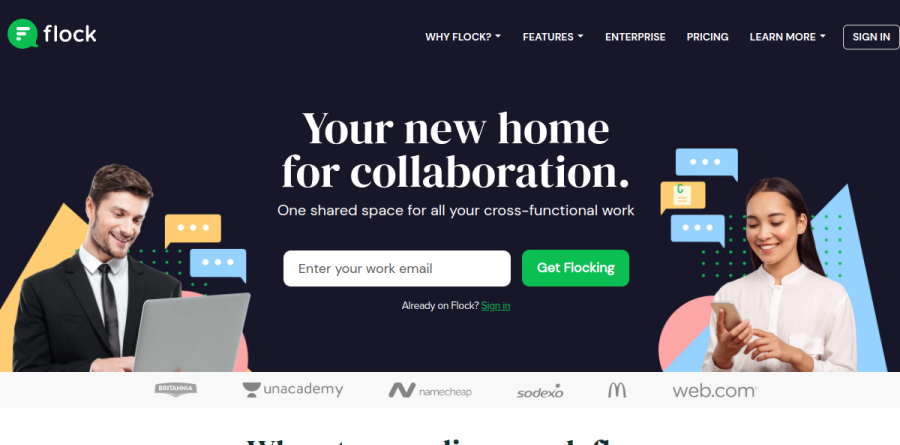
Flock is a team messaging platform that describes itself as a new home for collaboration, organizing work into channels instead of scattered email chains. The homepage pitch is one shared space for cross-functional work, and Flock delivers that through public and private channels, direct messages, group chats, and a company directory that surfaces colleagues from inside any conversation.
What sets Flock apart from a plain chat tool is how much lives in the same window. Video and voice conferencing, shared to-dos, polls, team notes, reminders, and file sharing all ship as native features rather than bolt-ons, and Flock offers apps for Windows PC, Mac, Linux, and Chrome.
How Flock organizes team conversation
Channel Messaging is the backbone. Flock encourages a channel per project or initiative, and its plan comparison also lists Smart Channels with custom fields, Auto-join Channels, and Announcement Channels, giving admins ways to route people into the right rooms without chasing invitations. Guest Users bring clients and external stakeholders into a thread, Mailcast pushes a message out by email, and a private Me Channel acts as a personal scratchpad. Integrated Search covers messages and shared files, while Voice Notes let someone record a clarification when tone carries the meaning.

The Flock productivity layer is its strongest differentiator. Shared to-dos convert a channel discussion into tracked tasks with due dates and daily reminders. Polls gather anonymous input and produce downloadable results. Team Notes stay organized by channel and support attachments, tables, and formatting. Reminders attach to any message, can be assigned to a teammate, and can repeat.
Two more tools round out the layer: Code snippets share code in one step, and Flock notes that even non-coders can copy it directly from the shared snippet; Process automation covers common to custom workflows, letting you assign a process to team members and get a notification when it completes. Dark mode is available for anyone who prefers it.
Everyday workflows Flock supports
Flock organizes its use cases around Engineering, Sales, Marketing, Product, Human Resource, and Customer Support. In practice a product team can wire Asana, Trello, or Jira updates into a planning channel; sales can get a CRM notification when a lead qualifies and loop marketing in immediately; HR can run interview coordination in one channel while contract details move in another. Flock also connects to Zoom and Zapier, and its app directory is pitched as a way to cut context switching.
Security and administration
Admin Controls let company admins add or remove members and guests, decide who can create channels or share files, and enable or disable integrations. Flock states it is SOC 2 compliant and encrypts client-to-server traffic with TLS 1.2, using AES and, where available, perfect forward secrecy. Google oAuth Sign On simplifies access for G Suite organizations, and the Enterprise tier adds Active Directory Sync and Single Sign-On.
Plans and what each tier unlocks
Flock runs three plans. Starter is aimed at teams of one to twenty and caps searchable message history, public channels, storage, and admin seats, with one-to-one video calls only. Pro targets twenty to a hundred people and lifts those limits to unlimited searchable messages and channels, adding group video calls, screen sharing, multiple team admins, and priority support. Enterprise is quoted individually and layers on organizational mapping, custom on-boarding, LMS and HRMS integration, and dedicated support. Flock offers a thirty-day Pro trial with no credit card required, and the vendor reports it can onboard a whole company in ten days.
Who should choose Flock
Flock suits small and mid-sized teams that want channel-based messaging plus lightweight task, note, and poll tools without buying a separate project tracker. Distributed teams benefit from the built-in calling and voice notes, and budget-sensitive buyers will note the interactive cost slider on Flock's pricing page, which pits Flock's per-user monthly cost against Slack's across team sizes from one to 100+ users.
Flock is not ideal for large enterprises that need a deep third-party app ecosystem, granular compliance tooling, or the sprawling integration catalog that Slack and Microsoft Teams provide. Organizations already standardized on Microsoft 365 or Google Workspace may also find the functional overlap hard to justify.
Strengths
- Cheaper than Slack — Pro is $4.50/user/mo billed annually (vs Slack's pricier paid tiers)
- Native productivity tools (shared to-dos, polls, reminders, notes) with no add-ons needed
- Free Starter plan covers up to 20 users, generous for small teams
- Lightweight, clean interface that onboards quickly
Watch out for
- Free plan caps searchable history at 10,000 messages and 5GB total storage
- Smaller app and integration ecosystem than Slack or Microsoft Teams
- Development pace has visibly slowed — few major new features in recent years
- Enterprise pricing is quote-only, with no public per-user number to budget against
Key features
| Feature | What it does |
|---|
| Channels & direct messaging | Public/private channels plus 1-1 and group DMs to organize team conversations |
| Built-in productivity tools | Shared to-dos, polls, reminders and notes native inside chat, no third-party apps |
| Video calls & screen sharing | 1-1 calls on free plan; group video calls and screen sharing on Pro and above |
| Search & message history | Unlimited searchable messages on paid plans (10,000-message cap on free Starter) |
| App integrations (FlockOS) | 60+ integrations (Google Drive, Trello, GitHub, Asana and more) via the FlockOS platform |
| Admin & enterprise controls | SSO, Active Directory Sync and organizational mapping on the Enterprise tier |
How Flock compares
| Alternative | How it differs |
|---|
| Slack | Larger app ecosystem and faster updates, but noticeably more expensive per user |
| Microsoft Teams | Deep Microsoft 365 integration and video; heavier and best for existing MS shops |
| Pumble | Truly free unlimited message history and users; leaner productivity feature set |
Frequently asked questions
Is Flock still available in 2026?
Yes. As of July 2026 Flock, owned by Directi, is still operating and accepting new signups at flock.com. It offers a free Starter plan for up to 20 users plus paid Pro and Enterprise tiers, with a 30-day Pro trial requiring no credit card. Development has slowed, but the service remains live and functional.
How much does Flock cost?
Flock's Starter plan is free for up to 20 users. The Pro plan costs $6 per user per month billed monthly, or $4.50 per user per month billed annually, for teams up to 100 members. Enterprise pricing for 100+ users is custom quote-based and adds SSO, Active Directory Sync, 20GB per user and 24/7 support.
Is Flock free?
Yes, Flock has a free Starter plan for up to 20 users. It includes 10,000 searchable messages, 10 public channels, 5GB of total team storage and one-to-one video calls with a single admin. Active teams hit those caps quickly and move to Pro ($4.50–$6 per user monthly) for unlimited messages, channels and group video calls.
Is Flock better than Slack?
Flock is cheaper — Pro runs $4.50–$6 per user monthly versus Slack's pricier paid tiers — and bundles to-dos, polls, reminders and notes natively. However, Slack has a far larger app ecosystem, more frequent updates and stronger enterprise adoption. Flock suits budget-conscious small teams; larger organizations needing integrations usually prefer Slack or Microsoft Teams.
What is Flock used for?
Flock is a team messaging and collaboration app used for group and one-to-one chat, organized channels, video calls and screen sharing. It bundles built-in productivity tools — shared to-dos, polls, reminders and notes — plus 60+ app integrations. Small and mid-sized teams use it as an affordable Slack alternative to centralize communication and light task management.
Flock ratings on other platforms
Independent user ratings from third-party review sites, linked here for transparency.
These are not our editorial score, are captured on the date shown, and may have changed since.