The full review
What is Clarify?
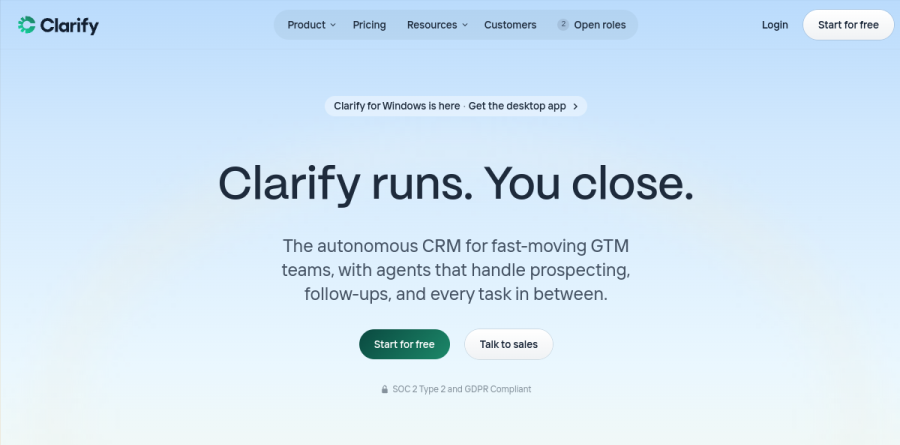
Clarify is an AI CRM built on the idea that the software should do the updating, not the seller. The homepage pitch is that Clarify runs and you close, and the product targets fast-moving go-to-market teams that want agents handling prospecting, follow-ups, and the admin in between. Rather than a record store you feed by hand, it watches your email and calendar, drafts outreach, and keeps deals current.
Several product lines sit inside one workspace: Lead Finder and Campaigns for prospecting, Rep as a personal sales agent, Agents for custom automation, and Signals for account context. Clarify also ships a desktop app and an edition for VCs.
Prospecting with Lead Finder and Campaigns

Prospecting is where most teams start, and Clarify frames it as prospect with a prompt, then outbound in a click. Lead Finder builds a targeted list from a plain-language description of who you want to reach; the vendor reports its database spans more than 28 million companies and 175 million people. Campaigns turns that list into multi-step personalized email sequences you review before sending.
One detail matters: Clarify sends campaign email through your connected Gmail or Outlook account rather than a separate Clarify server, so the From address is your connected email or an alias in that same Google or Microsoft account, and the sends are tied to that account's sending limits and reputation. Unsubscribes are workspace level: a prospect who unsubscribes is removed from that campaign and cannot be enrolled in any other campaign in the workspace. Deals spotted in those campaigns are created and updated in the CRM automatically, closing the usual gap between an outbound tool and the pipeline.
Rep handles the busywork around meetings
Rep is Clarify's built-in sales agent. It briefs meetings before they start, captures calls, drafts the follow-up afterward, and proposes stage and field updates at the end of the day. AI Fields let you define a custom property with a prompt and have Clarify populate it; deal detection reads email and meetings to flag opportunities nobody logged. Allowlists and blocklists decide which conversations sync at all, and Clarify states that it never changes a record without your approval, so Rep suggests rather than overwrites.
Custom agents, Skills, and MCP connectors
Beyond Rep, the Agents product lets you build your own. Clarify ships templates including End of Day Wrap-Up, Inbox Reply Drafter, Post-Meeting Follow-Up, Post-meeting CRM Update, Account Research System, and Deal Risk Radar, and you can either install one in a click or describe what you want in plain language and Clarify builds the agent for you. Skills store reusable instructions so an agent behaves consistently, and each agent carries its own permissions the way a teammate would.
Custom MCP connectors push agents past the CRM boundary. Clarify lists integrations with Slack, Notion, Linear, Gong, Clay, Granola, Intercom, Stripe, Customer.io, PostHog, Outreach, and Lemlist, alongside Gmail and Google Calendar.
Signals brings market context into the record
Signals is the context layer. Clarify's argument is that a CRM records what you did and misses what the market is doing. Signals folds funding news, hiring changes, champion moves, category-level intent, and first-party behavior such as site visits, email opens, and product usage into one growing account record. Clarify says Signals is built into the product with "nothing new to install, connect, or maintain," but it is not generally available yet: the page offers a waitlist and describes early access customers coming on over the following months ahead of a wider rollout.
How Clarify plans and credits work
Clarify meters consumption rather than headcount. Every plan includes unlimited seats and runs on a monthly credit allowance, with credit costs published per action. Free runs on up to 1k credits a month and includes Lead Finder, AI Fields, custom agents, and reporting, but limits you to one active campaign and standard rather than advanced enrichment. Starter raises the monthly credits, adds advanced enrichment, and lets you buy extra credit blocks. Growth is quoted individually and layers on Workflows, CRM migration, OIDC and SAML sign-on, and a dedicated account manager.
Who should choose Clarify
Clarify suits founder-led and early go-to-market teams who are still doing outbound and pipeline hygiene themselves and would rather run one workspace than stitch a prospecting tool, a sequencer, and a CRM together. Unlimited seats help when support, product, and founders all touch accounts.
Larger organizations should note that the enterprise-shaped items sit only on the custom-priced Growth plan: Workflows, CRM migration, OIDC and SAML sign-on, unlimited active campaigns, and a dedicated account manager. Those teams should scope Growth carefully before committing.
Strengths
- Genuinely usable free tier — $0 with unlimited seats and 1,000 credits/mo
- Usage-based pricing (pay for AI work, not per seat) is cheap for small teams
- Auto-enriches every contact from your inbox and calendar
- Built-in meeting recorder with AI summaries that update the pipeline
Watch out for
- Credit model means cost scales with heavy AI use (+$50 per 5,000 credits)
- Newer CRM — smaller integration ecosystem than HubSpot or Salesforce
- Advanced enrichment is gated to the paid Starter tier
- SSO (OIDC/SAML) only on the custom-priced Growth plan
Key features
| Feature | What it does |
|---|
| Auto-enrichment | Connects email + calendar and fills contact fields — title, company, email, LinkedIn URL, funding history — automatically. |
| Lead Finder & LinkedIn capture | Find new prospects in-app, or add and enrich a contact with one click from LinkedIn. |
| Meeting intelligence | Records calls, generates transcripts and AI summaries, then updates the deal record in the background. |
| Campaigns | Run outbound sequences from first touch to reply without leaving the CRM. |
| Custom agents & AI fields | Configure AI agents and computed fields to automate repetitive research and data entry. |
How Clarify compares
| Alternative | How it differs |
|---|
| HubSpot | Far larger ecosystem and integrations, but per-seat pricing gets expensive fast for small teams; Clarify counters with unlimited seats. |
| Attio | Modern, flexible data-model CRM; compare on automation depth and how much AI is built in vs bolted on. |
| Folk | Lightweight relationship CRM for small teams; Clarify leans more into autonomous prospecting/enrichment. |
Frequently asked questions
Is Clarify really free?
Yes. Clarify's Free plan is $0/month with unlimited seats and 1,000 AI credits per month, and it includes core CRM features — enrichment, call recording, lead finder, campaigns, and reporting. You only pay when you need more AI credits.
How does Clarify's pricing work?
Clarify uses usage-based pricing measured in AI credits rather than per-seat fees. Free includes 1,000 credits/mo; Starter is $50/mo for 5,000 credits (extra 5,000-credit blocks are $50 each); Growth is custom-priced with enterprise features.
How does Clarify compare to HubSpot?
HubSpot has a much larger integration ecosystem, but charges per seat and can get costly as a team grows. Clarify offers unlimited seats and usage-based pricing, trading ecosystem breadth for lower cost and more built-in AI automation.
Does Clarify have unlimited seats?
Yes — all tiers (Free, Starter, and Growth) include unlimited seats. You pay for AI usage via credits, not for the number of users.
Clarify ratings on other platforms
Independent user ratings from third-party review sites, linked here for transparency.
These are not our editorial score, are captured on the date shown, and may have changed since.