The full review
What is LiveChat?
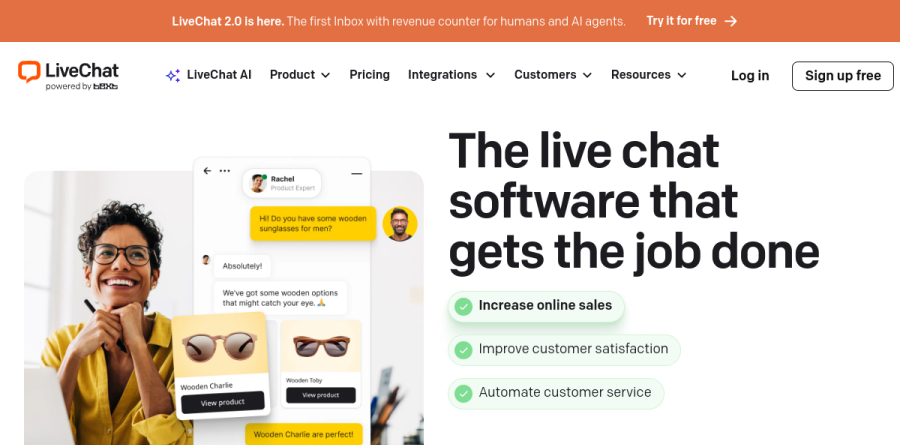
LiveChat is a live-chat and customer messaging platform that drops an embeddable widget onto your site and routes every incoming conversation into a shared agent inbox. The homepage leads with LiveChat 2.0, which the vendor describes as the first inbox with a revenue counter for humans and AI agents alike. Underneath sits a well-worn support desk: message previews that show what a visitor is typing, canned responses, conversation tags, file transfers, agent handoffs, and post-chat ratings.
LiveChat also belongs to a wider product family, which matters when scoping a budget: ChatBot.com, the sibling product for building automated flows, appears on the pricing page as a separate add-on rather than something folded into a seat.
Channels LiveChat can answer from
The website widget is the front door, but the Messaging Channels group extends the same inbox to Facebook Messenger, Instagram for Business, WhatsApp Business, email, SMS, and Apple Messages for Business, plus a standalone chat page. Chat Widget Customization handles theme design, agent profile display, accessibility options, and multiple languages, so a retailer serving several markets can run one widget everywhere. Note from the pricing page that SMS is not included in any plan tier — it is available as a marketplace app.
What the LiveChat AI layer actually does

The AI page covers both agent-assist tooling and an autonomous AI Agent. Auto-Suggests surface a recommended reply trained on your own content, Text Enhancement rewrites a rushed sentence into something presentable, Tag Suggestions label conversations automatically, and Chat Summaries compress a long thread so the next agent picks it up cold. AI Agent is the autonomous piece, with Custom Skills letting you write plain-language instructions for how it should behave in a given situation instead of drawing a flow diagram. The vendor reports that AI Agent resolves 74 percent of customer cases and names accounts such as Sephora; read that as a vendor figure.
Reporting built around revenue, not volume alone

Alongside the expected Total chats, Missed chats, Response time, and Chat satisfaction reports, the Ecommerce Reports section carries Tracked sales and Achieved goals, so a conversation can be tied to a purchase or a signup rather than a vague sense of helpfulness. Greetings conversion shows which greetings are the most efficient and which need tweaking, and Queue abandonment covers customers who left the queue before getting connected to an agent. Staffing prediction recommends how many agents a shift needs, and Data Export drops any report into CSV or emails it on a schedule.
Engagement, routing, and team control
Customer Engagement bundles the proactive side: targeted messages, eye-catchers, chat buttons, routing rules, availability, and chat assignment. Team Management adds agent accounts, groups, chat supervision, agent roles, per-agent chat limits, and a work scheduler. Security covers 256-bit SSL encryption, credit card masking, EU or US data storage, access restriction by IP address, visitor banning, 2-Step Verification, and single sign-on through Okta, OneLogin, Auth0, or Azure Active Directory.
How the LiveChat plans step up
Starter is a single-seat plan with a short chat history window, one recurring campaign, and a modest visitor tracking cap, making it a solo or side-project choice. Team removes the seat ceiling and adds unlimited campaigns, unlimited chat history, and full widget customization, which is the realistic entry point for a staffed desk. Business raises the visitor tracking limit and adds advanced reporting, on-demand reporting, agent performance, staffing prediction, and the work scheduler. Enterprise covers custom tracking limits, dedicated onboarding, SSO, HIPAA, and service level agreements. Every tier starts with a 14-day trial, no card required.
Who should choose LiveChat
LiveChat suits ecommerce and services teams that believe chat drives revenue and want evidence of it; Tracked sales and Achieved goals are the reason to pick this over a generic widget. It fits multi-channel teams consolidating Messenger, Instagram, and WhatsApp into one queue, and support departments needing scheduling, supervision, and permission control. Budget-conscious teams should note that LiveChat is priced per seat and that ChatBot.com is a separate add-on, starting at $52 per month billed annually.
Strengths
- Mature, battle-tested core live chat with fast setup and a shallow learning curve
- Text Copilot agent-assist (reply suggestions, chat summaries, sentiment, tag suggestions) bundled into every paid plan
- Large integration marketplace plus omnichannel SMS and Apple Messages for Business on higher tiers
- Strong real-world reputation (G2 ~4.5, Capterra ~4.6) and a 14-day no-credit-card trial
Watch out for
- Genuine customer-facing AI deflection requires buying ChatBot separately, so 'AI support' costs stack fast
- Per-agent pricing bills idle seats and scales expensively for larger teams
- Chat-only: no native voice or phone channel
- Reported occasional performance lag, capped AI knowledge sources, and no historical-ticket simulation before deploying bots
Key features
| Feature | What it does |
|---|
| Text Copilot | Per-agent assistant that drafts context-aware replies from your knowledge sources with citations, plus summaries and text enhancement |
| ChatBot (add-on) | No-code automation layer for autonomous, customer-facing resolution, purchased and priced separately from seats |
| Omnichannel inbox | Web chat unified with SMS and Apple Messages for Business on Business and Enterprise tiers |
| Reporting & staffing | Agent performance metrics, staffing prediction and work scheduler on higher plans |
How LiveChat compares
| Alternative | How it differs |
|---|
| Intercom (Fin) | Fin AI agent resolves tickets autonomously with per-resolution pricing; stronger true automation but pricier |
| Tidio (Lyro) | SMB-focused and cheaper, with Lyro AI included rather than sold as a separate product |
| Zendesk | Broader enterprise helpdesk with built-in AI agents; heavier and more expensive than LiveChat |
Frequently asked questions
Is LiveChat's AI included in the subscription price?
Agent-assist (Text Copilot) is included in all paid plans, but autonomous customer-facing automation requires the separate ChatBot product, which starts around $52/mo billed annually and can add per-resolution charges.
Is there a free plan?
No permanent free tier. LiveChat offers a 14-day free trial with no credit card required; after that, paid plans start at $19/agent/mo billed annually.
LiveChat ratings on other platforms
Independent user ratings from third-party review sites, linked here for transparency.
These are not our editorial score, are captured on the date shown, and may have changed since.