The full review
What is Help Scout AI?
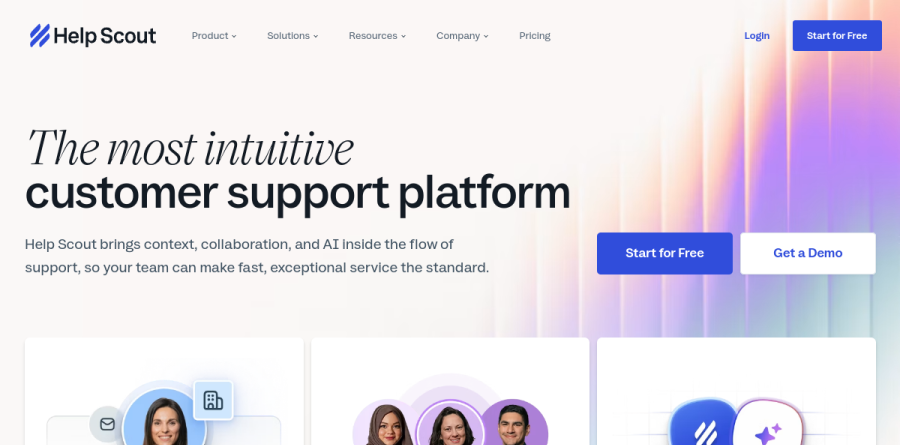
Help Scout AI is the AI-assisted incarnation of Help Scout, a shared-inbox help desk that pulls email, chat, phone calls and social into one place — the Inbox page's phrase is "under one roof, nothing slips through the cracks." The homepage bills it as the most intuitive customer support platform, and the product page reinforces it with "Powerful, not perplexing" — while Workflows automate "just about any manual process, from assigning, to tagging, and beyond" underneath.
The AI here is layered into the workflow rather than parked beside it. Help Scout describes bringing context, collaboration and AI inside the flow of support, which in practice means two distinct things — an Inbox Assistant that helps agents write, and AI Answers that replies to customers before a human ever opens the thread.
How the shared inbox works day to day
Help Scout AI consolidates email, chat, phone calls and social into one workspace — "Every channel in one place," as the Inbox page puts it — so nothing slips through the cracks. Internal notes let a teammate weigh in before anything reaches the customer, and collision detection keeps two agents from answering at once. Saved replies cover the questions a team fields every week, while Workflows handle assignment, tagging and routing automatically. Custom views — a VIP filter, or everything waiting over 24 hours — give leads a triage queue without building a report first.
What the AI layer actually does

AI Answers is the customer-facing half. The vendor says it handles everyday requests automatically so the team spends less time on repetitive questions, and it is billed as a separate add-on metered per resolution rather than folded into a seat price.
Inbox Assistant is the agent-facing half, and it breaks into three named tools. AI Drafts produces a starting reply grounded in your own sources, with unlimited drafting. AI Summarize compresses a long back-and-forth into the context an agent needs to act. AI Assist adjusts tone, fixes grammar, tightens bloated replies, or translates text. The Inbox page indicates this can run further than a nudge — AI Drafts will "give you a head start on a reply, or even draft responses automatically."
Docs, Beacon and self-service you can measure

Every Help Scout AI plan includes at least one Docs site, the knowledge base module. Articles are written in a plain editor, styled with the color and formatting options available out of the box or customized further with CSS, and surfaced through Beacon, the embeddable widget that drops articles onto your site or into your app next to a chat entry point.
The genuinely useful piece is the Docs Report, which shows what customers searched for and, more revealingly, what they failed to find. That converts self-service from guesswork into a concrete backlog of articles worth writing.
Reporting and picking the right plan
Insights and Analytics answers operational questions — when are we busiest, where can we be more efficient — with volume trends across every channel alongside response time, handle time and wait time metrics.
Plan choice tracks team scale more than AI access. Free suits a small crew with a single inbox and one Docs site. Standard lifts the user ceiling and adds a second inbox. Plus raises the ceiling to 50 users across 5 inboxes and allows 25 light users — teammates who, per the pricing page, "view conversations and collaborate without taking up a full user seat." Pro removes the user cap and widens the light-user allowance. AI Answers sits outside that ladder as a per-resolution add-on, and the vendor advertises a three-month trial of it for new accounts.
Who should choose Help Scout AI
Help Scout AI suits small and mid-sized support teams that want a help desk agents can learn in an afternoon — SaaS, ecommerce, education and professional services companies where conversations feel personal and volume is steady rather than overwhelming. The AI earns its keep fastest when your knowledge base is already respectable, since AI Drafts and AI Answers both lean on your sources for accuracy.
It is not ideal for enterprise service desks that need ITSM workflows, asset management, CMDB-style configuration or heavily customized ticket schemas; those teams will reach the edges of the shared-inbox model quickly. Trial it against a real week of your own queue, not a demo dataset.
Strengths
- Genuinely easy to set up and use; low training overhead for agents
- Agent-assist AI (Drafts, Summarize, Assist) is bundled with no per-use fee
- AI Answers bills only on successful resolution, with a 3-month free trial and spend caps
- Strong shared inbox, Docs knowledge base, and Beacon widget in one tidy package
Watch out for
- AI Answers is read-only: it can't check orders, issue refunds, or trigger actions
- Autonomous bot runs in web chat only, not email or social channels
- Resolution quality hinges entirely on knowledge-base completeness; real-world rates vary widely
- Per-seat costs climb fast at scale, and Pro is quote/demo-gated
Key features
| Feature | What it does |
|---|
| AI Answers | Customer-facing chatbot in the Beacon widget that auto-resolves web-chat questions from your Docs; charged $0.75 per resolution. |
| AI Drafts | One-click reply suggestions generated from your documentation and past conversations, included on paid plans. |
| AI Summarize | Automatic bulleted summaries of long conversation threads, included from the Plus tier upward. |
| AI Assist | In-editor tools to adjust tone, length, and grammar, plus multi-language translation of replies. |
How Help Scout AI compares
| Alternative | How it differs |
|---|
| Intercom (Fin AI Agent) | More agentic, action-capable AI across channels, but pricier and more complex to run. |
| Zendesk AI | Deeper enterprise automation and omnichannel scope; heavier and costlier than Help Scout. |
| Gorgias | E-commerce-focused AI support with Shopify actions Help Scout's read-only bot lacks. |
Frequently asked questions
How much does Help Scout's AI cost?
Agent-assist tools (AI Drafts, Summarize, Assist) are bundled free on paid plans. The customer-facing AI Answers chatbot is metered at $0.75 per resolution after a 3-month unlimited free trial, with optional spending caps.
Can Help Scout's AI take actions like refunds or order lookups?
No. AI Answers is read-only and answers from your knowledge base only. It can't check order history, process refunds, or trigger workflows, and it runs in web chat rather than email or social.
Help Scout AI ratings on other platforms
Independent user ratings from third-party review sites, linked here for transparency.
These are not our editorial score, are captured on the date shown, and may have changed since.