The full review

What is Frontend Masters?
Frontend Masters is a subscription video training platform for working software developers, built around long-form workshop recordings rather than short tutorial clips. New courses are streamed live as they are recorded, so members can follow along in real time, ask questions through the in-player Q&A module, and interact directly with the instructor. The result reads like a conference workshop captured on video.
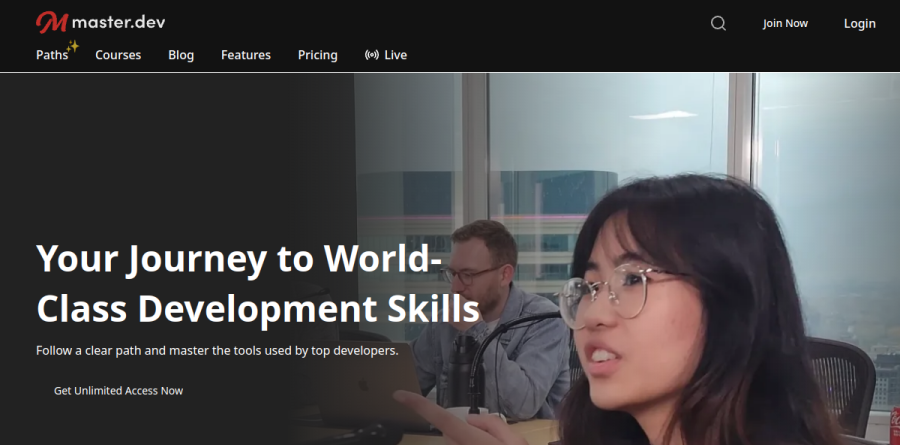
In June 2026 the company rebranded as Master.dev, and frontendmasters.com now redirects there. The vendor frames this as a correction rather than a pivot: members kept reporting that the frontend label undersold a catalog grown well past the browser. Courses, instructors, and existing subscriptions carried over unchanged.
Beyond the frontend label

Alongside the JavaScript, React, TypeScript, and CSS material that built the reputation, Frontend Masters carries courses on Go, Rust, Python, C#, Java with Spring Boot, PostgreSQL, Docker, Node.js, and AWS, with topic tags spanning DevOps, Cloud Infrastructure, Databases, APIs, and Security. The vendor reports more than 300 in-depth courses.
Titles carry version numbers, such as Svelte and SvelteKit v2, and dated editions get re-recorded rather than quietly patched. That versioning helps when you are judging whether a course on a fast-moving framework still reflects current practice.
Learning paths built around career stages
Rather than leaving you to assemble a curriculum, Frontend Masters groups courses into structured learning paths. Three map to seniority: Beginner, aimed at becoming career-ready; Professional, pitched at senior web developer level; and Expert, built for lead and staff roles. Each lists a total runtime, and Professional runs past seventy hours.
Narrower paths cover specific ground. Computer Science works through data structures and algorithms in JavaScript, Fullstack to Backend pushes browser developers onto the server, and Design to Code targets the handoff problem. Topic paths for React and Next.js, TypeScript, Node.js, and Cloud and DevOps let you go deep on a single stack.
Who teaches the workshops
The instructor bench is the strongest argument for Frontend Masters. Courses are led by what the vendor calls engineers who actually use the tools they teach, including Rich Harris of Vercel on Svelte, Brian Holt of Microsoft, Steve Kinney of Temporal, Scott Moss of Netflix, and Nina Zakharenko on Python for Professional Developers. Live Online Workshops run alongside the recorded library and are included with membership: every new course is streamed as it is recorded, so members can join, ask questions in the chatroom, and learn from the instructor in real time, with unedited replays available until the finished course is released.
Where AI fits in the catalog
AI coursework has become a pillar rather than a bolt-on. The Coding with AI path collects roughly thirty-eight hours, and the catalog covers Claude Code, AI Engineering Fundamentals, and agent engineering. The vendor reports that four of its ten most popular courses now sit in the AI category: Claude Code, AI Engineering Fundamentals, AI Agents Fundamentals, and Practical Prompt Engineering.
Plans, seats, and the free tier
The Free account is usable rather than a teaser: it unlocks five complete courses, and the GitHub Student Developer Pack adds six months of full access for eligible students. Paid individual access comes as Individual Monthly or the discounted Individual Yearly.
Teams buy per seat with a ten-user minimum, and the Team plan adds reassignable seats plus reporting, which matters when contractors rotate on and off a project. Enterprise is quoted on request and layers on single sign-on, advanced analytics, custom learning plans, and payment by invoice, purchase order, or bank transfer.
Who should choose Frontend Masters
Frontend Masters fits the mid-level developer who already ships code and wants to close named gaps, someone who can sit through a long workshop on module bundling or database indexing without needing fundamentals re-explained. It also suits engineering leads defending an upskilling budget, since the paths supply a curriculum to point at.
It is a weaker fit for absolute beginners who want hand-holding, graded assignments, and mentor feedback. The Beginner path exists, but the house style assumes you can sit with confusion and keep moving. Anyone needing an accredited credential for hiring screens should look elsewhere, because this is skills training and not certification.
Strengths
- Deep, workshop-format teaching from recognized industry practitioners (Kyle Simpson, Sarah Drasner, Will Sentance, etc.)
- Curriculum is genuinely advanced in JavaScript, TypeScript, React, CSS, Node and web fundamentals
- Structured learning paths let you progress by topic and skill level rather than hunting for courses
- Generous free entry point: 5 full courses, a free bootcamp, and 6 months free for students via GitHub Student Pack
Watch out for
- One flat price with no cheaper single-course option; unused months make the monthly plan expensive
- Weak for absolute beginners who need heavy hand-holding and structured beginner support
- Certificates are completion records, not accredited credentials or job guarantees
- Almost entirely video-based with limited in-browser interactive coding compared to some rivals
Key features
| Feature | What it does |
|---|
| Workshop-format courses | 300+ multi-hour courses recorded from live workshops, with exercises and Q&A woven in. |
| Learning paths | Curated topic tracks (e.g. React, TypeScript, full-stack) with progress tracking to guide sequencing. |
| Custom video player | Searchable transcripts, annotations, adjustable speed and bookmarking built for long technical content. |
| Offline mobile apps | iOS and Android apps with offline playback for learning away from the desk. |
How Frontend Masters compares
| Alternative | How it differs |
|---|
| Scrimba | Interactive, in-browser coding lessons; friendlier for beginners but shallower for advanced topics. |
| Pluralsight | Broader enterprise catalog with skill assessments; less frontend-focused and pricier. |
| egghead.io | Short, focused screencasts for working JS/React devs; smaller library, similar audience. |
Frequently asked questions
Is there a free version of Frontend Masters?
Yes. A free account unlocks 5 complete courses and a free two-week beginner bootcamp, and students get 6 months free through the GitHub Student Developer Pack.
Is the annual plan worth it over monthly?
The $390/year plan works out to about $32.50/month and only beats monthly billing if you use the platform for more than roughly ten months in a year.
Frontend Masters ratings on other platforms
Independent user ratings from third-party review sites, linked here for transparency.
These are not our editorial score, are captured on the date shown, and may have changed since.